What Is AirPlay 2 — and What Isn't It?
AirPlay 2 adds multiroom grouping, longer buffering and stereo pairing to Apple's original AirPlay streaming protocol. Any AirPlay 2-certified speaker can receive audio directly from an Apple device over the local Wi-Fi network, and multiple AirPlay 2 speakers can be grouped together and controlled from the same Control Centre panel on iOS. It's a genuinely cross-brand standard — Apple licenses it to third-party manufacturers, which is why Sonos, Denon, Bose and others all support it alongside their own proprietary multiroom systems.
What it is not is a way into Home Assistant. AirPlay 2 is an Apple-controlled protocol for streaming audio from an Apple device to a speaker — it has no public API for third-party home automation platforms to hook into, and Home Assistant has no direct "AirPlay" integration for controlling playback or reading state. If you want a speaker on this list to show up as a media_player entity in Home Assistant, that has to come through the manufacturer's own integration — the Sonos integration for Sonos hardware, the HEOS integration for Denon and Marantz gear — not through AirPlay itself. Treat AirPlay 2 support and Home Assistant support as two separate questions when shopping.
How Did We Pick These AirPlay 2 Speakers?
Every speaker on this list has confirmed, current AirPlay 2 support from the manufacturer — we checked each brand's own product pages and support documentation rather than relying on retailer listings. We also noted UK pricing at typical RRP (prices vary by retailer and fluctuate with sales), and flagged where a speaker has an official Home Assistant integration versus where it doesn't, since that's a common point of confusion for buyers coming from a Home Assistant setup.
Best AirPlay 2 Speakers UK 2026
1. Apple HomePod (2nd Generation) — Best for an All-Apple Home
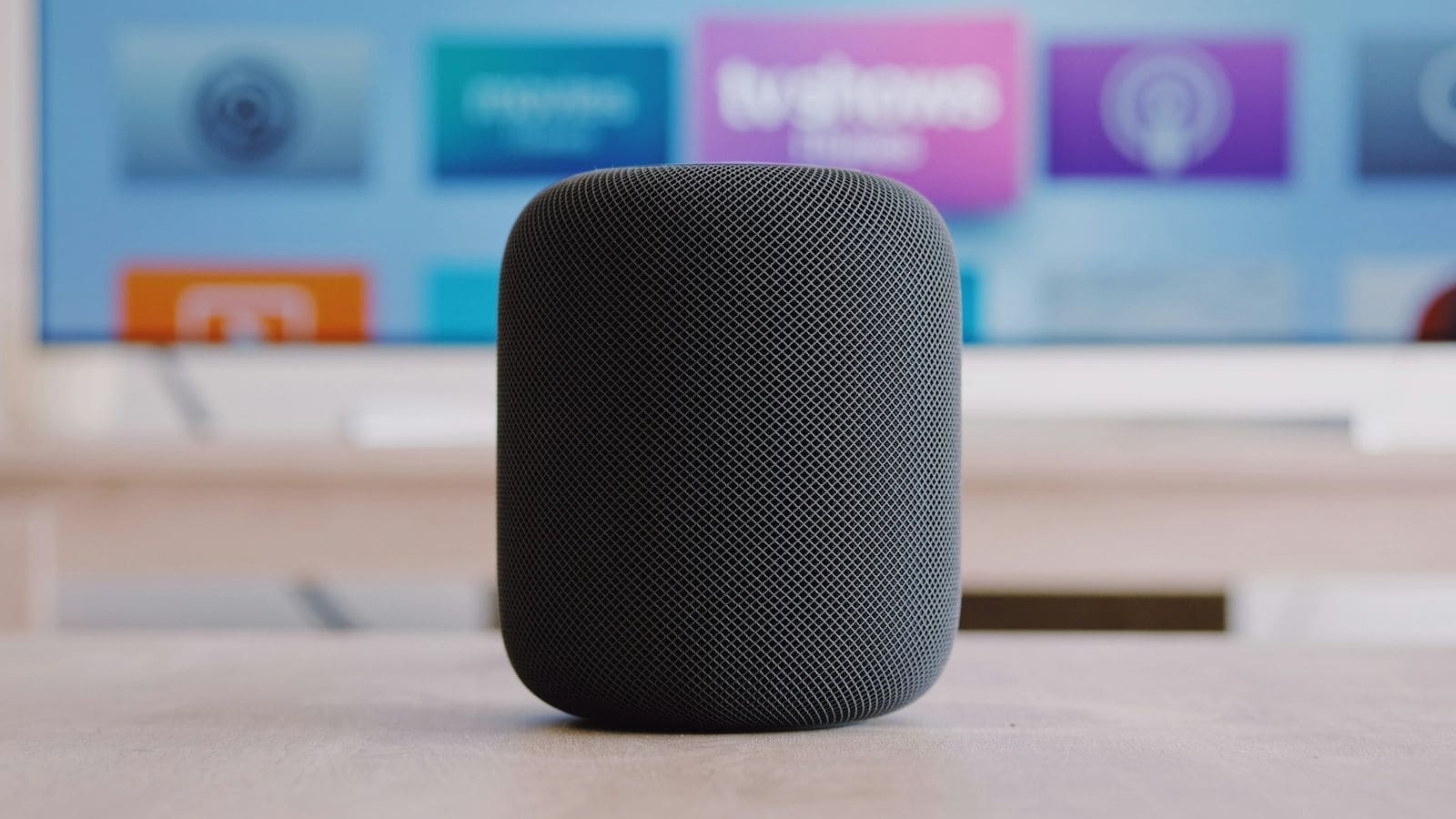
Around £349. The HomePod is Apple's own speaker, so AirPlay 2 support is native rather than added — alongside Siri voice control, spatial audio for Apple Music tracks that support it, and automatic stereo pairing with a second HomePod. It's the most tightly integrated pick for anyone fully inside the Apple ecosystem, including Apple TV audio handoff and Find My. Our full Apple HomePod (2nd Gen) review covers sound quality and setup in more depth.
Home Assistant note: there is no dedicated HomePod media_player integration. Home Assistant's HomeKit Controller integration can pair with a HomePod mini acting as a Thread border router for other HomeKit accessories, but it does not expose playback, volume or media control for the HomePod itself — audio control stays inside Apple's own ecosystem.
2. Sonos Era 100 — Best Overall / Best for Multiroom
Around £199. The Era 100 is the current entry point into Sonos's speaker range, and every current Sonos product — One, Era 100, Era 300, Five, Roam, Move 2, Beam Gen 2, Arc and the rest — supports AirPlay 2 for direct streaming from an Apple device, on top of Sonos's own app-based multiroom system. That dual support is the main reason Sonos tops this list: you get Apple's zero-setup streaming when you want it, and Sonos's more polished grouping and EQ controls the rest of the time. See our Sonos Era 100 review for full detail.
Home Assistant note: Sonos has a mature, actively maintained Home Assistant integration that connects locally over the network (classified "Local Push" — no cloud round-trip needed) and exposes each speaker as a full media_player entity with volume, source, grouping and more. This works independently of AirPlay 2; it's Sonos's own protocol that Home Assistant talks to.
3. Denon Home 150 — Best for HEOS or AV Receiver Owners
Around £219. The Denon Home 150 runs Denon's HEOS multiroom platform and supports AirPlay 2 and Bluetooth alongside it, per Denon's own product page. It's the natural pick if you already own — or plan to buy — a HEOS-enabled Denon or Marantz AV receiver, since that receiver appears in the HEOS app as its own zone and can share multiroom audio with the Home 150 without extra hardware. Full details in our Denon HEOS review and our Sonos vs Denon HEOS comparison.
Home Assistant note: the HEOS integration connects locally, creates a media_player entity for every HEOS device including AV receivers, and supports playback, volume and queue controls. It has two known gaps: no text-to-speech announcements, and no AV receiver zone/power control from Home Assistant — again, this is the HEOS integration doing the work, not AirPlay.
4. Bose Home Speaker 500 — Best Alternative Sound Signature
Around £279. Bose added AirPlay 2 support to its smart speaker range — including the Home Speaker 500 — via a firmware update, alongside existing Bluetooth, Wi-Fi, Alexa and Google Assistant support. It's a useful pick for buyers who want AirPlay 2 without joining the Sonos or Denon app ecosystems, and Bose's tuning is a genuinely different (often bassier) sound signature than the Sonos or Denon alternatives on this list.
Home Assistant note: there is no official Bose media_player integration in Home Assistant core. Bose speakers can be controlled via Alexa or Google Assistant routines if voice-linked, but direct entity-level control from Home Assistant isn't available the way it is for Sonos or HEOS — a real limitation to weigh if HA control matters to you as much as AirPlay 2.
5. Apple HomePod mini — Best Budget Apple Pick
Around £129. The HomePod mini carries over the full HomePod's AirPlay 2 and Siri support in a much smaller, cheaper unit, with 360-degree sound aimed more at background listening and voice tasks than room-filling volume. Two or more paired together make a reasonable stereo pair for a small room. Our HomePod mini review has the full breakdown.
Home Assistant note: same caveat as the full-size HomePod — no direct media_player integration. A HomePod mini is commonly used purely as a Thread border router for other HomeKit devices in a Home Assistant setup, with its own audio playback staying inside Apple's ecosystem.
6. Sonos Five — Best for Serious Hi-Fi Listening
Around £549. The Sonos Five is Sonos's largest and most powerful standalone speaker, built more for stereo listening in a bigger room than for background multiroom duty, and it carries the same AirPlay 2 support as the rest of the current Sonos range. It also has a line-in option via a USB-to-3.5mm adapter, useful if you want to feed it from a turntable preamp as well as streaming to it. Full detail in our Sonos Five review.
Home Assistant note: covered by the same Sonos integration as the Era 100 above — local push, full media_player entity, no cloud dependency for basic control.
AirPlay 2 vs Home Assistant: Don't Conflate the Two
The single most common mix-up buyers make is assuming "AirPlay 2" and "Home Assistant compatible" are the same claim. They aren't. AirPlay 2 tells you a speaker can receive audio directly from an Apple device with no app required. Home Assistant compatibility tells you whether that speaker exposes a local API — usually the manufacturer's own protocol, not AirPlay — that Home Assistant's integration layer can talk to for automation, entity control and dashboard cards. A speaker can have excellent AirPlay 2 support and zero Home Assistant integration (Apple's own HomePod and HomePod mini are the clearest example on this list), while another speaker's Home Assistant integration works entirely independently of whether it also happens to support AirPlay 2 (Sonos and HEOS both fall here). If Home Assistant control matters as much as AirPlay 2 streaming, check both separately before buying — don't assume one implies the other. For a deeper look at multiroom platform choices generally, see our best multiroom speakers UK guide, and for Home Assistant basics see our Home Assistant UK setup guide.
Setting Up an AirPlay 2 Speaker
Setup is largely the same across brands: connect the speaker to your Wi-Fi network using the manufacturer's own app (Sonos app, HEOS app, Bose Music app, or Apple's Home app for HomePod), then it appears automatically as an AirPlay destination on any Apple device signed into the same Wi-Fi network. From an iPhone or iPad, open Control Centre, tap the audio card, and select the speaker (or multiple speakers to group them). No separate AirPlay-specific app or account is needed once the speaker is on the network — the manufacturer's own app remains the tool for firmware updates, EQ and any brand-specific features.