Design and Build Quality
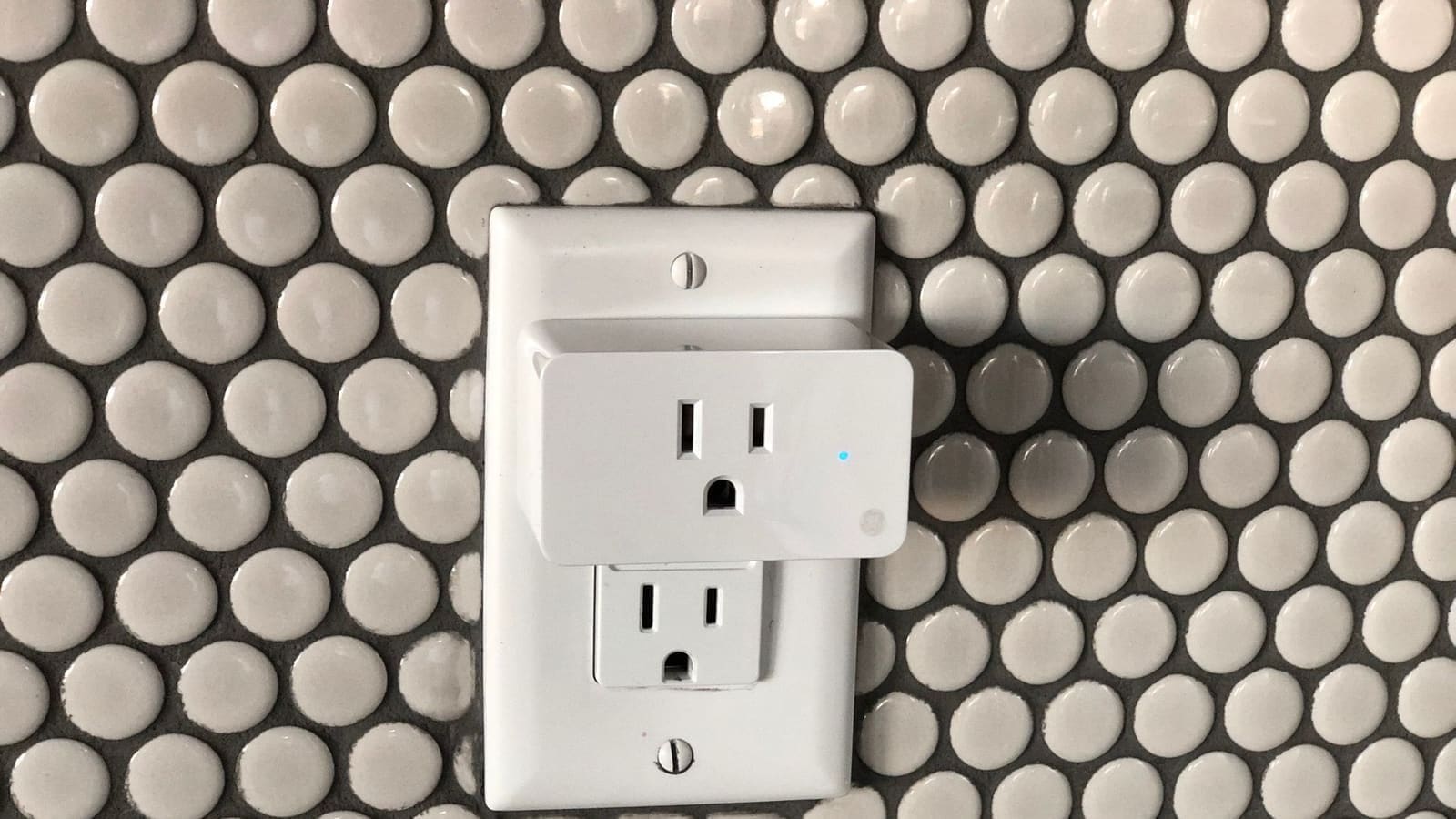
Compact and well-made. The Shelly Plug S uses a UK Type G plug (three-pin) and is noticeably slimmer than many competitors. In a double socket it leaves the adjacent outlet free, which is a real practical advantage in cramped wall socket positions. The casing is white plastic with a tactile power button on the face, and a small status LED that indicates power state and Wi-Fi connectivity. It is rated for loads up to 2,500W / 10A, making it suitable for floor lamps, desk lamps, small appliances, and heating devices — though not for large appliances like kettles at full draw or electric showers.
Build quality feels solid for the price. The plug fits snugly in a socket with no wobble, and the button clicks positively. It is not waterproof, so it is suited to indoor use only.
Setup and the Shelly App
Quick to set up — no hub required. The Shelly Plug S connects directly to your 2.4GHz Wi-Fi router; no Zigbee coordinator, Z-Wave hub, or proprietary bridge is needed. First-time setup takes about two minutes: plug it in, connect your phone to the device's own Wi-Fi access point, enter your home Wi-Fi credentials, and you are done.
The Shelly Cloud app (available on iOS and Android) provides remote control, scheduling, scenes, and energy usage history. The interface is functional rather than polished — it lacks the visual refinement of the TP-Link Kasa app — but it covers everything you need. Shelly also supports Amazon Alexa and Google Home voice control, so it works within broader smart home setups.
For users who prefer to keep data on-premises, the Plug S can operate in fully local mode with the cloud disabled. A REST API and MQTT broker support are built in, meaning it can be controlled programmatically without any internet connection. Shelly Script (a JavaScript-based scripting engine built into the firmware) even allows local automations to run directly on the device — handy for simple time-based schedules that do not depend on a central hub being online.
OTA (over-the-air) firmware updates are delivered automatically, keeping the device patched without manual intervention.
Home Assistant Integration
This is where the Shelly Plug S really earns its reputation. The Home Assistant Shelly integration supports native auto-discovery over the local network — the moment you plug in a Shelly device, Home Assistant detects it and offers to add it with a single click. No YAML, no token hunting, no manual IP entry required.
Once added, you get full control entities: on/off switch, real-time power (watts), voltage, current, and total energy consumption (kWh). You can use these in automations — for example, turning off a floor lamp automatically at midnight, or sending a notification when a device draws unusually high power. For more advanced users, the integration exposes the device's REST API and MQTT topics directly, giving granular control without leaving the Home Assistant ecosystem.
If you are setting up a smart home built around Home Assistant, the Shelly Plug S is one of the easiest devices to add to your setup. Compare it with the best smart plugs in the UK for a broader view of the market.
Energy Monitoring
One of the Plug S's standout features is its built-in energy monitor. Most budget smart plugs at this price either omit energy monitoring entirely or bolt it on as a separate, cloud-only feature. The Shelly Plug S measures real-time power draw in watts and accumulates kilowatt-hour totals, which you can view in the Shelly app or pull into Home Assistant for long-term tracking.
In practice, this is genuinely useful. Plugging in a floor lamp and seeing it draws 8W tells you something useful about your energy bill. Running a space heater through the Plug S lets you track exactly how many kWh it consumes per month — useful context when energy prices are a concern. The Shelly app shows daily, weekly, and monthly totals per device, so you can build up a picture of standby loads and usage patterns over time without needing a whole-home energy monitor.
Performance and Reliability
In extended testing, the Shelly Plug S has been rock-solid. Response times over local Wi-Fi are typically under 200ms — fast enough that switching a lamp feels instant. We have not experienced unexpected reboots or offline episodes during normal use. The device reconnects automatically after a router restart without requiring manual intervention.
The one caveat is Wi-Fi range: like all 2.4GHz devices, its performance degrades in large properties with thick walls. Positioning the plug within reasonable range of an access point avoids connectivity issues. If your home has Wi-Fi dead spots, a Zigbee-based plug (paired with a coordinator) may offer more reliable mesh coverage — though that introduces hub complexity that the Shelly Plug S deliberately avoids.
Shelly Plug S vs Competitors
TP-Link Kasa EP10: The Kasa EP10 is similarly priced and has a polished app, but it lacks energy monitoring on its entry-level model and requires the TP-Link cloud for remote access. Home Assistant integration exists via a community integration but is less seamless than Shelly's native support.
Meross MSS210: The Meross MSS210 is another strong contender — it supports Thread on newer hardware and works well with Apple Home. However, it also lacks energy monitoring on its base model, and local control requires additional configuration compared to Shelly's built-in REST API.
Amazon Smart Plug: Amazon's own plug is deeply integrated with Alexa but has no energy monitoring, no local API, and no Home Assistant support worth mentioning. For Alexa-only households it is fine; for anyone running a self-hosted smart home it is a non-starter.
The Shelly Plug S wins on the combination of energy monitoring, local control, and native Home Assistant integration at a competitive price point. It is not the prettiest app experience, but the underlying capability is hard to match in this price bracket.
Who Should Buy the Shelly Plug S?
The Shelly Plug S is the right choice if you run Home Assistant, want local control without cloud dependency, and need energy monitoring per device. It is excellent for controlling smart floor lamps, desk lamps, and small appliances where you also want usage data. Privacy-conscious users will appreciate that the cloud can be disabled entirely while keeping full local functionality.
It is less suited to pure Apple Home households (HomeKit support requires a third-party bridge) or to users who prioritise app polish over raw capability. For those use cases, a Meross or Eve plug may be a better fit.
Verdict: At around £14.99 — check the latest price on Amazon.co.uk — the Shelly Plug S delivers a level of smart home capability that would have cost significantly more a few years ago. For Home Assistant users in the UK, it is the smart plug we recommend first.
Related: best smart plugs UK, Meross smart plug review, and Home Assistant MQTT integration guide.
Shelly has since expanded its Gen4 range beyond plugs — see our Shelly Flood S Gen4 review for its take on a local-first, Matter-and-Zigbee water leak sensor.
Shelly has also moved into home security with the Shelly Camera, its first subscription-free security camera, announced at IFA Berlin 2026.