Trading212 Lovelace Card
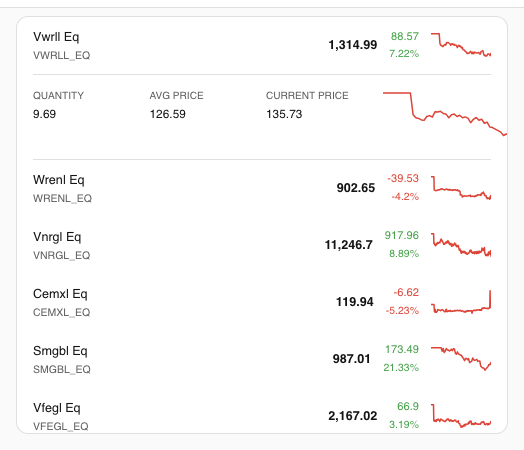
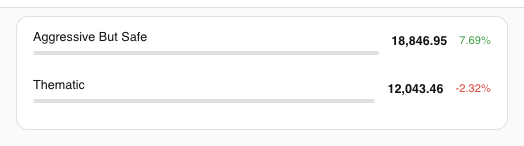
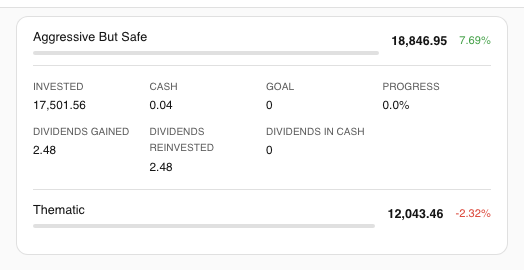
A free custom Lovelace card for Home Assistant that displays your Trading212 portfolio — account value with a 7-day sparkline, today's P&L, positions with per-instrument trends, and pies. Works automatically once the Trading212 integration is installed; no manual sensor mapping required.
Cards at a glance
| Card | YAML type | What it shows |
|---|---|---|
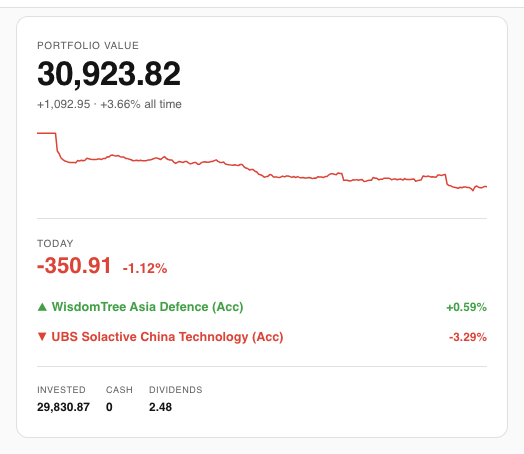
| Health | custom:investment-health-card | Portfolio value with 7-day sparkline, today's P&L, and top/bottom movers. |
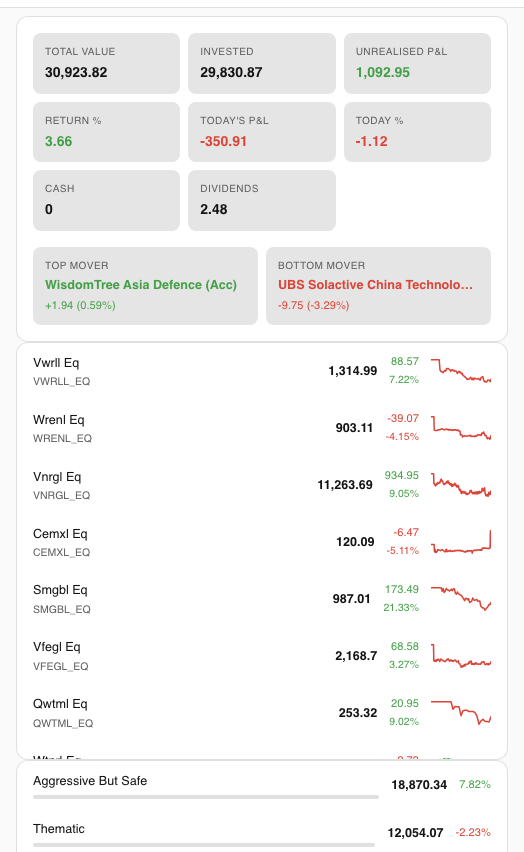
| Portfolio | custom:investment-portfolio-card | All-in-one: account overview, positions list, and pies — one card. |
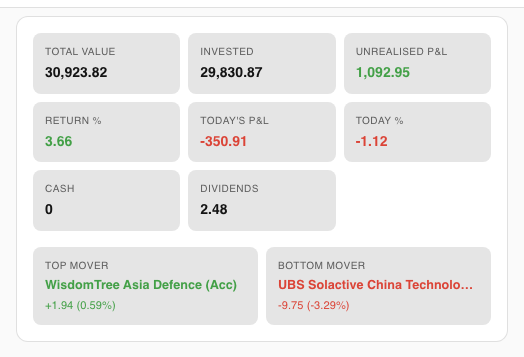
| Overview | custom:investment-overview-card | Account stat grid with daily movers — no positions or pies. |
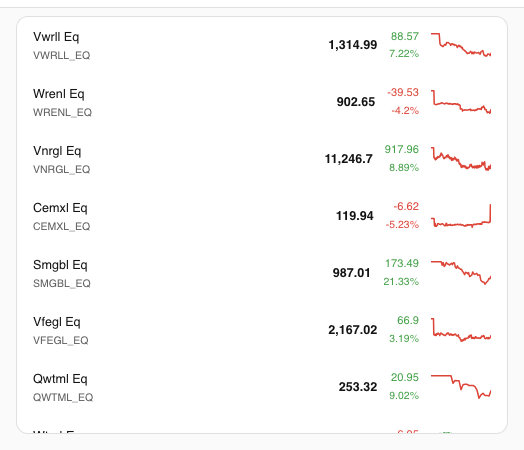
| Positions | custom:investment-positions-card | Scrollable positions list with per-instrument sparklines. |
| Pies | custom:investment-pies-card | Scrollable pies list with goal progress and dividend breakdown. |
Screenshots
Installation
Via HACS (recommended)
- 1
Open HACS → Frontend, then click the ⋮ menu (top-right) → Custom repositories.
- 2
Paste
https://github.com/Smart-Home-Assistant-UK/lovelace-trading212-cardas the URL, set Category to Plugin, and click Add. - 3
Find Trading212 Lovelace Card in the HACS Frontend list and click Download.
- 4
Reload your browser.
- 5
Add a card to your dashboard, search for investment, and choose any card type.
Manual install
- 1
Download
investment-card.jsfrom the latest release and copy it toconfig/www/. - 2
Add it as a Lovelace resource: go to Settings → Dashboards → Resources → Add Resource, enter
/local/investment-card.js, and set type to JavaScript module. - 3
Reload your browser, then add a card as normal.
Quick-start YAML
All cards auto-discover your sensors — no entity IDs to configure. Copy any of the examples below and paste it into the HA card editor (YAML mode).
Health card (zero-config)
type: custom:investment-health-cardPortfolio card (zero-config)
type: custom:investment-portfolio-cardPositions card with custom prefix
type: custom:investment-positions-card
prefix: sensor.my_broker_
Portfolio card — overview only
type: custom:investment-portfolio-card
show_positions: false
show_pies: false
Configuration reference
| Option | Default | Cards | Description |
|---|---|---|---|
| prefix | sensor.trading212_ | All | Sensor entity prefix for auto-discovery. Change only if you use a custom integration prefix. |
| max_height | 400px | Positions, Pies | Max height of scrollable lists before the card becomes scrollable. |
| show_overview | true | Portfolio | Show or hide the account overview section in the Portfolio card. |
| show_positions | true | Portfolio | Show or hide the positions section in the Portfolio card. |
| show_pies | true | Portfolio | Show or hide the pies section in the Portfolio card. |
Don't have Trading212 yet?
Sign up with this link and we both get a free share worth up to £100.
Step 1
Trading212 Integration →
Install the custom component that exposes your portfolio as HA sensors.
Full guide
Lovelace Card Setup Guide →
Dashboard layout tips, card configuration walkthrough, and theming.