Apple
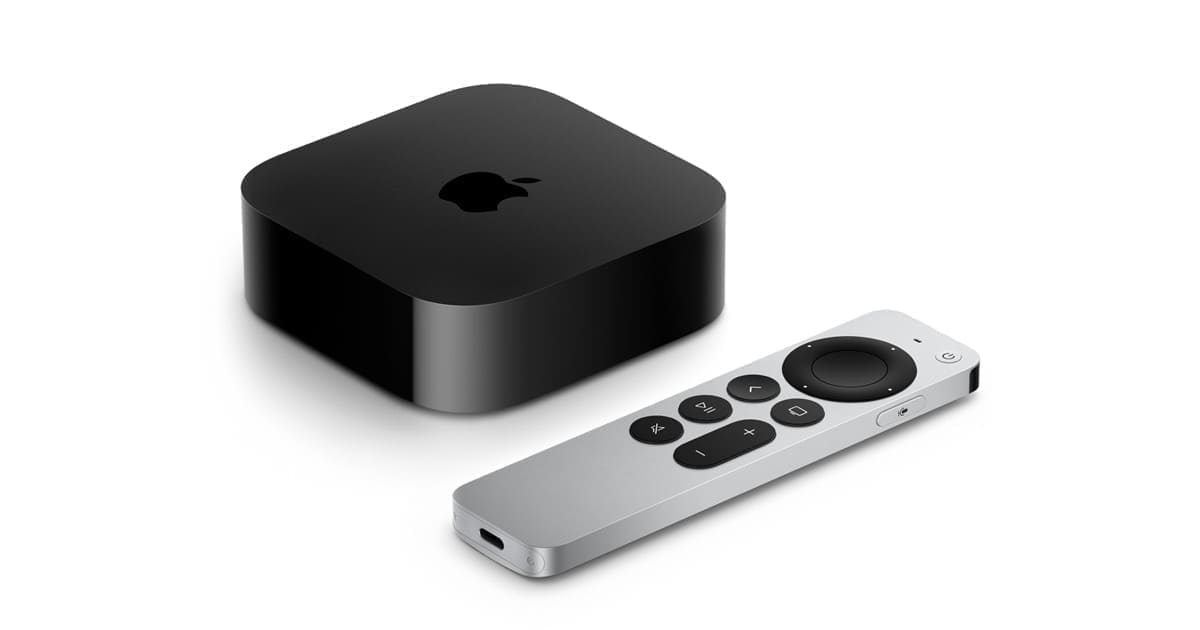
Apple TV 4K (Wi-Fi + Ethernet, 128GB)
- Native integration
- Local control
- Wi-Fi
- Thread
- Matter
- Bluetooth
Prices verified September 2026
See more hubs & dongles picks on our Amazon storefront →Our verdict
Not Home Assistant hardware at all — but if you already own one for Apple TV duties, the Wi-Fi + Ethernet 128GB model doubles as a genuinely solid Thread border router that Home Assistant's built-in Thread/Matter support can share a mesh with, via Matter's multi-admin fabric support. Only the 128GB Wi-Fi+Ethernet SKU works well this way; the 64GB Wi-Fi-only model isn't a reliable Thread border router. Buy a SkyConnect-class dongle if this is the only reason you're shopping — this only makes sense as a bonus for existing Apple TV owners.
What can Home Assistant control on the Apple TV 4K (Wi-Fi + Ethernet, 128GB)?
| Control | Type | What it does |
|---|---|---|
| Border router entry | Diagnostic (Thread panel) | Appears as a discovered border router with device name and online status, but exposes no Apple TV device entity or controllable state. |
| Network credentials known | Status | Indicates whether HA has successfully imported this border router's Thread dataset; until credentials are known, HA can see the network exists but can't route through it. |
| Preferred network | Selection | Flags which visible Thread network is currently marked preferred for provisioning new Matter devices — the setting most prone to silently reverting to Apple's network. |
| Route count | Diagnostic | Shows how many Thread devices are currently routing through this border router's partition, useful for spotting devices that have drifted onto the Apple TV's network instead of HA's own. |
Credential sharing isn't automatic dataset sync — HA has to pull Apple's Thread dataset via the iOS Companion App's debug menu, which imports whatever network iCloud Keychain currently holds, including stale entries from a previous house or Apple ID if one was ever active on that phone. Because HA's preferred-network selection still isn't fully implemented, any Matter device commissioned via the Home or HA companion app on an iPhone gets whatever Thread network that phone currently prefers — so a device can silently join Apple's mesh instead of a ZBT-2/SkyConnect-rooted one even when a Home Assistant-first setup was intended. The two remain separate Thread partitions under multi-admin Matter, not one merged network, so if the keychain transfer grabs the wrong dataset the fix is pulling the live dataset straight off HA's own Thread add-on and setting that explicitly as HA's preferred network rather than re-trusting the companion-app import.
Specs
| note | Requires the 128GB Wi-Fi+Ethernet SKU specifically, not the 64GB Wi-Fi-only variant |
|---|---|
| model | 3rd generation (2022), Wi-Fi + Ethernet, 128GB — model MN893B/A |
| thread support | Border router, Ethernet variant only |
How does the Apple TV 4K (Wi-Fi + Ethernet, 128GB) compare?
| Product | From | Protocol | Local control | Integration |
|---|---|---|---|---|
| Apple TV 4K (Wi-Fi + Ethernet, 128GB) (this product) | £249 | Thread, Matter, Wi-Fi, Bluetooth | Yes | Native |
| Aeotec Z-Stick 7 | £46.43 | Z-Wave | Yes | Native |
| Aqara Hub M3 | £109.99 | Zigbee, Thread, Matter, Wi-Fi, Bluetooth | Yes | Native |
| Beelink ME mini N150 | £299 | Wi-Fi, Bluetooth | Yes | Native |
Frequently asked questions
- Does the Apple TV 4K (Wi-Fi + Ethernet, 128GB) work with Home Assistant locally?
- Yes. The Apple TV 4K (Wi-Fi + Ethernet, 128GB) is controlled locally in Home Assistant through a built-in Home Assistant core integration (thread), so it keeps working if your internet connection or the Apple cloud goes down. Control and state updates stay on your own network.
- Which protocol does the Apple TV 4K (Wi-Fi + Ethernet, 128GB) use, and do I need a hub?
- The Apple TV 4K (Wi-Fi + Ethernet, 128GB) uses Thread and Matter and Wi-Fi and Bluetooth. To pair it with Home Assistant you need a Thread border router (Home Assistant Connect ZBT-1, Apple TV 4K or a HomePod mini all work); or a Thread border router if it is Matter-over-Thread, or just your Wi-Fi network if it is Matter-over-Wi-Fi; or no hub — it joins your Wi-Fi network directly; or a Bluetooth adapter on your Home Assistant host or an ESPHome Bluetooth proxy. Apple's own hub is not required when you integrate through a built-in Home Assistant core integration (thread).
- How much does the Apple TV 4K (Wi-Fi + Ethernet, 128GB) cost in the UK?
- The lowest price we have listed for the Apple TV 4K (Wi-Fi + Ethernet, 128GB) is £249 at Amazon UK, with other UK retailers at up to £249. Prices were last checked in September 2026 and change often, so confirm on the retailer's page before buying.