Beelink
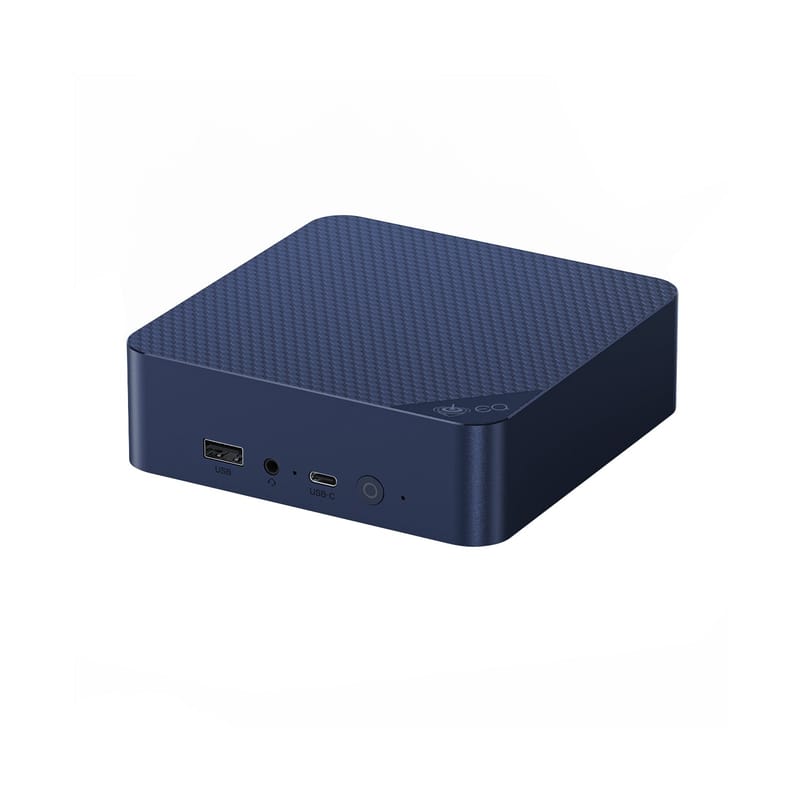
Beelink EQ14
- Native integration
- Local control
- Wi-Fi
- Bluetooth
- Ethernet
Prices verified November 2026
See more hubs & dongles picks on our Amazon storefront →Our verdict
The mini PC to buy if you want Home Assistant plus room to run Frigate, Mosquitto and Zigbee2MQTT beside it. Intel N150, 16GB of DDR4 in a single SO-DIMM, 500GB SSD, dual M.2 slots and dual Ethernet; a homelab reviewer measured around 6W idle. It ships with Windows 11 Home, so you will wipe it, and the single-channel memory design caps it at 16GB officially. Prices have moved with memory costs, so check the configuration before paying.
What can Home Assistant control on the Beelink EQ14?
Not an integration as such: install Home Assistant OS on it directly or as a VM (for example under Proxmox), then everything stays on your own network. Plug a Zigbee or Z-Wave USB coordinator into it and keep the second Ethernet port for a separate camera network if you want one.
Specs
| cpu | Intel N150, 4C/4T, up to 3.6GHz |
|---|---|
| memory | 16GB DDR4 (single SO-DIMM) |
| storage | 500GB SSD, dual M.2 slots |
| networking | Dual Ethernet, Wi-Fi 6, Bluetooth 5.2 |
How does the Beelink EQ14 compare?
| Product | From | Protocol | Local control | Integration |
|---|---|---|---|---|
| Beelink EQ14 (this product) | — | Ethernet, Wi-Fi, Bluetooth | Yes | Native |
| Aeotec Z-Stick 7 | £46.43 | Z-Wave | Yes | Native |
| Amazon Echo Hub | £169.99 | Wi-Fi, Zigbee, Thread, Matter, Bluetooth | Cloud | Cloud |
| Apple TV 4K (Wi-Fi + Ethernet, 128GB) | £249 | Thread, Matter, Wi-Fi, Bluetooth | Yes | Native |
Frequently asked questions
- Does the Beelink EQ14 work with Home Assistant locally?
- Yes. The Beelink EQ14 is controlled locally in Home Assistant through a built-in Home Assistant core integration, so it keeps working if your internet connection or the Beelink cloud goes down. Control and state updates stay on your own network.
- Which protocol does the Beelink EQ14 use, and do I need a hub?
- The Beelink EQ14 uses Wi-Fi and Bluetooth. To pair it with Home Assistant you need no hub — it joins your Wi-Fi network directly; or a Bluetooth adapter on your Home Assistant host or an ESPHome Bluetooth proxy. Beelink's own hub is not required when you integrate through a built-in Home Assistant core integration.