eufy
eufy FamiLock S3 Max
- Native integration
- Local control
- Wi-Fi
- Matter
- Bluetooth
Prices verified November 2026
See more smart locks picks on our Amazon storefront →Our verdict
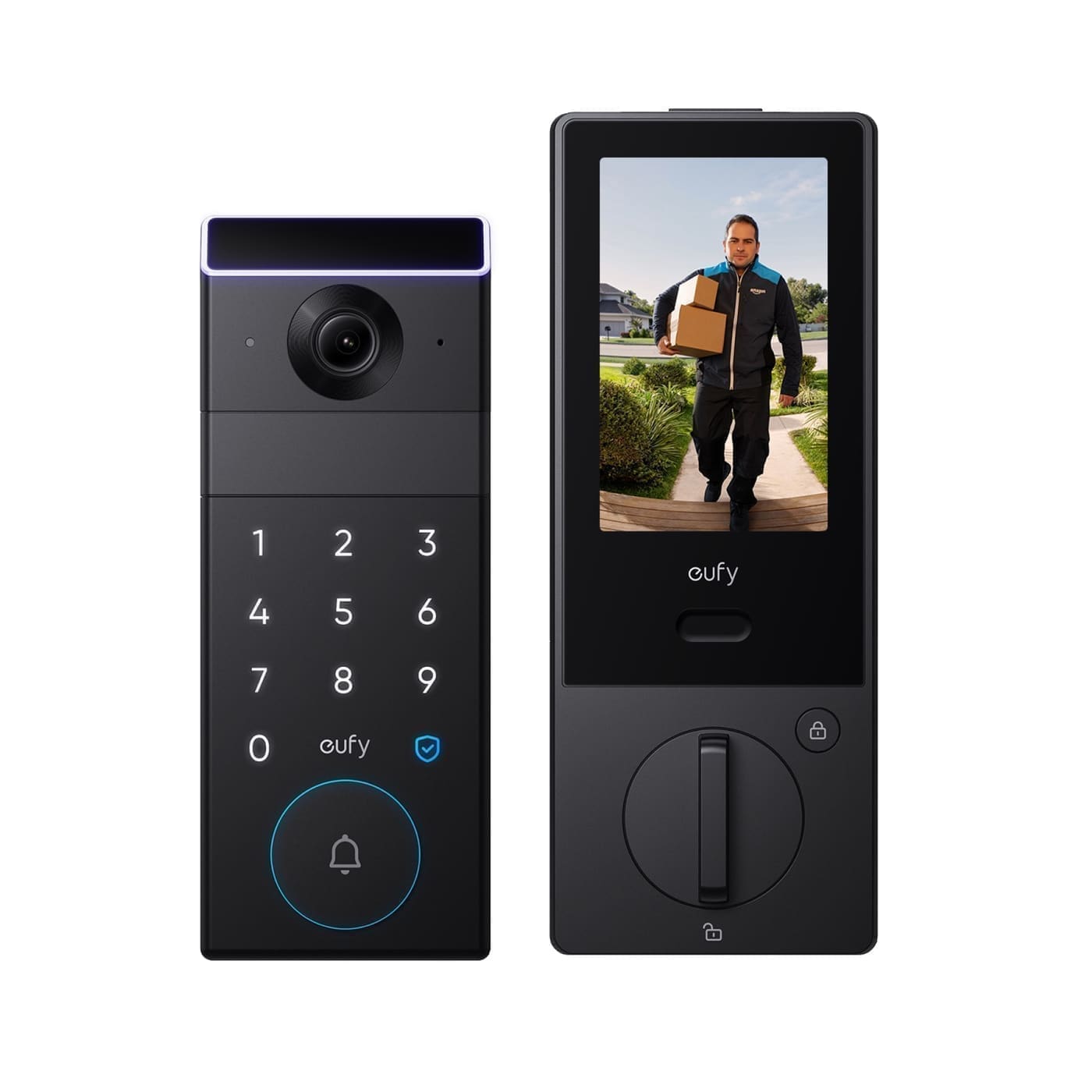
This is a video doorbell and a smart lock welded into one faceplate, and in Home Assistant it behaves like exactly that split suggests: only the lock half shows up. The palm-vein unlocking, the 4-inch interior screen, and — critically — the 2K doorbell camera are all eufy-app/HomeBase territory that Matter simply doesn't carry over, so buying this expecting an HA camera entity alongside the lock will disappoint. It's a genuinely clever door unit if you want camera, doorbell and deadbolt in one purchase and are happy running the eufy app for that side, but as an HA smart lock specifically it's a one-trick pairing — you're paying for a lot of hardware that HA can't see.
What can Home Assistant control on the eufy FamiLock S3 Max?
| Control | Type | What it does |
|---|---|---|
| Lock | Lock | Lock/unlock via the Matter door lock cluster; reports locked/unlocked/jammed state. |
| Camera / doorbell | Unsupported | 2K camera, doorbell chime press, and video are eufy-app/HomeBase-3-only — not exposed via Matter, so no HA entity exists for them. |
| Palm vein recognition | Unsupported | Configured and logged entirely inside the eufy app; not part of the Matter door lock cluster and has no HA representation. |
eufy's own Matter FAQ states plainly that camera and doorbell streaming are not supported via Matter on any platform, and separately that locks connected to a HomeBase 3 cannot use Matter at the same time — so this isn't just 'camera stays app-only', it's a genuine either/or: pair via Matter for an HA lock entity, or pair via HomeBase 3 for the camera/doorbell/palm-vein/AI features, not both simultaneously on today's firmware. Once paired over Matter, only lock/unlock and jam-state reporting reach HA — no camera, no doorbell press event, no palm-vein activity, matching HowToGeek's hands-on finding that HomeKit users lose palm vein and live view the moment they add it via Matter. Commissioning reliability has also been reported as device-dependent: one HA community thread describes a eufy lock repeatedly failing to join a Thread border router from an Android phone (stuck retrying an old Thread network ID after factory resets) until the user switched to an iPhone, which paired within minutes — worth trying an iOS device first if pairing stalls.
Specs
| camera | 2K HDR, f/1.6 lens, 150° head-to-toe field of view — eufy app/HomeBase only, not exposed to Matter |
|---|---|
| battery | 15,000mAh built-in rechargeable pack (USB-C charging) rated ~5 months, plus 4x AAA backup cells for emergency power |
| storage | 16GB built-in (microSD-free), no subscription required for local eufy-app playback |
| unlock methods | Palm vein recognition, 6-digit PIN keypad, eufy app, physical mechanical key, voice via Alexa/Google (through eufy's own skill, not HA) |
| security rating | ANSI/BHMA Grade 1 deadbolt |
| weatherproofing | IP65, rated -30°C to 70°C operating range |
| interior display | 4-inch screen on the inside unit for viewing doorbell visitors without opening the eufy app |
| hub compatibility | Works with eufy HomeBase 3 for full camera/AI features; not compatible with HomeBase 2 |
| door compatibility | Standard doors 35-55mm thick; not recommended behind a storm door, which can block the camera's view |
How does the eufy FamiLock S3 Max compare?
| Product | From | Protocol | Local control | Integration |
|---|---|---|---|---|
| eufy FamiLock S3 Max (this product) | — | Matter, Wi-Fi, Bluetooth | Yes | Native |
| Aqara Smart Lock U200 | £169.99 | Thread, Matter, Bluetooth | Yes | Native |
| Aqara Smart Lock U200 Lite | £105.99 | Thread, Matter, Bluetooth | Yes | Native |
| Aqara Smart Rim Lock U500 | £279.98 | Matter, Thread, Bluetooth | Yes | Native |
Frequently asked questions
- Does the eufy FamiLock S3 Max work with Home Assistant locally?
- Yes. The eufy FamiLock S3 Max is controlled locally in Home Assistant through a built-in Home Assistant core integration (matter), so it keeps working if your internet connection or the eufy cloud goes down. Control and state updates stay on your own network.
- Which protocol does the eufy FamiLock S3 Max use, and do I need a hub?
- The eufy FamiLock S3 Max uses Matter and Wi-Fi and Bluetooth. To pair it with Home Assistant you need a Thread border router if it is Matter-over-Thread, or just your Wi-Fi network if it is Matter-over-Wi-Fi; or no hub — it joins your Wi-Fi network directly; or a Bluetooth adapter on your Home Assistant host or an ESPHome Bluetooth proxy. eufy's own hub is not required when you integrate through a built-in Home Assistant core integration (matter).