At a Glance: Best Powerline Adapters UK 2026
| Pick | Model | Best For | Approx. UK Price |
|---|---|---|---|
| Best Overall | TP-Link PG2400PKIT (G.hn) | Fastest, most interference-resistant tech for new networks | £80–£95 |
| Best Established AV2 Kit | TP-Link AV2000 TL-PA9020P | Widely available HomePlug AV2 pair with a strong track record | £90–£100 |
| Best with Built-in Wi-Fi | Devolo Magic 2 WiFi 6 | Combined powerline backhaul + Wi-Fi 6 mesh | £150–£250 |
| Best Budget Passthrough | TP-Link TL-PA7017P KIT | Cheapest passthrough kit that handles HD/4K streaming | £45–£75 |
| Best Two-Port Alternative | Netgear PLP2000 | Noise-filtered passthrough socket | £80–£100 |
| Solid AV2 Alternative | D-Link DHP-701AV | QoS prioritisation for video/voice traffic | £70–£90 |
How Powerline Networking Works
The technology. Modern powerline adapters use the HomePlug AV2 or G.hn standard to modulate network data onto your home's 230 V AC mains. One adapter plugs in near your router and connects via Ethernet; a second adapter in another room does the reverse, presenting a clean Ethernet socket. Speeds are rated up to 2,000 Mbps on paper, though real-world throughput typically falls between 200 and 600 Mbps depending on wiring quality and interference.
Most current kits support MIMO (Multiple-Input Multiple-Output) which uses more of the wiring conductors simultaneously, boosting practical speeds noticeably over older single-stream adapters.
Powerline vs Mesh Wi-Fi: Which Should You Choose?
Powerline adapters excel at delivering a stable, low-latency connection to a fixed location — think a smart home server running Home Assistant, a network-attached storage device, or a gaming PC. Mesh Wi-Fi systems are the better choice when you need seamless roaming coverage for phones, laptops, and tablets across multiple floors. Many households use both: a mesh system for mobile devices and powerline adapters for devices that benefit from a wired connection.
How we chose these powerline adapters
We compared kits on rated and realistic real-world throughput, standard used (G.hn versus HomePlug AV2 versus older AV600), number of Ethernet ports and whether a passthrough socket is included, and current UK retail price. We favoured kits with a strong UK sales track record and excluded adapters with no clear UK availability.
Best Powerline Adapters UK: Our Picks
1. TP-Link PG2400PKIT G.hn 2400 Powerline Adapter — best overall
Best overall pick for 2026. TP-Link's PG2400PKIT moves to the newer G.hn standard rather than HomePlug AV2, which handles electrical interference from modern appliances more gracefully and is now the technology UK reviewers are steering new buyers toward. It's rated up to 2,400 Mbps and each adapter has two Gigabit Ethernet ports plus a mains passthrough socket, so you keep the outlet you plug into. Setup is genuinely zero-configuration — no pairing button needed, the units sync automatically. UK pricing typically runs £80–£95, undercutting the older AV2000 kit below while using more current technology. It's the adapter to buy if you're starting a network from scratch in 2026.
2. TP-Link AV2000 TL-PA9020P Kit — best established AV2 kit
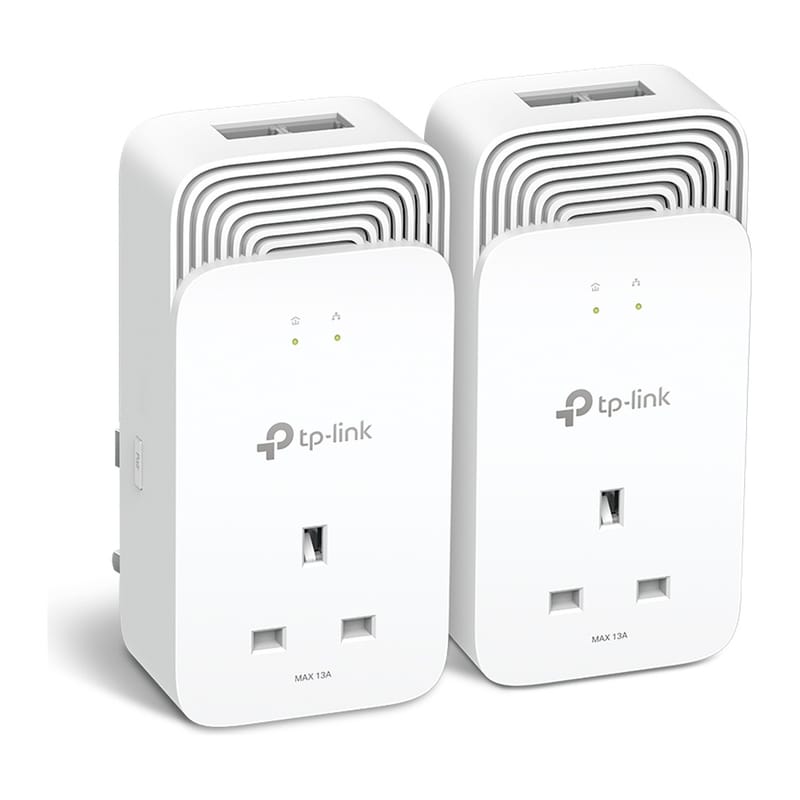
Best established HomePlug AV2 kit. The TL-PA9020P kit has been a UK bestseller for several years and remains one of the most reliable AV2 kits available. It uses 2×2 MIMO with beamforming over the HomePlug AV2 standard, rated up to 2,000 Mbps, with real-world speeds typically reaching 300–500 Mbps on the same ring main. Each adapter has two Gigabit Ethernet ports and a mains passthrough socket so you don't sacrifice an outlet. Setup is genuinely plug-and-play: a pair button on each unit handles encryption pairing in seconds. Priced around £90–£100 for the kit from Amazon UK, it represents solid value for a 2 Gbps-class HomePlug pair.
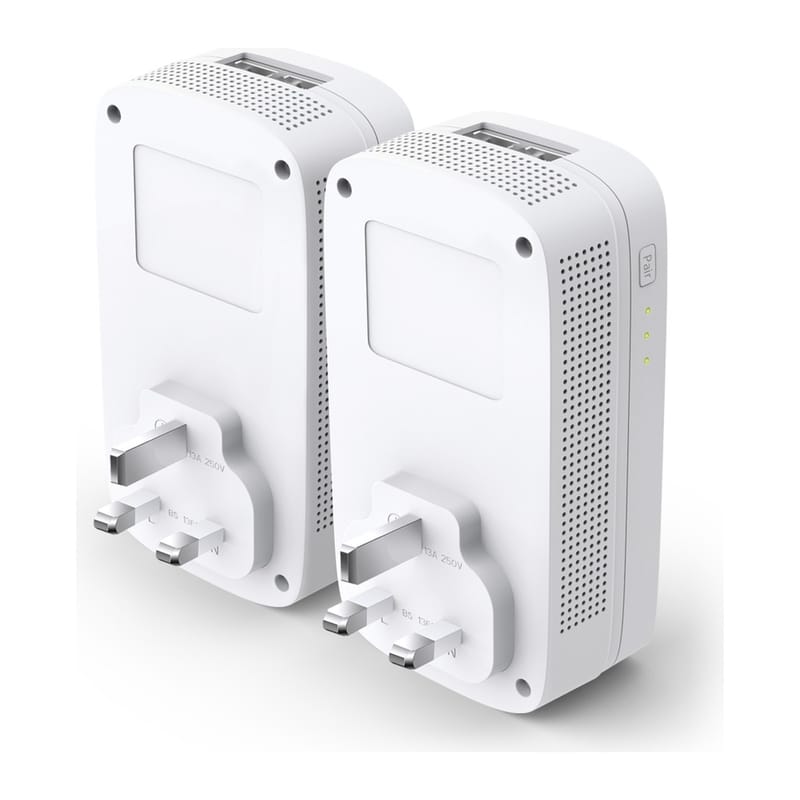
3. Devolo Magic 2 WiFi 6 Starter Kit — best with built-in Wi-Fi
Best premium option with built-in Wi-Fi. Devolo's Magic 2 WiFi 6 moves beyond HomePlug AV2 to use the newer G.hn standard, which the brand claims delivers powerline speeds of up to 2,400 Mbps alongside a 1,800 Mbps Wi-Fi 6 (802.11ax) mesh radio. Each adapter has two Gigabit LAN ports, supports WPA3 encryption, and can form a self-healing mesh with additional nodes. It's the right choice when you want a combined powerline and whole-home Wi-Fi upgrade in one kit. Expect to pay roughly £150–£250 for the two-adapter starter kit, depending on retailer and on whether you buy the original Magic 2 WiFi 6 or the newer Magic 2 WiFi 6 Next. The higher price is justified if you need integrated Wi-Fi 6 coverage rather than just a wired backhaul.
4. TP-Link TL-PA7017P KIT — best budget passthrough
Best budget passthrough kit. The TL-PA7017P is a HomePlug AV2 kit rated at 1,000 Mbps with one Gigabit Ethernet port per adapter and an AC passthrough socket, so you keep the wall outlet. It replaces the BT Broadband Extender Flex 600, which BT has discontinued. Real-world speeds are lower than the 2,000 Mbps kits above but cover HD and 4K streaming and smart home traffic. UK retailers list it at roughly £45–£75.
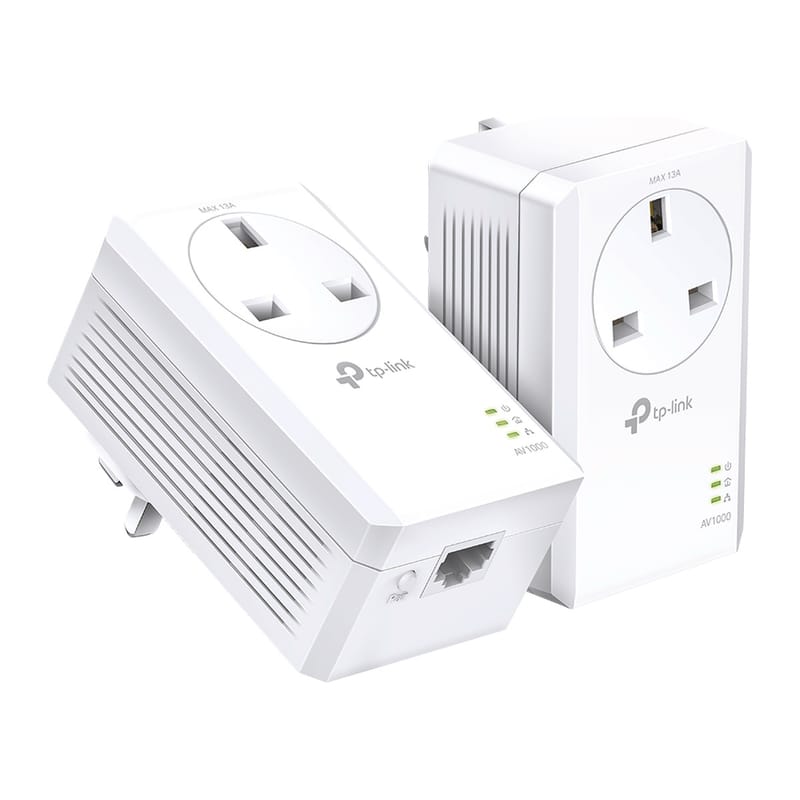
5. Netgear PLP2000 Powerline 2000 — best two-port alternative
Best for two Gigabit ports and passthrough. Netgear's PLP2000 is a HomePlug AV2 MIMO kit rated up to 2,000 Mbps with two Gigabit Ethernet ports per adapter and a noise-filtered mains passthrough socket. The noise filter is a useful touch: it actively filters electrical interference before it reaches the powerline signal, which helps in homes with noisy appliances. Setup is tool-free via a sync button. It sits at a similar price point to the TP-Link AV2000, is not as widely stocked in the UK as the TP-Link kits, so check current availability and price before buying. It is worth considering if Netgear's ecosystem fits your existing kit.
6. D-Link DHP-701AV Powerline AV2 2000 — solid AV2 alternative
Solid HomePlug AV2 MIMO alternative. The DHP-701AV uses the same HomePlug AV2 MIMO standard as the TP-Link and Netgear picks, offering rated speeds up to 2,000 Mbps and a single Gigabit Ethernet port per adapter. It lacks a passthrough socket, so factor that into your installation planning. D-Link's QoS prioritisation gives precedence to video and voice traffic, which can be beneficial in households where multiple people are streaming simultaneously. UK pricing is typically in the £70–£90 range, occasionally available at a discount. It's a dependable choice from an established networking brand.
View D-Link DHP-701AV at D-Link
Which powerline adapter has a passthrough socket?
Every pick above except the D-Link DHP-701AV has a passthrough socket. A passthrough socket gives back the wall outlet the adapter occupies, and better ones filter noise to keep the powerline signal clean. The TP-Link PG2400PKIT is the best passthrough kit overall, and the TP-Link TL-PA7017P KIT is the cheaper choice.
Setup Tips for UK Homes
Ring main wiring. UK homes use a ring main circuit in which sockets are wired in a loop back to the consumer unit. Powerline adapters work best when both units are on the same ring main — typically the same floor. If your upstairs and downstairs sockets are on separate rings, the adapters will still communicate, but real-world speeds can drop significantly. If performance is poor, try moving one adapter to a socket on the same ring as the other.
Always use a wall socket. Never plug a powerline adapter into an extension lead or a surge-protected power strip. These devices filter out the high-frequency signals that powerline technology relies on, often killing the connection entirely or reducing speeds to a trickle. Plug directly into a mains socket.
Avoid noisy appliances. Chargers, electric motors (fridges, washing machines), and older lamp dimmers can all introduce noise onto the mains that degrades powerline performance. If speeds are inconsistent, move the adapter away from these sources.
Comparison Table
| Product | Approx. UK Price | Rated Speed | Wi-Fi Built-in | Passthrough Socket |
|---|---|---|---|---|
| TP-Link PG2400PKIT (G.hn) | £80–£95 | 2,400 Mbps | No | Yes |
| TP-Link AV2000 TL-PA9020P | £90–£100 | 2,000 Mbps | No | Yes |
| Devolo Magic 2 WiFi 6 | £150–£250 | 2,400 Mbps powerline / 1,800 Mbps Wi-Fi 6 | Yes (Wi-Fi 6) | Yes |
| TP-Link TL-PA7017P KIT | £45–£75 | 1,000 Mbps | No | Yes |
| Netgear PLP2000 | £80–£100 | 2,000 Mbps | No | Yes |
| D-Link DHP-701AV | £70–£90 | 2,000 Mbps | No | No |
Who should skip powerline adapters?
If your home has aluminium wiring, very old wiring, or sockets split across multiple separate ring mains with no shared circuit near both ends, powerline throughput can be poor or unreliable — a mesh Wi-Fi system or a dedicated Ethernet run will serve you better. Powerline adapters are also the wrong tool if you need to move a laptop or phone between rooms; they only deliver a fixed connection at each adapter's socket, not roaming coverage.
Verdict
For most UK households starting a new network in 2026, the TP-Link PG2400PKIT is the best powerline adapter to buy — its G.hn technology handles mains interference better than older HomePlug AV2 kits at a similar £80–£95 price point. If you already have an AV2 setup or prefer a longer-established kit, the TP-Link AV2000 TL-PA9020P remains a solid £90–£100 choice. Want integrated Wi-Fi 6 mesh coverage alongside your powerline backhaul? The Devolo Magic 2 WiFi 6 is the premium option to consider. On a tight budget, the TP-Link TL-PA7017P KIT covers the basics for around £45–£75. Whichever kit you choose, plug directly into wall sockets and keep both adapters on the same ring main for the best results.