Smart Home Assistant

Apple HomeView Security Camera Mode: What the Code Shows

SepehrBy Sepehr· 7 November 2026· Updated 7 November 2026· 3 min read
✓ Independent — no paid placements✓ UK-tested in real homes✓ Cited sources
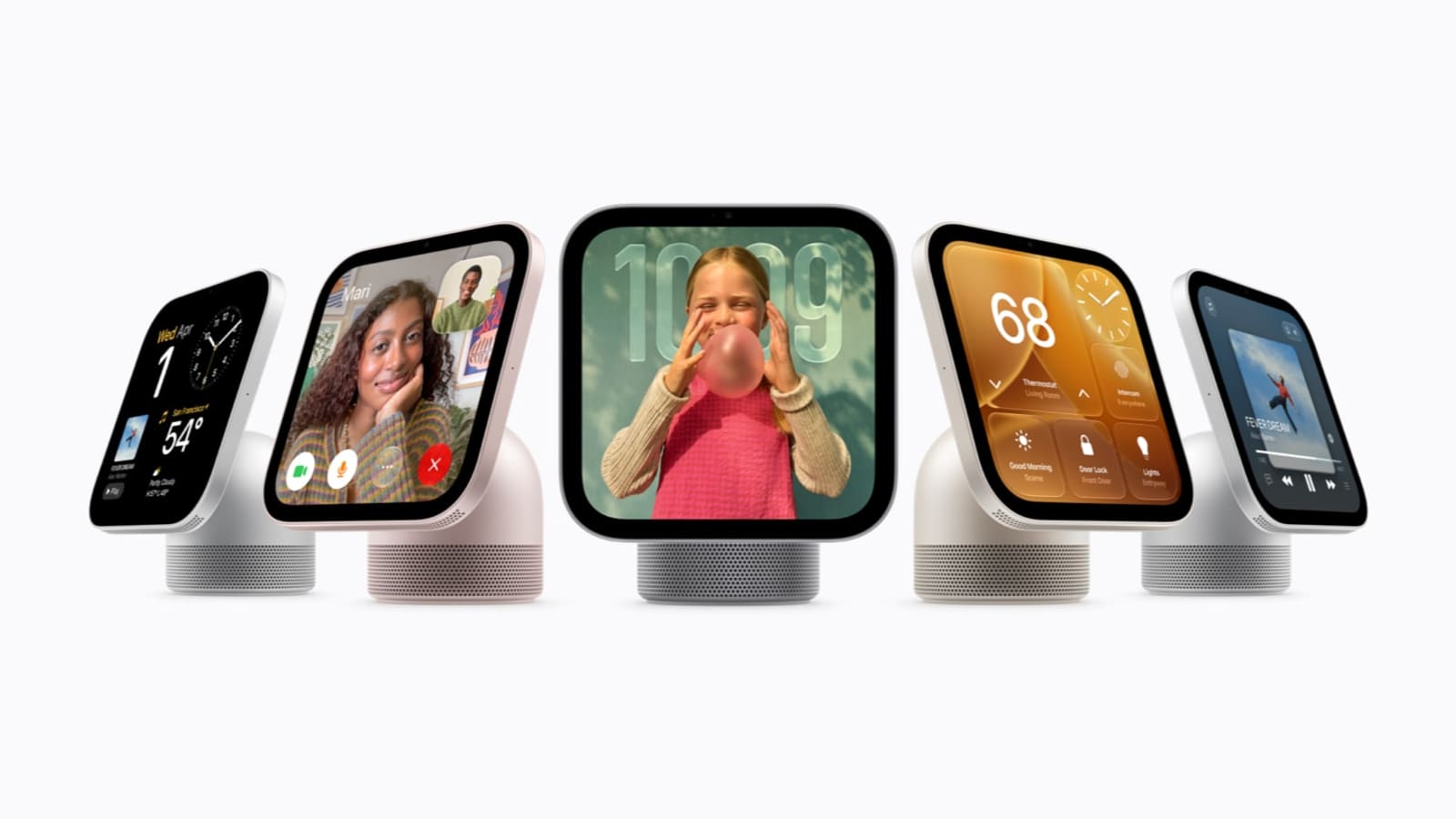
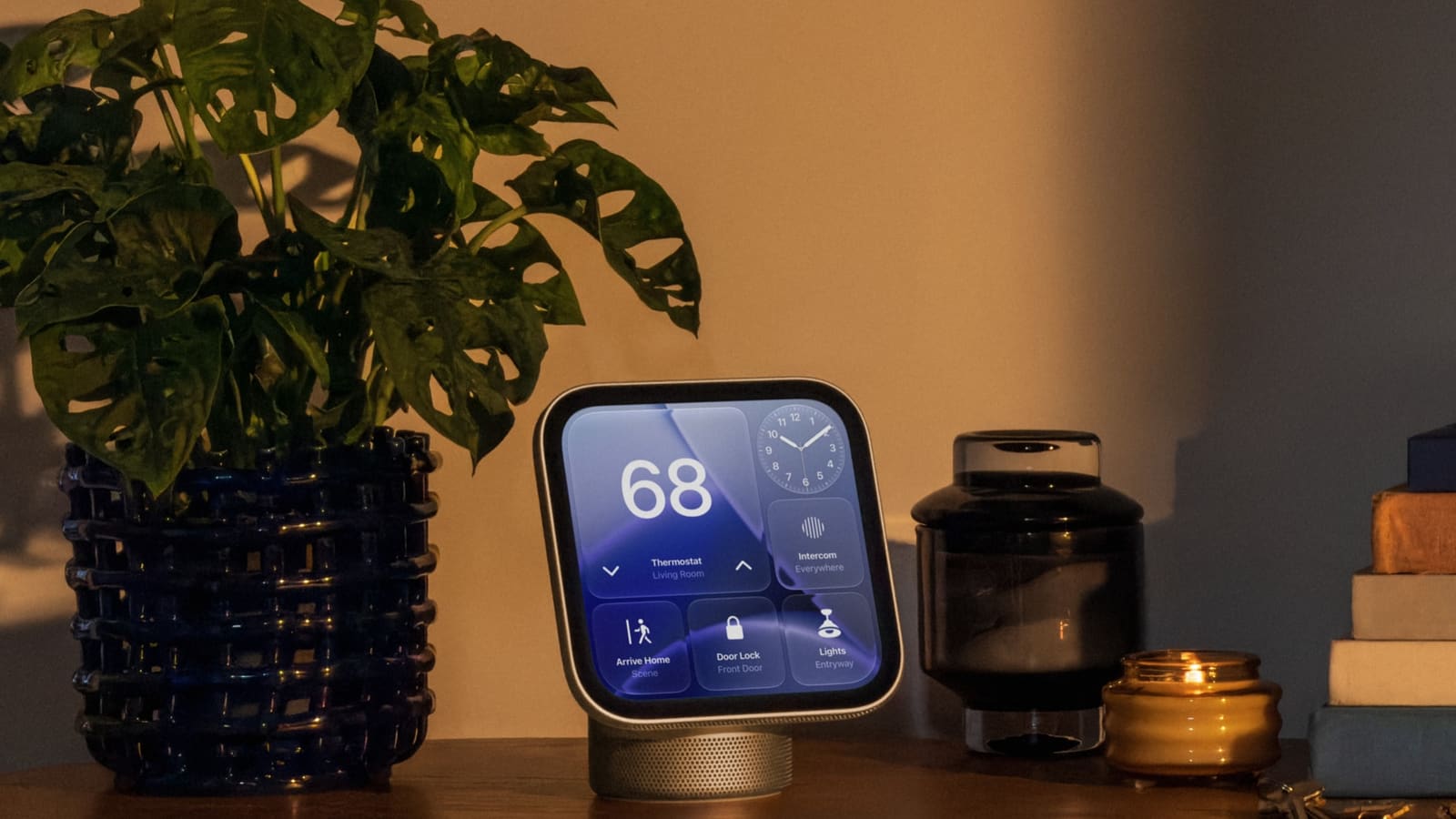
Apple HomeView display on a wooden sideboard showing thermostat, door lock and lights tiles beside a plant and candle

Key takeaways

  • Apple HomeView security camera mode is unconfirmed: code in HomeView Software 27.2 shows four camera modes, from Off to Stream & Allow Recording.
  • The strings reportedly set 1080p at 30fps with microphone input for HomeKit Secure Video, and only home members could view footage.
  • Streaming and recording reportedly can only be switched on from the HomeView itself while people are home, with a green light and sound.
  • HomeView costs £299 in the UK and goes on sale 13 November 2026; do not buy it for a camera feature Apple has not announced.
On this page[tap to expand]

Apple HomeView security camera mode is not announced, but strings in HomeView software 27.2 point to a HomeKit Secure Video camera feature with four modes. The find comes from a code investigator, not Apple, and the £299 hub goes on sale in the UK on 13 November 2026.

What has changed in the HomeView code?

On 2 November 2026 MacRumors reported that code investigator pdfu had found settings strings in HomeView Software 27.2 describing a camera feature. There are four modes: Off, Detect Activity, Stream, and Stream & Allow Recording. Scheduling options reportedly cover when people are home, away or asleep, and a HomeView-specific configuration selects 1080p at 30fps video plus microphone input for HomeKit Secure Video sessions.

Other strings suggest only home members can view streams and recordings, a green light and sound signal when a stream is watched or recording starts, and members are notified when camera settings change. The strings also suggest streaming and recording can only be switched on from the HomeView itself while people are home. Face recognition and activity zones are expected to be set up in the Home app on iPhone.

ItemStatus
Camera modes: Off, Detect Activity, Stream, Stream & Allow RecordingFound in HomeView Software 27.2 strings; not announced
1080p/30fps video and microphone for HomeKit Secure VideoFound in strings; not announced
Green light and sound when streaming or recordingFound in strings; not announced
Streaming and recording switched on only from the HomeView itself while people are homeSuggested by strings
UK price and release date£299, on sale 13 November 2026 (Apple)

Has Apple confirmed a HomeView camera?

No. Apple has not announced a camera feature for HomeView, and MacRumors stresses that code strings in the software do not confirm the feature will be available to users at launch. Apple's own announcement describes a 7-inch display that recognises household members and runs compatible third-party audio and video apps, with no mention of acting as a security camera. Our Apple HomeView UK price and Home Assistant guide covers what Apple has actually confirmed.

Mactrast adds a practical launch detail: because the hardware was delayed, units are expected to ship with older HomeView software (26.5, per AppleDB) and prompt you to update to 27.2 during setup. If the camera feature does appear, it would arrive through that update, not in the box.

Would HomeKit Secure Video need an iCloud+ plan?

Almost certainly, if it follows how HomeKit Secure Video works today. Apple's support pages say HomeKit Secure Video needs a supported iCloud+ plan: the 50GB plan covers one camera, the 200GB plan up to five, and the 2TB and larger plans an unlimited number. Recordings do not count against your iCloud storage. Whether HomeView would follow the same rules is not confirmed, so treat this as the likely cost, not a fact. The wider UK security camera guide explains how local and cloud recording compare.

Why does this matter for Home Assistant users?

If HomeView becomes a HomeKit camera, it would appear in Apple Home, not Home Assistant, unless you bridge it. HomeView has no native Home Assistant integration, and Home Assistant can import HomeKit devices only through its own HomeKit Device integration, which this article has not verified for a HomeView camera. The reverse direction, publishing Home Assistant entities to Apple Home, is covered in our HomeKit Bridge guide.

The privacy design reported in the strings is worth noting: remote activation reportedly blocked while anyone is home, plus a light and sound whenever it records. That is stricter than most cheap Wi-Fi cameras, and it is a reasonable bar to hold other indoor cameras to. Related face-recognition protections are covered in our HomeView code findings article.

Should you wait for HomeView security camera mode?

Do not buy HomeView as a camera. Nothing is confirmed, the strings give no storage duration or field of view, and the 1080p setting is modest next to dedicated cameras. If you need indoor cameras now, buy one that works today and revisit when Apple confirms anything. The Apple smart home roadmap tracks what else is expected, and first independent reviews should land after the 13 November release.
Buy the picks in this guide

Recommended for Home Automation

See all devices →

Frequently asked questions

Can Apple HomeView be used as a security camera?
Not officially. Apple has not announced a camera feature for HomeView, but MacRumors reported on 2 November 2026 that code investigator pdfu found strings in HomeView Software 27.2 describing a HomeKit Secure Video camera with four modes: Off, Detect Activity, Stream, and Stream & Allow Recording. The strings also mention scheduling for home, away and asleep, 1080p at 30fps video and microphone input. MacRumors stresses that code strings do not confirm a feature will reach users at launch. HomeView goes on sale in the UK on 13 November 2026 at £299, so the practical advice is to buy it for what Apple has announced and treat any camera function as a possible later software addition, not something to plan around.
Would HomeView security camera recordings need iCloud+?
If HomeView follows how HomeKit Secure Video works today, yes. Apple's support documentation says HomeKit Secure Video needs a supported iCloud+ plan: the 50GB plan supports one camera, the 200GB plan up to five cameras, and the 2TB and larger plans an unlimited number. Apple also says recordings do not count against your iCloud storage quota. However, Apple has not announced a HomeView camera at all, so whether it would use the same subscription rules, or be limited in some other way, is unconfirmed. Treat the iCloud+ requirement as the likely cost based on existing HomeKit Secure Video cameras rather than a fact about HomeView, and check Apple's announcement if the feature ever launches.
Does the HomeView camera work with Home Assistant?
There is no confirmed answer, because the camera itself is unannounced. HomeView has no native Home Assistant integration, so any camera feature would live in Apple Home and the Home app on iPhone. Home Assistant can publish its own devices to Apple Home using the HomeKit Bridge, which is covered in our guide, but that exposes Home Assistant entities to Apple, not Apple cameras to Home Assistant. Whether a HomeView camera could be imported back into Home Assistant has not been verified. If you want camera footage inside Home Assistant today, a camera with a supported local integration, such as RTSP or ONVIF, is the dependable route, and you can revisit HomeView once Apple confirms anything.

Sources

Sources verified 2026-11-07

  1. MacRumors — Apple HomeView Could Double as a Security Camera
  2. Mactrast — Your New Apple HomeView Could Also Double as a Security Cam, But Be Sure to Update It Out of the Box
  3. Apple — Meet Apple HomeView, a new way to enjoy entertainment and manage the home (UK)
  4. Apple Support — Store encrypted security camera footage in iCloud with HomeKit Secure Video
  5. Apple Press — Apple UK newsroom: Meet Apple HomeView (hero image)
›How we researched this

Claims in this article are checked against primary sources — manufacturer specifications, official documentation, Which? research, Ofgem guidance, or gov.uk — rather than forum threads or video reviews. Where the author has direct hands-on experience with a product (most Home Assistant, Zigbee, and home-networking gear is running in his own homelab), that is stated explicitly in the text.

For categories outside that personal setup — such as boilers, heat pumps, and other areas that are traditionally a heating engineer's domain — verdicts are built from cross-referenced manufacturer data, published lab results, and vetted expert and owner reviews rather than a claim of personal hands-on testing. See the editorial policy for the full methodology.

Sepehr

Written by

Sepehr

10+ years hands-on with Home Assistant & networking · Research-backed elsewhere · No brand deals

Smart home specialist with 10+ years running a self-hosted Home Assistant setup — Zigbee2MQTT, Frigate NVR, and local-first automations. Independent coverage for UK homes, no brand deals.

LinkedIn →

Citing this page? Please use a dofollow link back to the original article — it helps us keep the data on this page accurate and up to date.

Related reading