← Smart plugs & energy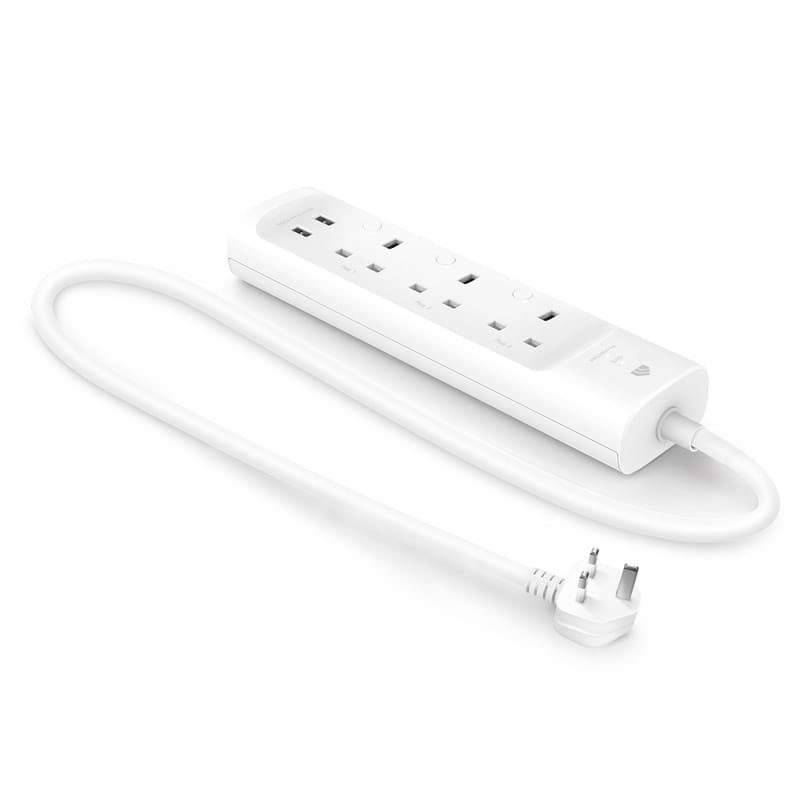
TP-Link
TP-Link Kasa KP303 Smart Power Strip
- Native integration
- Local control
- Wi-Fi
Prices verified November 2026
See more smart plugs & energy picks on our Amazon storefront →Our verdict
A three-socket Kasa strip with two always-on USB ports, aimed at homes already on the Kasa app. TP-Link's UK page marks it end of life and it predates Matter, so buy only at a good price.
What can Home Assistant control on the TP-Link Kasa KP303 Smart Power Strip?
| Control | Type | What it does |
|---|---|---|
| Socket 1-3 | Toggle (x3) | Switch each socket independently |
Supported by Home Assistant's built-in tplink integration, with each socket as its own switch and state updates polled roughly every 60 seconds. 2.4GHz Wi-Fi only, no hub.
Specs
| extras | 2 always-on USB ports, 1m cable |
|---|---|
| sockets | 3x AC individually controlled |
| plug type | Type G (UK), 13A max load, 220-250V |
How does the TP-Link Kasa KP303 Smart Power Strip compare?
| Product | From | Protocol | Local control | Integration |
|---|---|---|---|---|
| TP-Link Kasa KP303 Smart Power Strip (this product) | — | Wi-Fi | Yes | Native |
| Aqara Power Plug H2 UK (RGB) | £32.99 | Zigbee, Thread, Matter, Bluetooth | Yes | Works with HA |
| Aqara Wall Outlet H2 UK | £67.99 | Matter, Thread, Zigbee | Yes | Native |
| Eve Energy (Matter) UK Smart Plug | £39.95 | Thread, Matter, Bluetooth | Yes | Works with HA |
Frequently asked questions
- Does the TP-Link Kasa KP303 Smart Power Strip work with Home Assistant locally?
- Yes. The TP-Link Kasa KP303 Smart Power Strip is controlled locally in Home Assistant through a built-in Home Assistant core integration (tplink), so it keeps working if your internet connection or the TP-Link cloud goes down. Control and state updates stay on your own network.
- Which protocol does the TP-Link Kasa KP303 Smart Power Strip use, and do I need a hub?
- The TP-Link Kasa KP303 Smart Power Strip uses Wi-Fi. To pair it with Home Assistant you need no hub — it joins your Wi-Fi network directly. TP-Link's own hub is not required when you integrate through a built-in Home Assistant core integration (tplink).
Affiliate disclosure: Some links in this article are affiliate links. If you buy via one of these links, we may earn a small commission at no extra cost to you. This never affects our editorial decisions — see our affiliate policy.