What's in the box and how hard is setup?
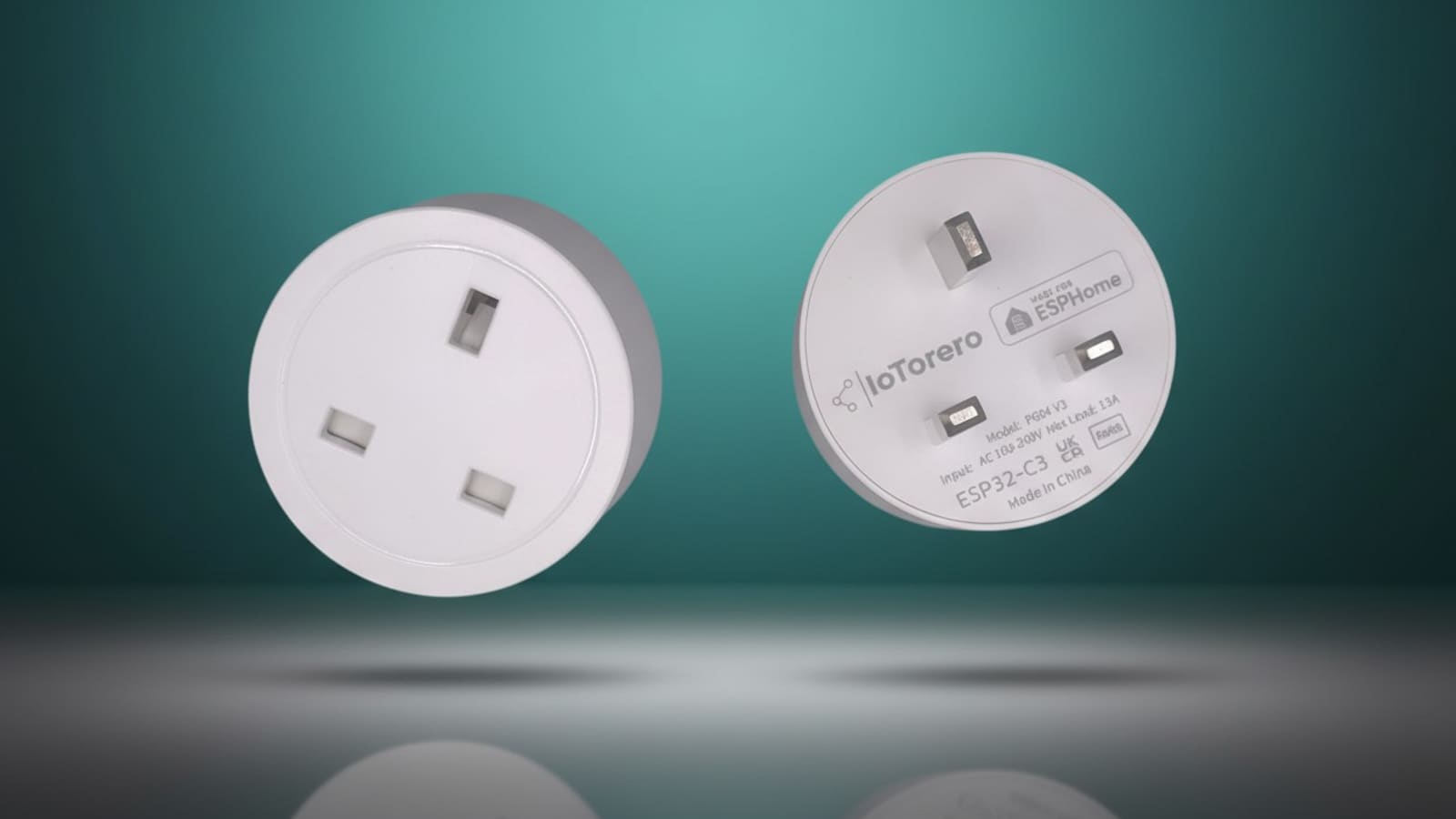
The plug itself is a plain white UK three-pin unit with a single button on the face and no display — the front is just a socket face, and all the branding sits on the back, printed alongside the model number, input rating and regulatory marks. Ours arrived with nothing but a quick-start guide; there's no separate power adapter needed since the plug takes its own power from the wall.
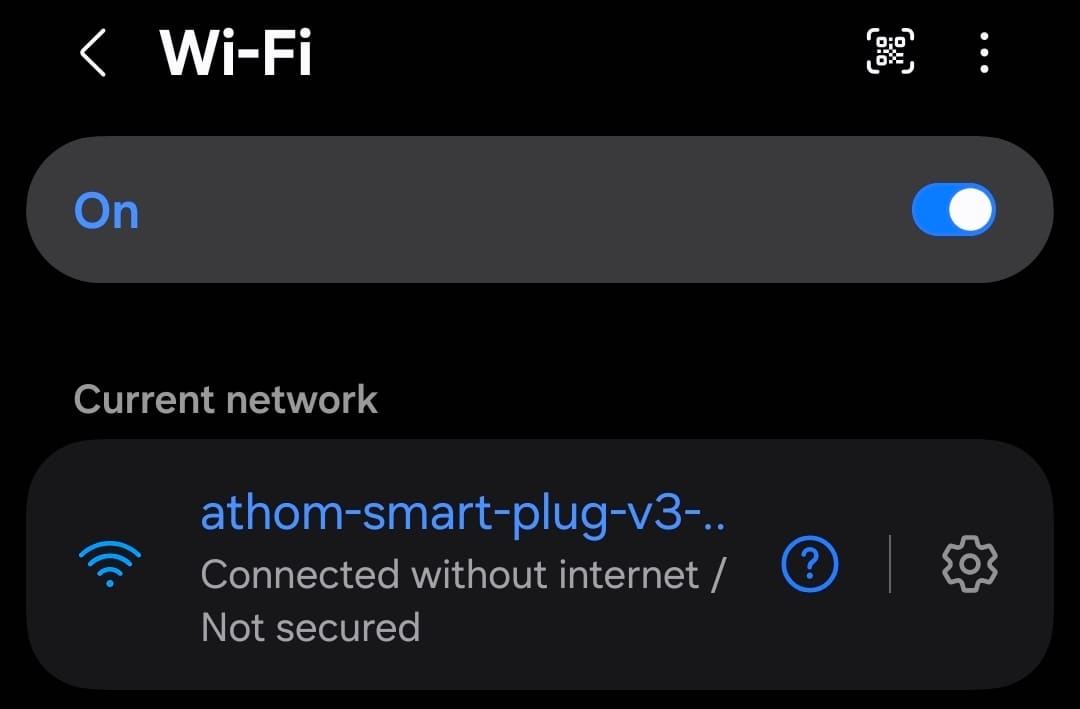
Setup uses the same ESPHome captive-portal flow across IoTorero's whole plug range: press and hold the button to put it into pairing mode, then it broadcasts its own Wi-Fi access point, shown as athom-smart-plug-v3-c42490 on our unit. Join that network, and either a captive-portal prompt or a manual visit to 192.168.4.1 loads a page listing every Wi-Fi network the plug can see, with your MAC address at the top for identification.
Once connected, opening 192.168.4.1 loads the plug's own setup page directly — no separate app, just a browser. It lists your MAC address up top and every Wi-Fi network the plug can see, which on our test bench meant scrolling past a handful of neighbouring routers before finding our own.
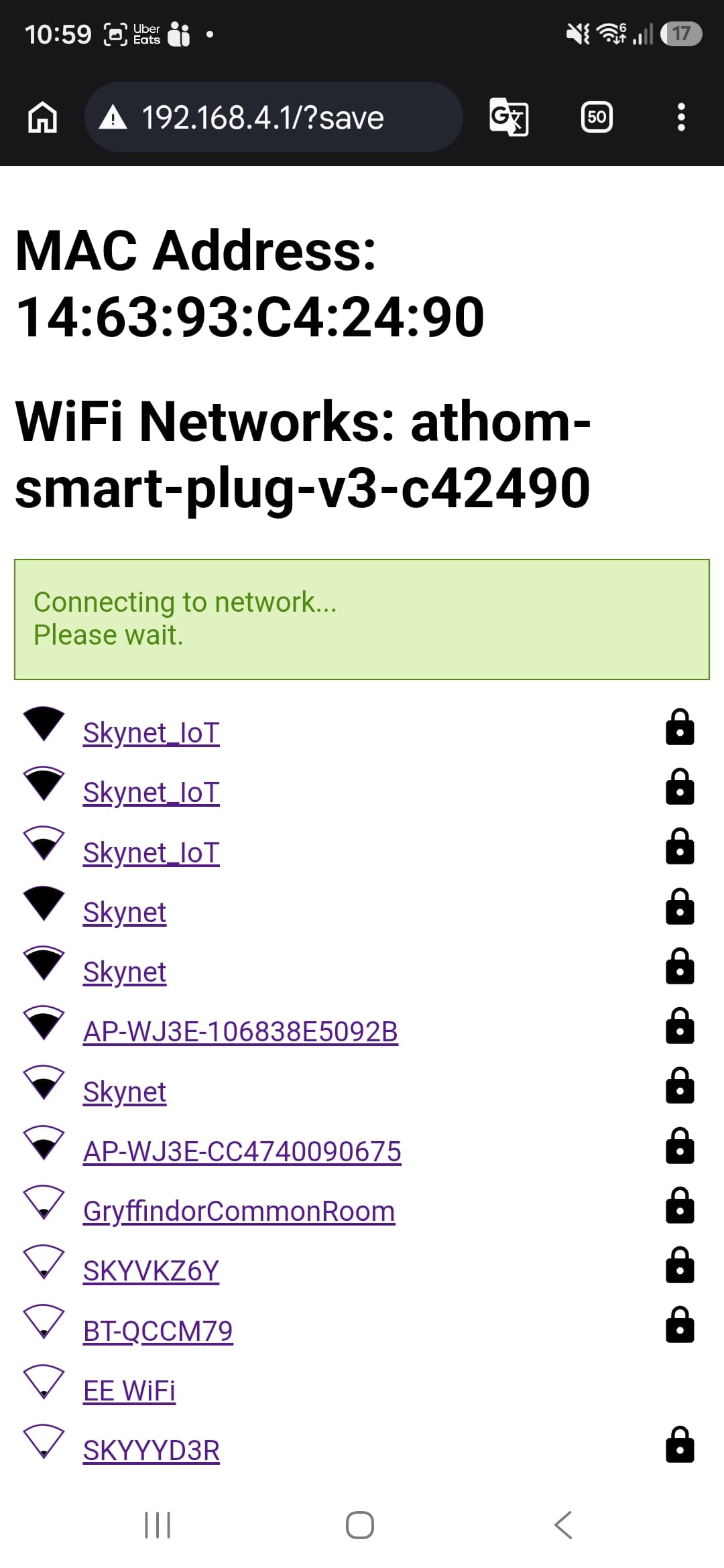
Pick your home network from the list, enter the password, and the plug reboots and joins it directly — no app to install, no account to create anywhere in the process. The whole thing took us under two minutes, and that's the plug's biggest strength: there's genuinely nothing else to configure before it's usable.
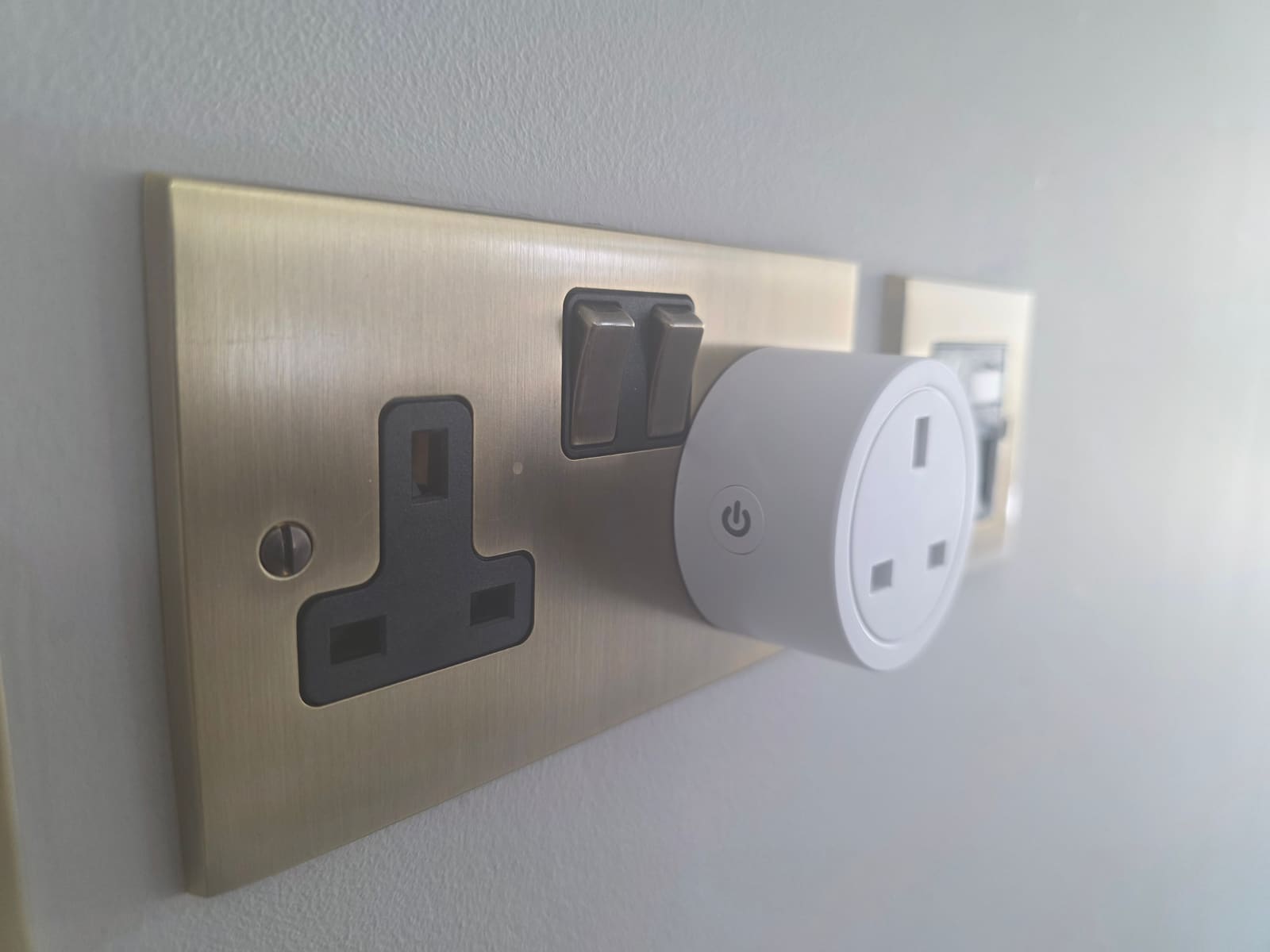
Does the IoTorero smart plug work with Home Assistant?
Yes, and about as well as a Wi-Fi plug can. IoTorero devices don't have a dedicated Home Assistant integration of their own — Home Assistant's own IoTorero integration page is explicit that support comes entirely through the built-in ESPHome integration. That's not a downside in practice: ESPHome devices are auto-discovered on the local network, and ours popped up in Home Assistant's discovered-devices list within seconds of joining Wi-Fi.
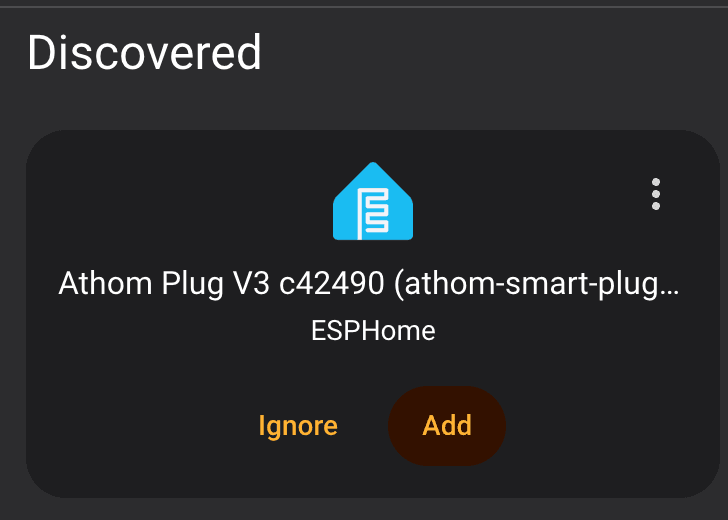
Tapping Add pulls in a full spread of entities across five cards: Sensors, Controls, Diagnostic, Configuration and a device page for the integration itself. Because ESPHome's native API is local push rather than a polled cloud connection, the switch and sensor states update the moment they change on the device, not on the next poll cycle — this is the technical reason the plug feels instant when you flip it from a dashboard or an automation.
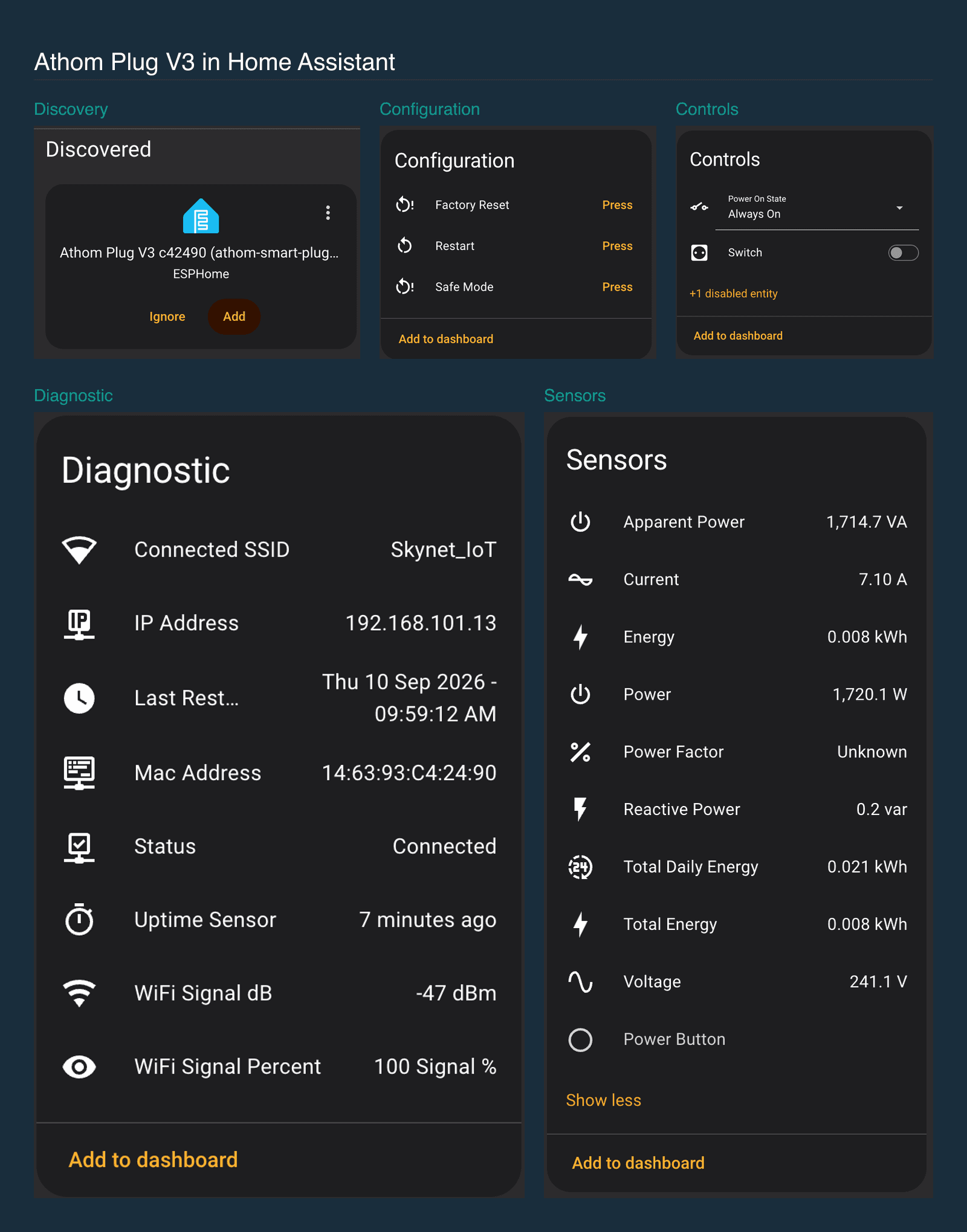
The Controls card exposes a Power On State selector — ours was set to "Always On", meaning the relay restores power automatically after an outage, with alternatives to stay off or return to its last state — alongside the switch itself and one disabled entity you can turn on if needed. Configuration adds Factory Reset, Restart and Safe Mode buttons, so recovering a misbehaving plug never needs physical access to the button on the unit. Diagnostic reports the connected SSID, IP address, MAC address, last restart time, an uptime sensor and Wi-Fi signal in both dBm and percent — ours held a rock-solid -47dBm, effectively full signal, a few metres from the router.
How accurate are the energy readings?
Solidly accurate, and unusually detailed for a plug this cheap. Running a genuine load through it, the plug reported 1,720.1W of active power, 1,714.7VA of apparent power, 7.10A of current and 241.1V — figures that are internally consistent with each other (241.1V × 7.10A ≈ 1,712VA, matching the apparent-power reading almost exactly) and sit right where UK mains voltage should be. It also tracks reactive power, a running total-energy figure in kWh, and a total-daily-energy counter that resets at midnight, which is the entity you actually want for a Home Assistant Energy dashboard rather than the lifetime total. The one gap is Power Factor, which read "Unknown" throughout our test rather than a calculated value — everything else needed to derive it (VA and W) is present and correct, so this looks like a firmware quirk on our specific unit rather than a hardware fault.
How does it compare to the Aqara Power Plug H2 and Shelly Plug S?
It's the most Home Assistant-native of the three, at the cost of any wireless standard beyond Wi-Fi. The Aqara Power Plug H2 runs Matter over Thread or Zigbee and can join a mesh without a dedicated 2.4GHz Wi-Fi slot, but it doesn't report power or energy over Matter at all — only on/off, which makes the IoTorero plug the better choice for an actual energy dashboard. The Shelly Plug S is the nearest Wi-Fi rival: it runs stock Shelly firmware with a cloud-optional local API, or can be reflashed to ESPHome by hand, whereas this one ships with ESPHome already installed. Want a mesh-network plug instead? Look at Aqara or a Zigbee plug from our best smart plugs roundup.
Who should buy the IoTorero smart plug?
Anyone running Home Assistant who wants a Wi-Fi smart plug with proper energy monitoring and zero cloud dependency. It's a strong pick for metering an appliance on the Energy dashboard, and the built-in Bluetooth proxy is a useful bonus in a room that needs better BLE coverage. It's a poor fit for a no-fiddling app experience, or a Zigbee/Thread mesh where you don't want another device on 2.4GHz Wi-Fi.
Verdict
The IoTorero ESP32-C3 UK plug does exactly what it promises: it's simple to set up, needs no hub or app account, reacts instantly because it talks to Home Assistant over a local push API rather than a poll, and its energy readings held up as accurate and internally consistent under a real load. For a Home Assistant household that wants a properly instrumented smart plug without touching a soldering iron or a cloud account, it's an easy buy.