Our Picks at a Glance
| Model | Best for | Price band | PoE budget |
|---|---|---|---|
| TP-Link TL-SG105PE | 1–2 cameras (compact) | £ | 65W, 4 PoE+ ports |
| Netgear GS305Pv3 | True plug-and-play | £ | 63W, 4 PoE+ ports |
| Ubiquiti UniFi Switch Lite 8 PoE | UniFi setups | ££ | 52W, app-managed |
| TP-Link TL-SG1016PE | 16-port | ££ | 150W total, rack-mountable |
| TP-Link TL-SG1218MPE | Whole-home rollouts | £££ | 250W total, 2 SFP uplinks |
How we chose these PoE switches
We compared total PoE power budget, per-port PoE limits, port count, price and manageability (unmanaged vs smart-managed vs app-managed), and prioritised switches whose specs come from the manufacturer's own UK or EU product pages rather than third-party listings. We excluded switches without a stated PoE budget and anything that only ships with US-market documentation.
Best PoE switches for UK homes in 2026
1. TP-Link TL-SG105PE — best for 1–2 cameras
Around £40–50 · 5-port · 4 PoE+ ports · Up to 65W total, up to 30W per port
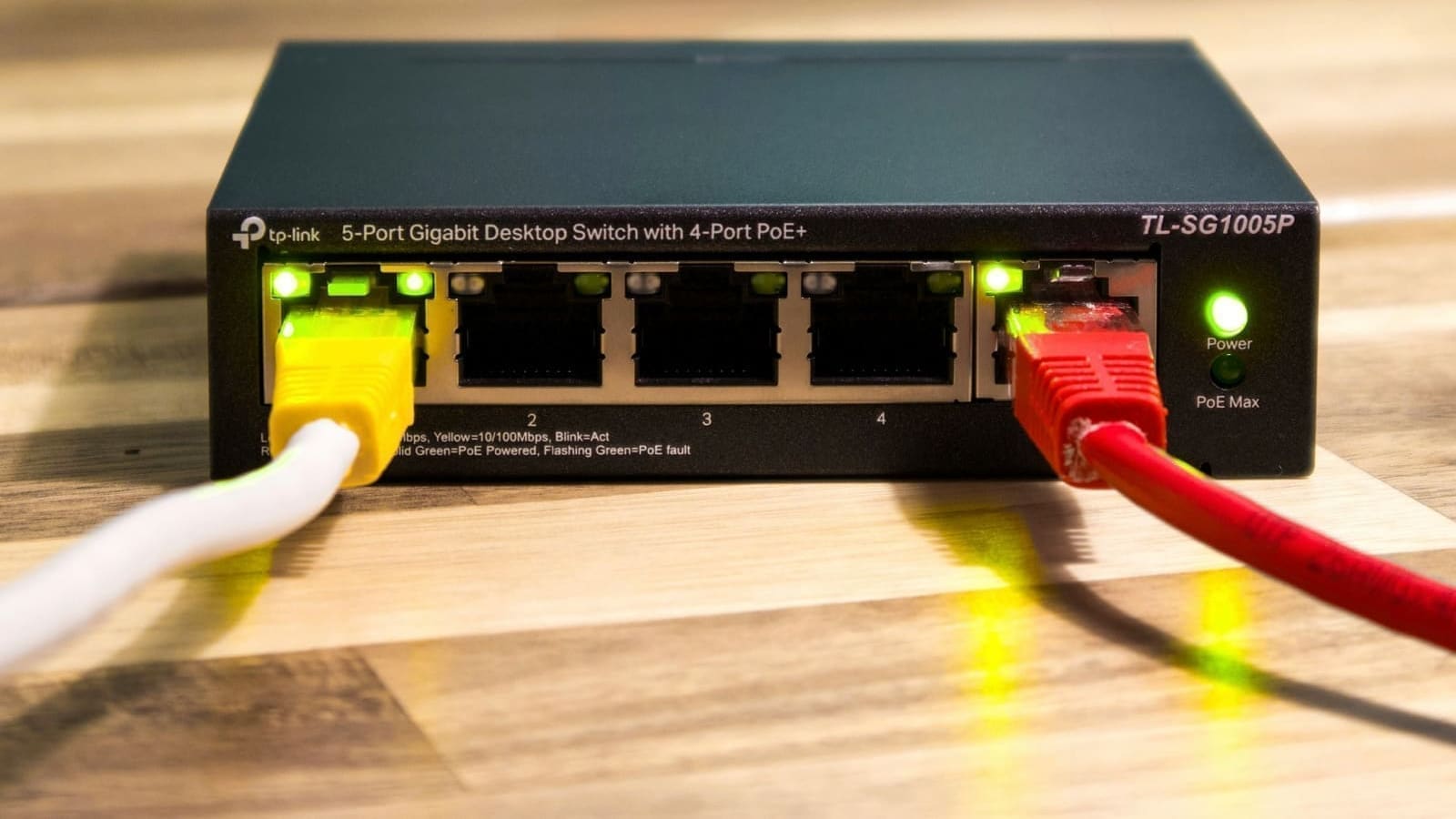
The TP-Link TL-SG105PE is the smallest sensible starting point for a home PoE rollout. It's a 5-port Gigabit switch where four of the five ports deliver PoE+ (IEEE 802.3af/at), with a total PoE power budget of 65W split across those four ports at up to 30W each, according to TP-Link's UK product page. That's comfortably enough for two or three IP cameras plus a doorbell or small access point, with headroom to spare.
It runs TP-Link's Easy Smart software, so you get a basic web GUI with VLAN tagging and QoS if you want it, but it also works with zero configuration if you just want to plug cameras in. For a first PoE switch covering a small home, this is the pick most people should start with.
2. Netgear GS305Pv3 — best true plug-and-play
Around £45–60 · 5-port · 4 PoE+ ports · Up to 63W total PoE budget · Unmanaged
The Netgear GS305Pv3 covers the same ground as the TP-Link above — 5 Gigabit ports, 4 of them PoE+ (802.3af/at), up to 63W total PoE budget according to Netgear's product page — but skips the management interface entirely. There's no app, no browser login, no VLANs: you plug it in and it works. If you don't need network segmentation and just want cameras and an access point powered with minimum fuss, that simplicity is the appeal. It's fanless and desktop-sized, and Netgear backs its ProSAFE-adjacent switches with a limited lifetime hardware warranty.
3. Ubiquiti UniFi Switch Lite 8 PoE — best for a UniFi setup
Around £90–110 · 8-port · 52W total PoE budget · App-managed
If you're already running Ubiquiti UniFi access points or cameras (UniFi Protect), the UniFi Switch Lite 8 PoE keeps everything in one management app. Ubiquiti's own product page lists 52W of total PoE availability across the switch, delivered via an external 60W power adapter — enough for several UniFi access points or PoE cameras, though tighter than the TP-Link 16-port options below if you're scaling up a lot of high-draw devices. The trade-off for the lower headline wattage is a genuinely polished management experience: port-by-port power draw, PoE cycling (remotely power-cycle a frozen camera without leaving your desk), and the same UniFi Network app used to manage UniFi routers and access points.
4. TP-Link TL-SG1016PE — best 16-port
Around £110–140 · 16-port · 8 PoE+ ports · 150W total PoE budget · Rack-mountable
Once you're wiring a larger home — several cameras, two or three access points, a NAS, and a desktop or two — the TP-Link TL-SG1016PE gives you 16 Gigabit ports, with 8 of them delivering PoE+ up to 30W each and a 150W total PoE budget, per TP-Link's UK spec sheet. It includes rack-mounting brackets as well as rubber feet for desktop use, so it drops into a home network rack if you have one, or sits on a shelf if you don't. TP-Link's Easy Smart software adds VLANs and QoS, and the switch includes a PoE priority feature that automatically reduces power to lower-priority ports if the budget is ever at risk of being exceeded — useful reassurance if you're running the wattage close to the limit.
5. TP-Link TL-SG1218MPE — best for whole-home rollouts
Around £180–220 · 16 PoE+ ports + 2 SFP uplinks · 250W total PoE budget
For a genuinely large deployment — think a house with cameras on every elevation, multiple access points for full Wi-Fi coverage, and maybe a VoIP phone or two — the TL-SG1218MPE is TP-Link's higher-wattage option. TP-Link's spec page lists 16 PoE+ ports (802.3af/at, up to 30W each) with a combined 250W PoE budget, plus two non-PoE Gigabit ports and two combo Gigabit SFP slots for a fibre uplink to a router or core switch elsewhere in the house. It's a step up in price, but the PoE budget is the important number here: 250W means you're very unlikely to hit a power ceiling even with a dozen PoE cameras and a handful of access points all running at once.
How Much PoE Power Do You Actually Need?
Every switch above lists a total PoE budget (the maximum watts it can distribute across all PoE ports combined) and often a per-port limit. Before buying, add up the power draw listed on the spec sheet of every PoE device you plan to connect — most IP cameras and access points list a maximum power draw figure in their own documentation — and make sure the total sits comfortably under the switch's total PoE budget, not just the per-port limit. Leave headroom rather than buying to the exact figure, since PoE devices can draw more at startup or in cold weather than their steady-state rating.
PoE, PoE+ and PoE++: What the Standards Mean
You'll see three IEEE standards on PoE switch spec sheets: 802.3af (the original PoE standard, lower power per port), 802.3at (PoE+, roughly double the per-port power of 802.3af and the standard most home cameras and access points use — TP-Link rates its 802.3at ports at up to 30W each), and 802.3bt (PoE++, a newer high-power standard for demanding devices like pan-tilt-zoom cameras). Every switch in this guide supports 802.3af/at, which covers the vast majority of home IP cameras, access points, and VoIP hardware. It also covers wall-mounted Android panels: the 15.6-inch tablet in our hands-on PoE wall tablet review is rated for 802.3at, so a PoE+ port is what it needs. You only need to look for 802.3bt/PoE++ support if a specific device you own lists it as a requirement — check the device's own spec sheet rather than assuming.
Managed or Unmanaged?
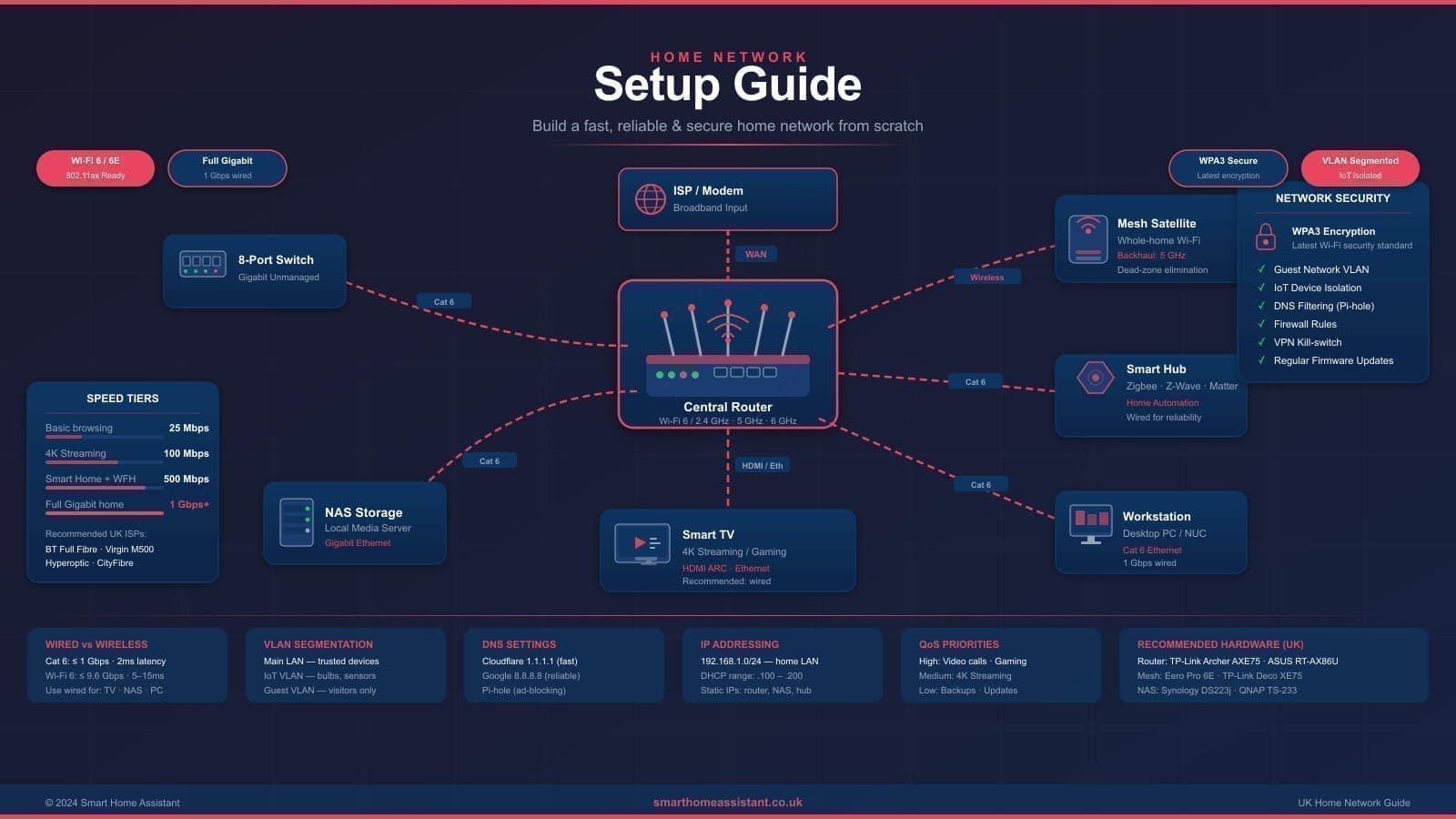
An unmanaged PoE switch (like the Netgear GS305Pv3) just works — no login, no configuration. A managed or smart-managed switch (TP-Link's Easy Smart range, or Ubiquiti's app-based management) adds VLAN support, which matters if you want to isolate cameras and IoT devices onto a separate network segment from your laptops and phones. Our IoT VLAN setup guide for Home Assistant and home network VLAN guide both walk through exactly how to configure that segmentation once you have a managed switch in place. If you're not planning to segment your network, an unmanaged PoE switch is one less thing to configure.
Do You Need a PoE Switch, or Will an Injector Do?
A PoE injector is a small adapter that adds power to a single ethernet run between your existing (non-PoE) switch and one PoE device — typically £10–20 and ideal if you only have one camera or access point to power. Once you're running three or more PoE devices, a dedicated PoE switch usually works out cheaper overall, gives you a single power budget to manage, and avoids a growing pile of separate injector bricks. If your router or existing switch already covers your wired ports and you just need power for a couple of devices, see our best router for smart home UK guide for router-side options before buying a dedicated switch.
2.5GbE and Higher-Speed PoE
Most home PoE devices — cameras, access points, VoIP phones — are well served by Gigabit (1 Gbps) ports, which every switch in this guide provides. Multi-gigabit PoE switches (2.5GbE or faster, combined with PoE) exist and are becoming more common for Wi-Fi 6E/7 access points that support higher backhaul speeds, but they carry a significant price premium and are only worth considering if you specifically own an access point that lists a 2.5GbE PoE uplink as a requirement — check your access point's own documentation before paying extra for speed you won't use.
Related Reading
For general wired switches without PoE, see our best ethernet switch for home UK guide. For network segmentation once your PoE switch is installed, see our home network VLAN guide and IoT VLAN setup with Home Assistant.