
Smart Home Assistant

Best TV Backlight UK 2026: Govee vs Hue Sync Box

SepehrBy Sepehr· 3 November 2026· Updated 3 November 2026· 5 min read
✓ Independent — no paid placements✓ UK-tested in real homes✓ Cited sources
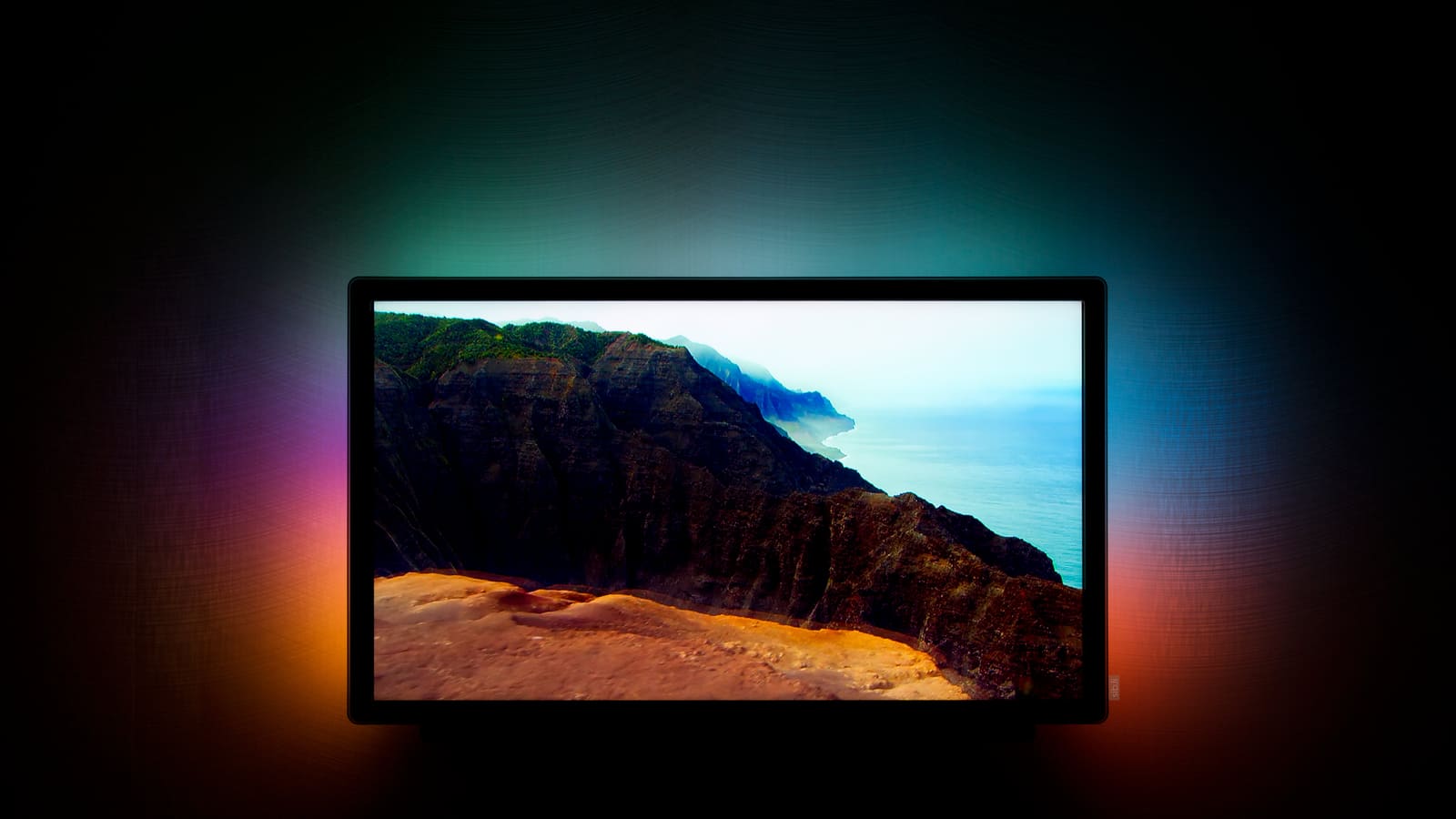
Flat-screen TV showing a coastal cliff scene with teal, orange and purple light glowing on the dark wall behind

Key takeaways

  • The Govee TV Backlight 3 is our overall pick at a £139.99 list price, with a dual 4MP camera and Matter support.
  • Camera kits suit any TV and cost roughly £80–£200, while Hue's HDMI Sync Box 8K launched at £299.99 before lights are added.
  • Govee's Matter support is mainly useful for on/off, because setting a fixed colour stops the reactive lighting until you restart it in the app.
  • The Backlight 3 lists 2.4GHz Wi-Fi only, so check your router's band settings before you buy.
On this page[tap to expand]

The best TV backlight UK buyers can get for most living rooms is the Govee TV Backlight 3: a dual-camera kit that mirrors on-screen colours onto the wall behind a 55–65-inch TV. Philips Hue's HDMI Sync Box 8K is more accurate, but costs far more once you add lights.

ModelBest forPrice bandSync methodSmart-home control
Govee TV Backlight 3Overall££Dual cameraAlexa, Google, Matter
Govee Envisual TV Backlight T2Budget£Dual cameraAlexa, Google
Govee TV Backlight 3 ProBest camera-based picture£££Triple-lens cameraAlexa, Google, Matter
Philips Hue Play HDMI Sync Box 8KHue homes, Home Assistant, accuracy££££HDMI boxHue app, community HA integration

A TV backlight (often called bias lighting or an Ambilight-style kit) does two jobs: it softens the contrast between a bright screen and a dark wall, and it throws the screen's colours outwards so the picture feels bigger. There are two ways to get it. Camera kits watch the screen from a small bracket, while an HDMI box reads the signal itself. That choice matters more than brand.

Buy the picks in this guide

Recommended for Smart Lighting

See all devices →
Shop these picks on our Amazon storefront →

How we chose these TV backlights

We ranked on three things in order: how the kit samples the picture (camera or HDMI), the UK price from the maker's own store, and how well it fits a Home Assistant home. We left out bare LED strips with no screen sync, which belong in our Govee LED strip review, and we dropped Nanoleaf's 4D kit because we could not confirm a current UK price or stock. Where a UK price moves with sales, we quote the list price we saw and say so.

The best TV backlights for UK living rooms in 2026

1. Govee TV Backlight 3 — best overall

Who it's for: anyone with a 55–65-inch (model H2A40) or 75–85-inch (H2A41) TV who wants Ambilight-style lighting without replacing the television.

Govee's UK page lists it at £139.99, with a 55–65-inch bundle shown at £111.98 when we checked. The camera is a dual 4MP hybrid-lens unit with a 144° field of view per lens, and control is via Alexa, Google or Matter. The catch: the spec lists 2.4GHz Wi-Fi plus Bluetooth only, so check your router if it splits bands. We cover the whole range in our Govee TV Backlight review.

View on Govee UK

2. Govee Envisual TV Backlight T2 — best budget

Who it's for: buyers who want reactive lighting on a 55–65-inch TV for the lowest outlay.

Govee lists the T2 at £117.99 in the UK, and we saw it discounted to £79.99 in a Govee deal listing. It uses a dual-camera system and works with Alexa and Google Assistant. The compromise is picture precision and sync features: you give up the Backlight 3's higher-resolution camera, and Matter is not part of the T2's listed control methods.

View on Govee UK

3. Govee TV Backlight 3 Pro — best camera-based picture

Who it's for: home cinema owners who want the best a camera kit can do.

The Pro adds a third lens and 32 independently lit zones for £199.99 on Govee's UK page. Matter Alpha calls it the best camera-based TV backlight yet, but also says that if you do not need the best, an older model is better value. It lists real drawbacks: reflections off carpet or glare can confuse the camera, DreamView has fewer settings, and the strip works best 6–10 inches from the wall.

View on Govee UK

4. Philips Hue Play HDMI Sync Box 8K — best for Hue and Home Assistant homes

Who it's for: households already running Hue lights who want colours taken straight from the HDMI signal rather than a camera.

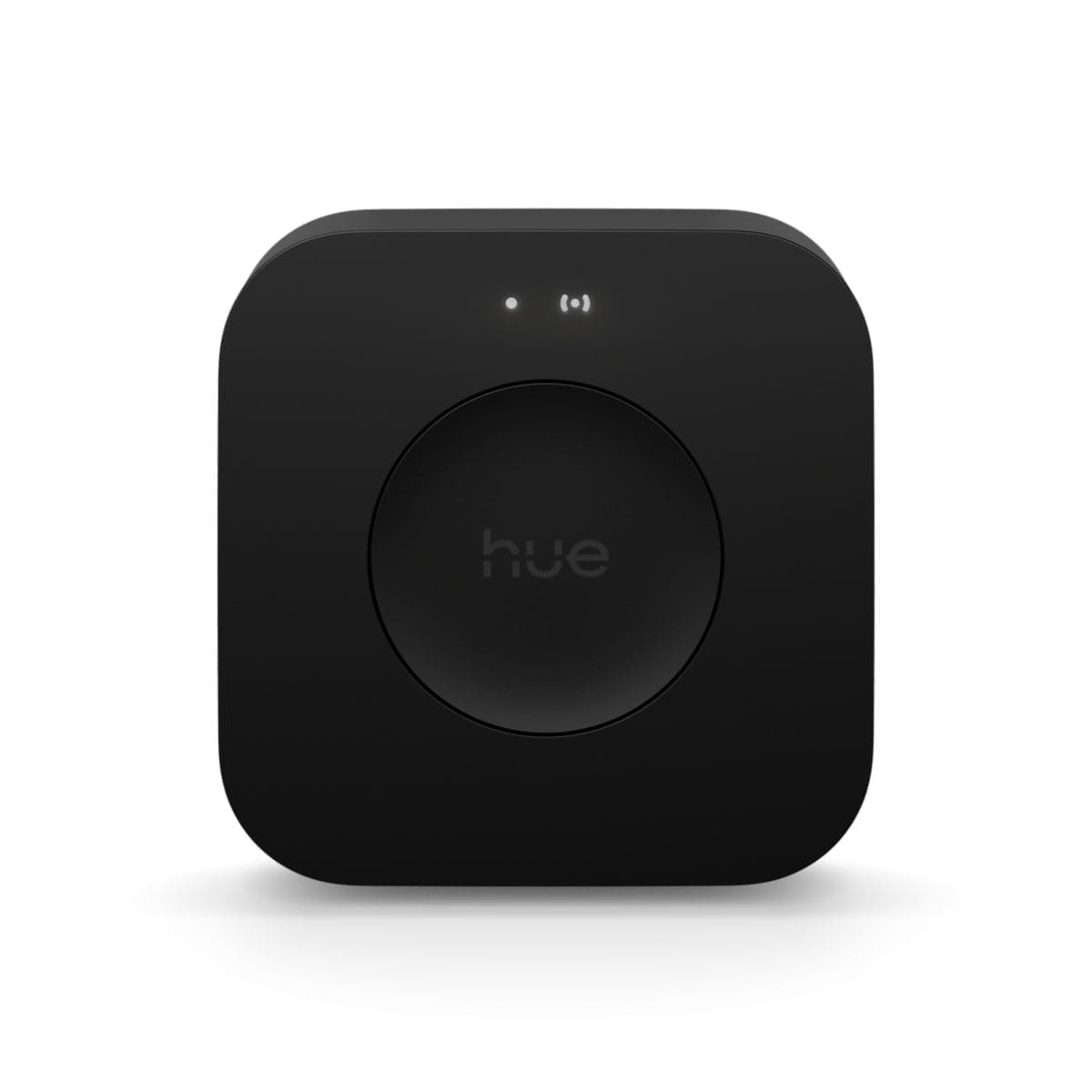
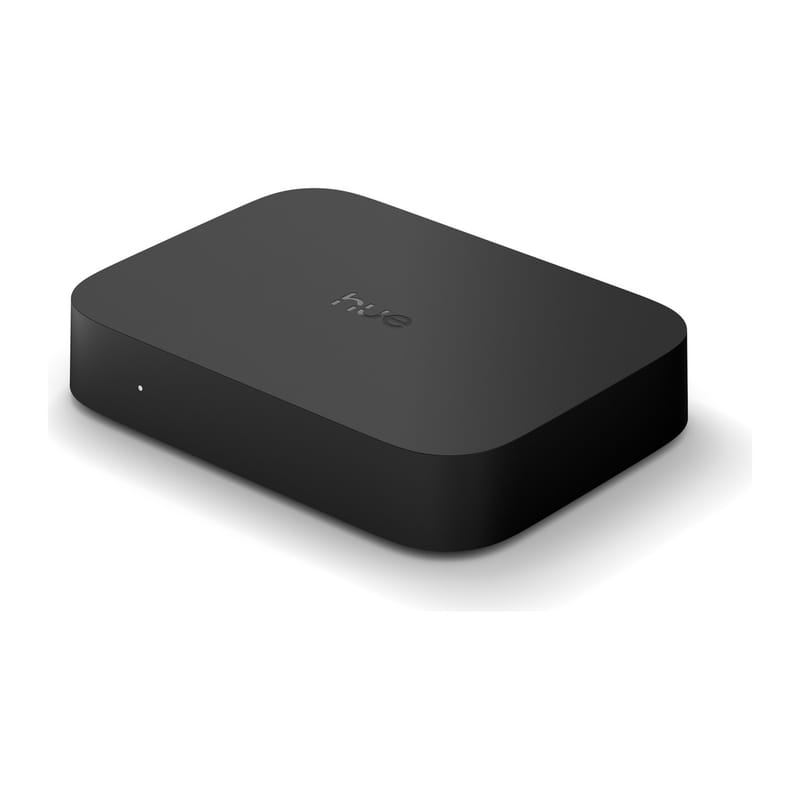
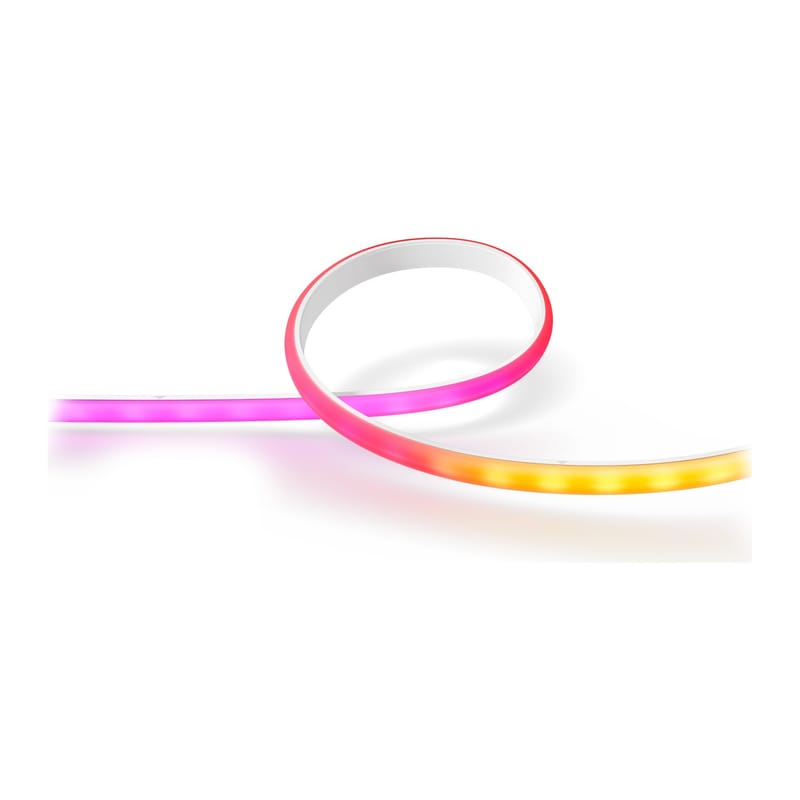
The box launched in the UK at £299.99, and Hue's own UK store showed £384.99 when we checked. It also needs a Hue Bridge V2 and your own Hue lights, so the real cost is far higher than any Govee kit. In return you get accuracy no camera can match and a community integration for Home Assistant. Pair it with a Hue gradient lightstrip and a Bridge V2 to build the full setup.

View on Philips Hue UK

Should you choose a camera kit or an HDMI sync box?

Choose a camera kit unless you already own Hue lights. A camera kit works with any TV, streaming stick or console, installs in minutes and costs £80–£200. An HDMI box sits between your sources and the TV, so every device must be plugged into it, but it reads the signal itself and is not fooled by room reflections. Matter Alpha describes Govee's own HDMI box as “technically superior in every way” to the camera kits, at the price of that extra cabling.

Do TV backlights work with Home Assistant?

Partly, and the route depends on the brand. Home Assistant's official Govee Lights Local integration supports over 300 Govee model codes, but its page does not mention TV backlights, DreamView or segments, so check your model against its list before buying. Matter on the Govee kits is mainly on/off: Matter Alpha found that setting a fixed colour stops the reactive lighting until you reopen the Govee app, so use Matter for power only. For Hue, a community custom integration (installed through HACS, needing Home Assistant 2026.8.0 or newer) exposes the Sync Box's power, sync mode, intensity and HDMI input. HACS itself is now built in, as covered in our HACS Marketplace guide.

What should you check before buying a TV backlight?

Check four things before you order. First, your TV size: Govee sells the Backlight 3 in 55–65-inch and 75–85-inch versions, so a 50-inch set sits outside both. Second, the gap behind the TV, since Matter Alpha found the Pro works best about 6–10 inches from the wall. Third, your Wi-Fi: the Backlight 3's spec lists 2.4GHz only. Fourth, your sources: a camera kit sees everything the screen shows, whereas an HDMI box only syncs what passes through it. A dim room and a plain light wall will flatter any of these kits.

Who should skip a TV backlight?

Skip one if your TV already has built-in Ambilight, if the wall behind it is more than a few inches away or heavily patterned, or if your room is bright all day, because bias lighting shows best in a dim room. Camera kits also struggle with glossy surfaces in front of the screen. If all you want is a gentle glow behind the TV with no sync, a plain strip from our Govee Matter review range is cheaper.

Frequently asked questions

What is the best TV backlight UK shoppers can buy?
The best TV backlight UK households can buy for most TVs is the Govee TV Backlight 3, listed at £139.99 on Govee's UK store. It uses a dual 4MP hybrid-lens camera to mirror on-screen colours, comes in 55–65-inch and 75–85-inch versions, and supports Alexa, Google and Matter. If you want to spend less, the Govee Envisual TV Backlight T2 is listed at £117.99 and is often discounted. If you already own Philips Hue lights, the Hue Play HDMI Sync Box 8K is more accurate because it reads the HDMI signal, but it costs several times more once you add lights and a Bridge. Prices change with sales, so check the retailer before ordering.
Do I need a camera or an HDMI box for TV bias lighting?
You need a camera kit if you want the simplest setup, and an HDMI box if you want maximum accuracy. A camera kit such as the Govee TV Backlight 3 clips to the TV, watches the screen and works with any source, including a smart TV's built-in apps. An HDMI sync box such as the Philips Hue Play HDMI Sync Box 8K reads the signal directly, so reflections and room light cannot confuse it, but every device must be plugged into the box and a TV's own apps are not covered unless the TV supports a sync app. Matter Alpha describes Govee's HDMI box as technically superior to its camera kits, though it requires that extra cabling and costs more.
Do Govee TV backlights work with Home Assistant?
Govee TV backlights work with Home Assistant only in limited ways that you should verify before buying. Home Assistant's official Govee Lights Local integration supports more than 300 Govee model codes, but its documentation does not mention TV backlights, DreamView or segment control. The Backlight 3 and 3 Pro list Matter support, but Matter Alpha reports it is mainly useful for on/off, because setting a fixed colour through Matter stops the reactive bias lighting until you restart it in the Govee app. The Backlight 3 page also does not mention local network control. Treat Govee kits as app-first products, and use Home Assistant for scheduling power rather than for the sync itself.

Sources

Sources verified 2026-11-03

  1. Govee UK — Govee TV Backlight 3 — product page
  2. Govee UK — Govee Envisual TV Backlight T2 — product page
  3. Govee UK — Govee TV Backlight 3 Pro — product page
  4. Matter Alpha — Govee TV Backlight 3 Pro review
  5. Home Assistant — Govee Lights Local integration
  6. GitHub — mvdwetering/huesyncbox — Home Assistant custom integration
  7. Mighty Gadget — Philips Hue HDMI Sync Box 8K launched for £299
  8. Philips Hue — Philips Hue Play HDMI Sync Box 8K — UK product page
  9. Wikimedia Commons — Ambilight-1.jpg by Stephan Legachev, CC BY 3.0
›How we researched this

Claims in this article are checked against primary sources — manufacturer specifications, official documentation, Which? research, Ofgem guidance, or gov.uk — rather than forum threads or video reviews. Where the author has direct hands-on experience with a product (most Home Assistant, Zigbee, and home-networking gear is running in his own homelab), that is stated explicitly in the text.

For categories outside that personal setup — such as boilers, heat pumps, and other areas that are traditionally a heating engineer's domain — verdicts are built from cross-referenced manufacturer data, published lab results, and vetted expert and owner reviews rather than a claim of personal hands-on testing. See the editorial policy for the full methodology.

Sepehr

Written by

Sepehr

10+ years hands-on with Home Assistant & networking · Research-backed elsewhere · No brand deals

Smart home specialist with 10+ years running a self-hosted Home Assistant setup — Zigbee2MQTT, Frigate NVR, and local-first automations. Independent coverage for UK homes, no brand deals.

LinkedIn →

Citing this page? Please use a dofollow link back to the original article — it helps us keep the data on this page accurate and up to date.

Related reading