What to Look For in a Smart PIR Motion Sensor
Before spending money, it is worth understanding the specs that actually matter in day-to-day use.
Detection angle and range. Most indoor PIR sensors cover a 90°–120° horizontal field of view at up to 5–7 metres. Wider angles (150°–170°) reduce the number of sensors you need in an open-plan room, but a narrower beam is more accurate in a corridor. A typical living room can be covered by a single sensor placed in a top corner.
Cooldown / reset time. After detecting motion, most PIR sensors enter a blind period — typically 60–90 seconds — during which further motion is ignored. For lighting automations, a long cooldown means lights go off while you are still in the room. Look for sensors with an adjustable or short (under 15-second) reset time. The Sonoff SNZB-03P and Aqara P1 both offer adjustable timeouts down to a few seconds.
Pet immunity. If you have a cat or dog, choose a sensor with built-in pet immunity or adjustable sensitivity. Some sensors use angled lenses to detect at human height while ignoring movement below a certain level. The Ring Motion Detector (2nd gen) is pet-friendly for animals under 22 kg when sensitivity is set low.
Battery life. Budget Zigbee sensors often last 12–18 months on a CR2450; premium options such as the Aqara P1 claim up to 5 years on 2× CR2450 cells. Battery life is highly dependent on how frequently the sensor triggers, so high-traffic rooms drain batteries faster.
Protocol. Zigbee sensors are the best choice for local, hub-based automations with Home Assistant. Z-Wave sensors offer excellent range and interference resilience but require a Z-Wave hub. WiFi sensors are easy to set up but drain batteries faster and depend on cloud servers unless you use Zigbee2MQTT with Home Assistant or ESPHome to make them local.
Best PIR Motion Sensors for UK Smart Homes (2026)
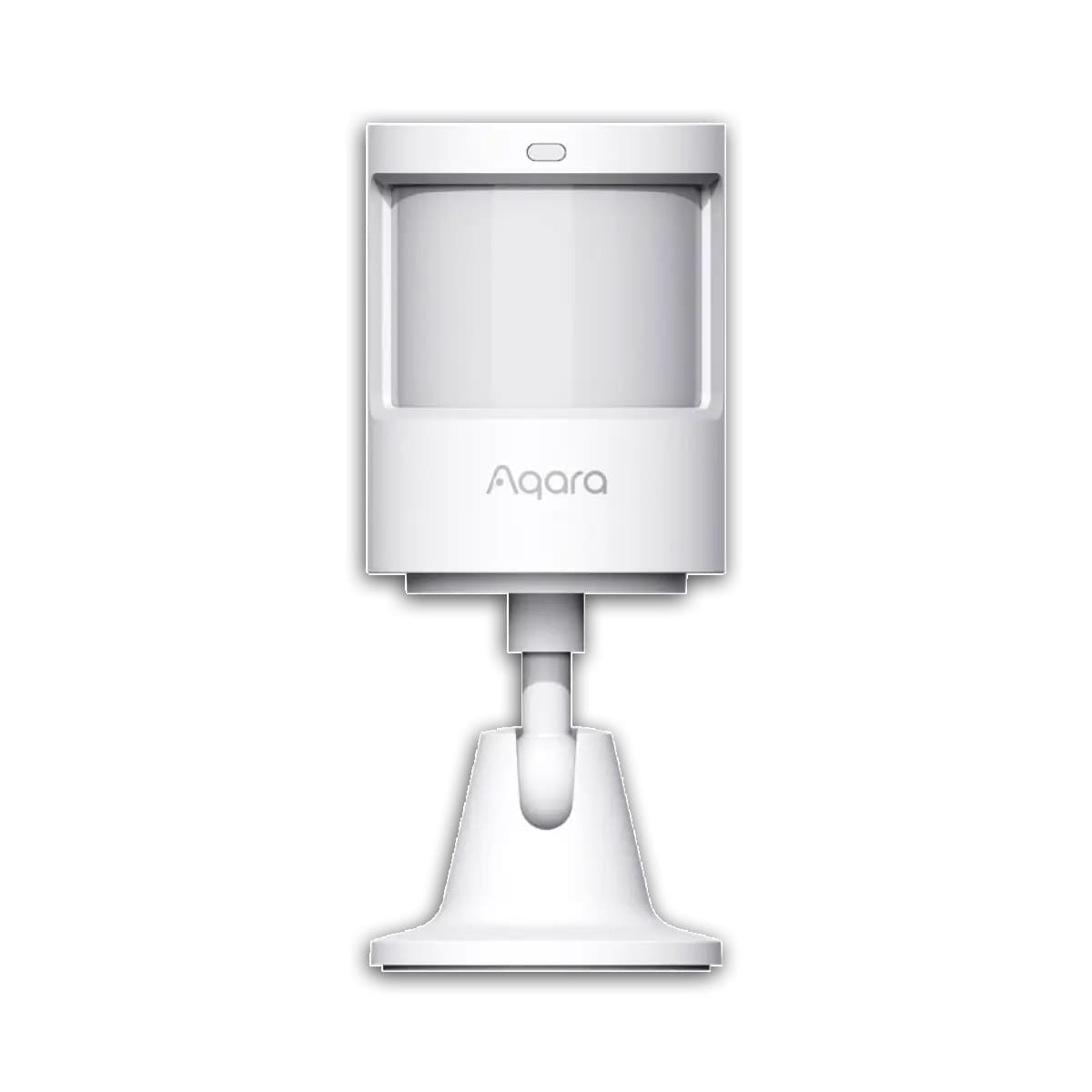
1. Aqara Motion Sensor P1 — Best Overall
Protocol: Zigbee 3.0 | Price: Around £20–£26 (prices vary by retailer)
The Aqara P1 is the most versatile PIR sensor available in the UK right now. Its detection angle adjusts between 150° (up to 7 m) and 170° (up to 2 m) depending on mounting position, and the detection timeout is configurable from 1 to 200 seconds via the Aqara Home app — far more flexible than most rivals. Battery life is rated at up to 5 years on 2× CR2450 cells, which is the best in class for a Zigbee device. It pairs natively with Home Assistant via Zigbee2MQTT or ZHA without any cloud dependency. The only catch is that you need an Aqara Zigbee hub or a third-party Zigbee coordinator — it does not work standalone.
2. Philips Hue Motion Sensor (Indoor) — Best for Hue Users
Protocol: Zigbee / Bluetooth | Price: Around £35–£40 (prices vary by retailer)
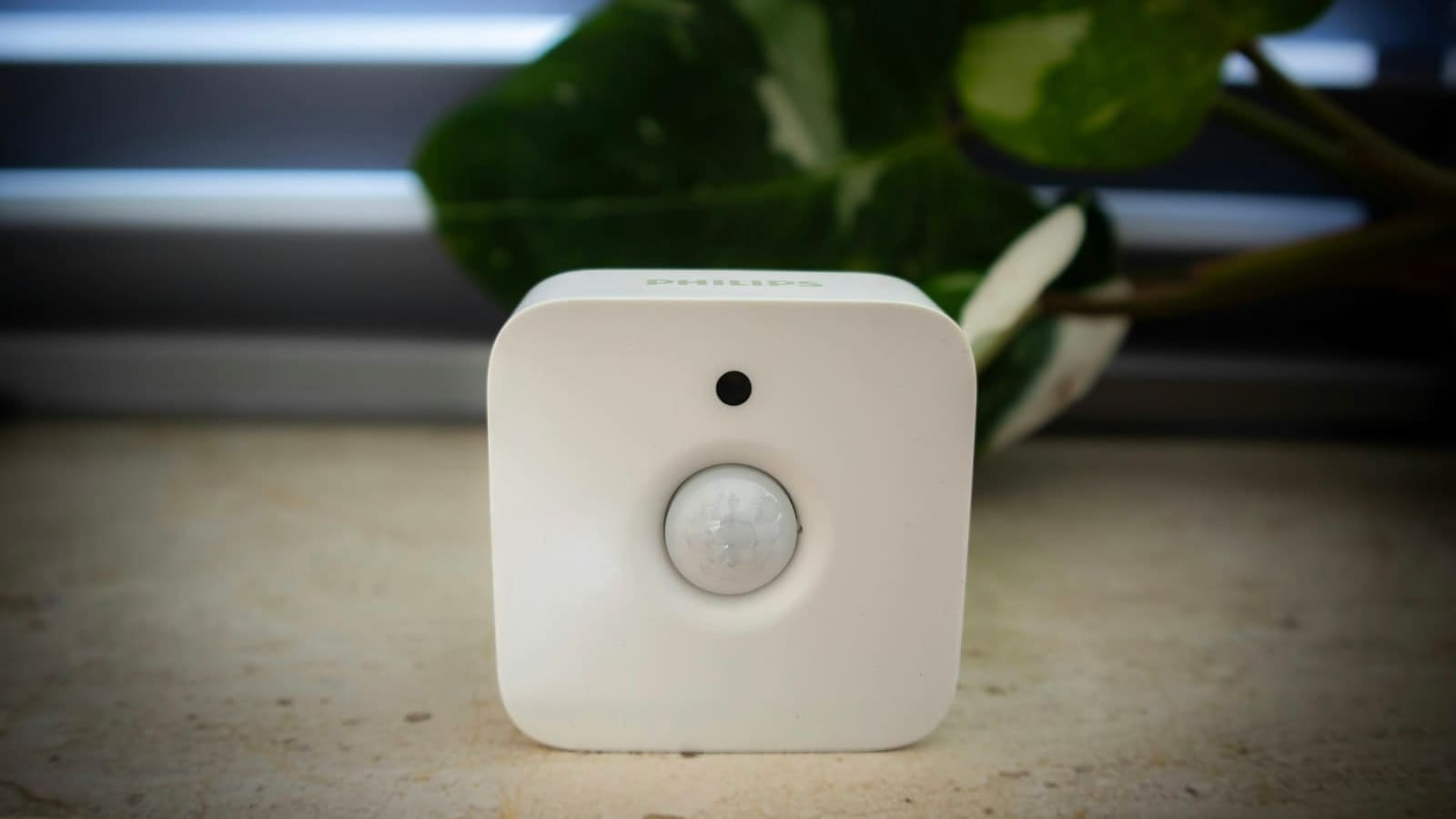
If you already have a Philips Hue Bridge, the official Hue Motion Sensor is a seamless fit. It supports up to 10 different time-of-day scenes — so the lights it triggers can be dimmer at night than in the morning — without any complex automations. The built-in ambient light sensor prevents lights from switching on when a room is already bright. Battery life is rated at minimum 2 years on 2× AAA batteries, and the IP42 rating makes it splash-resistant. Detection range is around 5 metres indoors. It also works with Home Assistant via the Hue integration, though it is considerably more expensive than Zigbee alternatives for what it does. The sensor also supports Bluetooth pairing without a Bridge, though you lose multi-scene scheduling in that mode.
3. Sonoff SNZB-03P — Best Budget Pick
Protocol: Zigbee 3.0 | Price: Around £11–£15 (prices vary by retailer)
At under £15, the Sonoff SNZB-03P punches well above its price point. It covers a 6-metre range at 110° with a 5-second detection cooldown — one of the fastest on the market, making it ideal for hallways and entrances where you want lights to respond instantly. A built-in lux sensor adds smarts: you can set automations to only trigger if the room is already dark. Battery life is rated at 3 years on a CR2477. It pairs with any Zigbee 3.0 coordinator including Home Assistant's built-in Zigbee integration or Zigbee2MQTT. For the price, it is the easiest recommendation for anyone starting out with smart sensors. For a deeper look at Zigbee-only picks and exactly what entities each one exposes in Home Assistant, see our best Zigbee motion sensor UK guide.
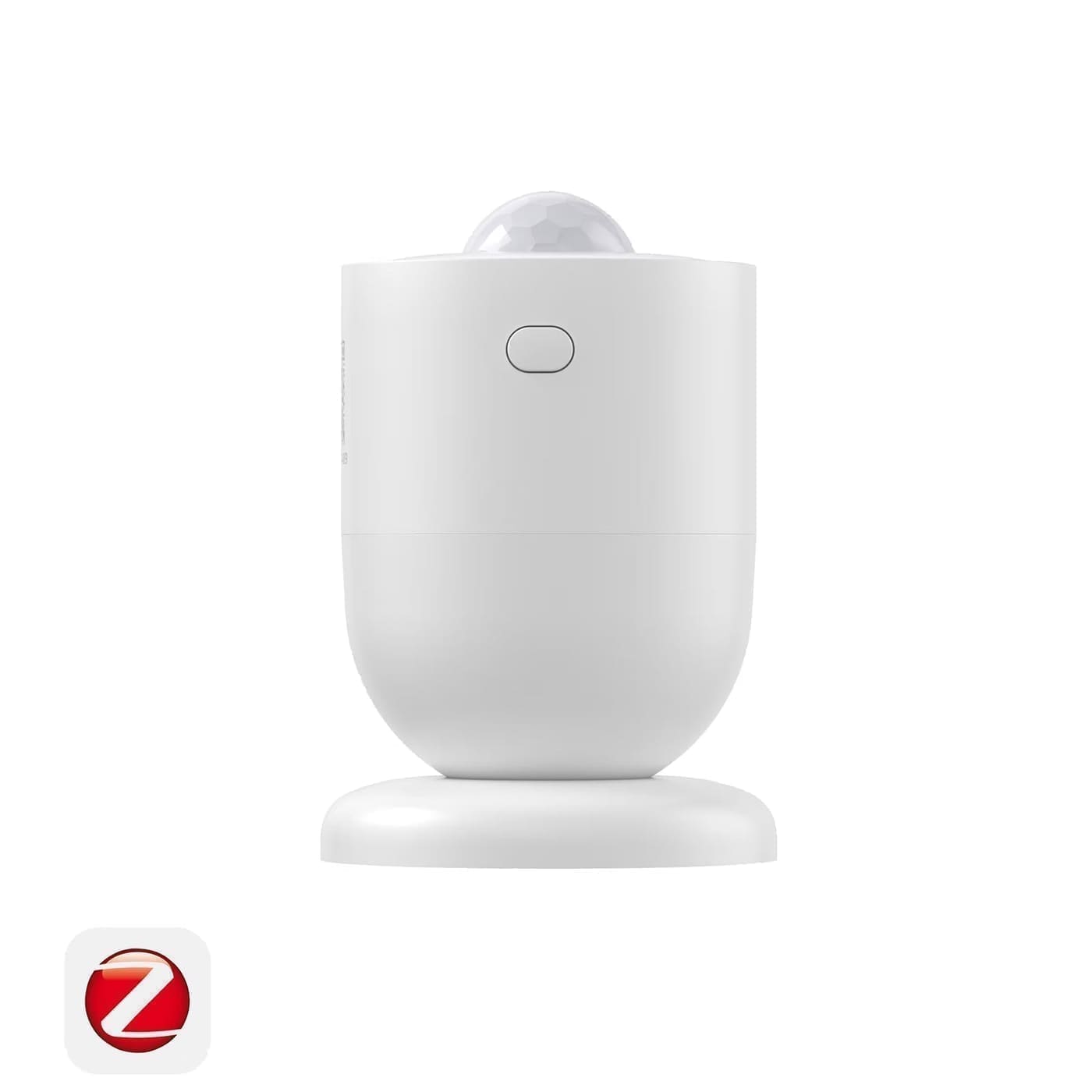
4. IKEA VALLHORN — Best Ultra-Budget Option
Protocol: Zigbee 3.0 | Price: £8.99 from IKEA (prices vary by retailer)
At £8.99, the VALLHORN is the cheapest motion sensor you can buy from a mainstream UK retailer. It features a 120° detection angle with up to 5 m range, and its built-in lux sensor enables basic conditional automations. The sensor runs on 2× AAA rechargeable batteries, making running costs negligible. It pairs with the IKEA DIRIGERA hub out of the box, but it also works directly with Home Assistant via Zigbee2MQTT. The trade-off is a fixed, longer cooldown period compared with the Aqara P1 or Sonoff, so it is better suited to entrance halls than rooms where you sit still.
5. Ring Alarm Motion Detector (2nd Gen) — Best for Ring Alarm Users
Protocol: Z-Wave (proprietary Ring network) | Price: Around £25–£35 (prices vary by retailer)
The Ring Motion Detector integrates tightly with the Ring Alarm system and uses Z-Wave under the hood, giving it reliable range of up to 76 metres to the base station. Detection angle is 90° with a range of up to 7.6 metres. It is pet-immune for animals under approximately 22 kg when sensitivity is set to the lowest level. Battery life is around 3 years on a single CR123A. The key limitation is its tight integration with Ring's ecosystem: it is not easily paired with third-party Zigbee or Z-Wave hubs. If you use the Ring Alarm, it is an excellent pick; if you want local control via Home Assistant, look at the Aqara or Sonoff options instead. You can read more about how it fits into a broader setup in our guide to the best home security systems UK.
6. Fibaro Motion Sensor (FGMS-001) — Best Z-Wave Multisensor
Protocol: Z-Wave Plus | Price: Around £45–£55 (prices vary by retailer)
The Fibaro Motion Sensor is the premium choice for Z-Wave users. At just 46 mm across, it is tiny but packs motion, temperature, light intensity and a vibration/accelerometer sensor into one globe-shaped device. The LED indicator changes colour based on room temperature — a neat visual cue. It is fully pet-immune with adjustable sensitivity, and its Z-Wave Plus radio offers reliable range through walls. It integrates with Home Assistant via the Z-Wave JS integration. The main downsides are the higher price and the requirement for a Z-Wave hub such as a HUSBZB-1 or Aeotec Z-Stick.
Protocol Comparison: Zigbee vs Z-Wave vs WiFi
The protocol your sensor uses determines how it communicates, how fast it responds, and how dependent it is on the cloud.
Zigbee is the best all-round choice for most UK smart home setups. Devices are cheaper, the ecosystem is huge, and Zigbee2MQTT on Home Assistant gives you full local control with no cloud dependency. Zigbee operates on 2.4 GHz — the same band as WiFi — but uses a different channel, so interference is manageable. The mesh network means every mains-powered Zigbee device (such as a smart plug) acts as a repeater, extending range.
Z-Wave operates on 868.42 MHz in Europe (including the UK), which means it avoids WiFi and Bluetooth interference entirely. It tends to be more reliable through thick walls. The downside is cost: Z-Wave devices are consistently more expensive than equivalent Zigbee ones. If you are building a whole-house security system and want maximum reliability, Z-Wave is worth the premium.
WiFi sensors do not require a separate hub but consume far more power, making them impractical for battery-powered PIR sensors in most situations. They are better suited to mains-powered motion-sensing devices.
For a deeper dive into integrating Zigbee sensors with Home Assistant, see our Home Assistant Zigbee2MQTT guide.
Alarm Systems vs Smart Home Automation: Which Use Case Suits You?
PIR motion sensors are used in two quite different contexts, and it is worth being clear about your primary use case before buying.
Alarm/intruder detection requires reliable triggering, tamper detection, and ideally a siren or notification when the sensor fires. Sensors designed for alarm use — such as the Ring Motion Detector or Fibaro FGMS-001 — tend to have longer cooldown periods (to avoid false alarms) and often include physical tamper switches. They pair with alarm panels or base stations rather than Zigbee hubs.
Automation use cases (primarily lighting) benefit from short cooldown times, lux sensing and fine-grained sensitivity control. The Aqara P1 and Sonoff SNZB-03P are optimised for this: both allow cooldown times as low as a few seconds so your lights stay on as long as you keep moving.
Many Home Assistant users combine both: a Zigbee PIR triggers automations under normal conditions, while a separate alarm integration monitors the same sensor for intrusion. For more ideas on building smart security automations, see our best smart window sensors UK guide, which covers pairing motion and contact sensors for comprehensive room monitoring.
Installation Tips
Most PIR sensors mount with a single screw or adhesive pad and are designed for corner placement at a height of 2–2.4 metres for maximum coverage. Avoid pointing the sensor directly at windows — sunlight and passing cars can trigger false positives. Keep sensors away from radiators, air vents and other heat sources that can mask or mimic body heat.
For Home Assistant users, pair the sensor using Zigbee2MQTT or ZHA, then create a simple automation: trigger on binary_sensor.motion_sensor_occupancy changing to on, action to turn on target lights, and a companion timer automation to turn them off after a configurable delay once the sensor resets. The Aqara P1's short configurable cooldown makes this especially responsive.