Hildebrand
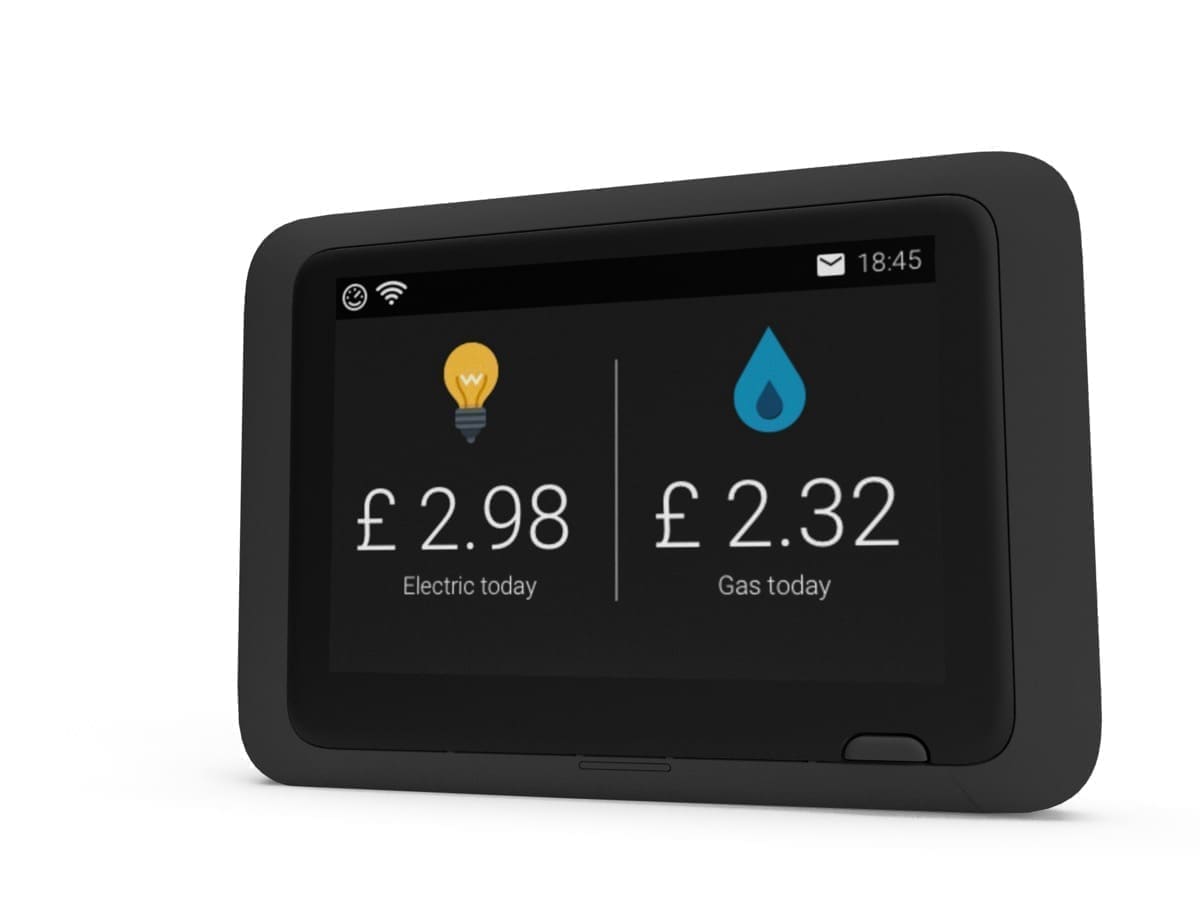
Hildebrand Glow Display & CAD
- HACS component
- Local control
- Zigbee
- Wi-Fi
Prices verified September 2026
See more smart plugs & energy picks on our Amazon storefront →Our verdict
The CAD (Consumer Access Device) is the bit that actually matters for Home Assistant — a small unit that pairs with your existing SMETS1/2 smart meter over Zigbee and pushes readings to a local MQTT broker or the Glow cloud API. The 3.5-inch touchscreen display bundled with it is really for people who want an in-home dashboard; if you only care about HA data, Hildebrand has previously sold CAD-only versions without the display for less, though stock availability varies. Either way you need a smart meter already installed and enrolled with the DCC before ordering — verify via the Bright app first.
What can Home Assistant control on the Hildebrand Glow Display & CAD?
| Control | Type | What it does |
|---|---|---|
| Electricity usage (today) | Sensor (kWh) | Cumulative daily electricity consumption via the DCC cloud API; freezes on yesterday's value until ~01:30 while the previous day finalises. |
| Electricity demand | Sensor (W) | Near-instantaneous power draw from the CAD's local MQTT publish, updating roughly every 10 seconds — usable for load-shifting automations the DCC path can't support. |
| Gas usage (today) | Sensor (kWh/m³) | Daily gas consumption; lags by up to 30 minutes on both paths because the gas meter itself only transmits half-hourly over its own radio link. |
| Cost (today) | Sensor (£) | Estimated daily spend from the DCC API against the tariff rate on file with Hildebrand; disabled by default and must be enabled per meter. |
| Standing charge | Sensor (£) | Daily standing charge from the DCC API tariff data; disabled by default. |
The DCC cloud path only refreshes shortly after each half hour — the integration deliberately throttles polling to avoid tripping Hildebrand's API rate limits, and yesterday's total doesn't finalise until after 01:30. The CAD's local MQTT output is a different animal: electricity publishes an instantaneous demand reading roughly every 10 seconds, while gas on the same broker only ticks every 30 minutes because the gas meter itself is a battery-powered device that wakes infrequently — so even on the local path, gas stays laggy while electricity is near-live. Cost and standing-charge sensors from the DCC side are disabled by default and need enabling manually, and DCC access itself requires your meter already reporting successfully in the Bright app before the integration will pull anything.
Specs
| data | Real-time via local MQTT (elec ~every 10s, gas ~every 30 min) or the Glow cloud API |
|---|---|
| display | 3.5-inch colour TFT touchscreen (physical unit dimensions not published by Hildebrand) |
| plug type | n/a (whole-home smart meter reader) |
| eligibility | Requires an existing SMETS1 or SMETS2 smart meter already installed and enrolled with the DCC — verify via the Bright app before ordering |
| power source | Mains adaptor for continuous use; battery slots included but for short-term/portable use only, not daily operation |
| meter support | SMETS1 & SMETS2 smart meters via Zigbee SEP 1.2 HAN, enrolled with the DCC |
| energy monitoring | true |
| connectivity setup | WiFi (or wired broadband) required for cloud app/API features and initial setup; local MQTT then runs over your home network |
How does the Hildebrand Glow Display & CAD compare?
| Product | From | Protocol | Local control | Integration |
|---|---|---|---|---|
| Hildebrand Glow Display & CAD (this product) | £69.99 | Wi-Fi, Zigbee | Yes | HACS |
| Aqara Power Plug H2 UK (RGB) | £32.99 | Zigbee, Thread, Matter, Bluetooth | Yes | Works with HA |
| Aqara Wall Outlet H2 UK | £67.99 | Matter, Thread, Zigbee | Yes | Native |
| Eve Energy (Matter) UK Smart Plug | £39.95 | Thread, Matter, Bluetooth | Yes | Works with HA |
Frequently asked questions
- Does the Hildebrand Glow Display & CAD work with Home Assistant locally?
- Yes. The Hildebrand Glow Display & CAD is controlled locally in Home Assistant through a community integration installed through HACS (hildebrandglow_dcc), so it keeps working if your internet connection or the Hildebrand cloud goes down. Control and state updates stay on your own network.
- Which protocol does the Hildebrand Glow Display & CAD use, and do I need a hub?
- The Hildebrand Glow Display & CAD uses Wi-Fi and Zigbee. To pair it with Home Assistant you need no hub — it joins your Wi-Fi network directly; or a Zigbee coordinator (for example a SkyConnect/ZBT-1 or Sonoff dongle) attached to your Home Assistant host. Hildebrand's own hub is not required when you integrate through a community integration installed through HACS (hildebrandglow_dcc).
- How much does the Hildebrand Glow Display & CAD cost in the UK?
- The lowest price we have listed for the Hildebrand Glow Display & CAD is £69.99 at Glowmarkt Shop. Prices were last checked in September 2026 and change often, so confirm on the retailer's page before buying.