Shelly
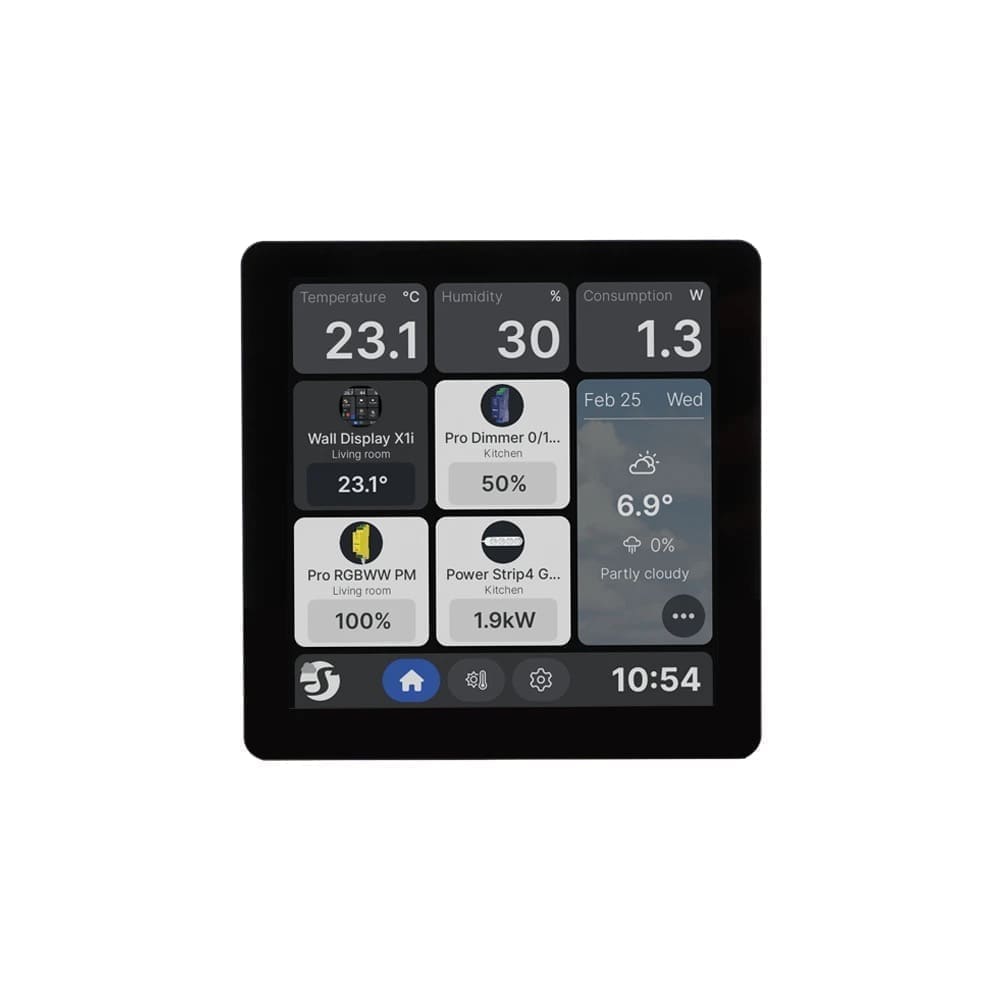
Shelly Wall Display X1i
- Works with HA
- Local control
- Wi-Fi
- Bluetooth
Prices verified November 2026
See more smart wall switches picks on our Amazon storefront →Our verdict
This isn't a Home Assistant dashboard baked into your wall — it's a real light switch with a 4-inch Android touchscreen bolted on, and you build the kiosk view yourself with Browser Mod and a restricted user. Do that, though, and you get a genuinely local relay switch plus a proper little control panel for one room, no cloud, no subscription. At 86.5x86.5x35.7mm with its back base fitted, it's about the footprint of a double-gang switch plate. As a single-room panel — thermostat, lights, a camera snapshot — it's a strong pick; as a whole-home dashboard it's underpowered, so keep it to one room's worth of cards.
What can Home Assistant control on the Shelly Wall Display X1i?
| Control | Type | What it does |
|---|---|---|
| Relay switch | Switch | The onboard 5A/240V relay, controlling whatever light or appliance circuit is wired to it |
| Display media player | Media player (firmware 2.2+) | Volume/mute control for the panel's built-in speaker |
| Dashboard kiosk view | Device-side browser setting, not an HA entity | Point the panel at your HA instance URL to full-screen your existing dashboard — configured on the device, not created by the integration |
The shelly integration adds the relay as a local switch entity over RPC (HTTP/WebSocket) — no cloud round trip. To use it as a dashboard rather than just a switch, you separately create a restricted-permissions HA user, install Browser Mod (register it with the panel's browser first), then Kiosk Mode for that user — doing that in the wrong order breaks popup registration on the panel. A useful automation: use the panel's onboard proximity sensor (exposed as a regular sensor entity) to auto-wake the display and switch its dashboard to a 'someone's home' view when presence is detected nearby.
Specs
| os | Android 11 |
|---|---|
| ram | 1 GB |
| wifi | Wi-Fi 6 dual-band (2.4GHz/5GHz) |
| touch | 5-point capacitive |
| sensors | light, proximity, microphone, speaker |
| storage | 8 GB |
| mounting | standard UK/EU flush wall box (light switch back box) |
| processor | Rockchip RK3326-S quad-core Cortex-A35 1.5GHz |
| dimensions | 86.5 x 86.5 x 35.7 mm (with back base); 86.5 x 86.5 x 11 mm without base |
| screen size | 4 inch, 720x720 |
| relay rating | 5A, 240V max switching |
| neutral required | true |
How does the Shelly Wall Display X1i compare?
| Product | From | Protocol | Local control | Integration |
|---|---|---|---|---|
| Shelly Wall Display X1i (this product) | £181.9 | Wi-Fi, Bluetooth | Yes | Works with HA |
| Aqara Light Switch H2 EU (2 Gang) | £41.99 | Zigbee, Thread, Matter | Yes | Works with HA |
| Aqara Smart Wall Switch H1 (No Neutral, Double Rocker) | £38.99 | Zigbee | Yes | Zigbee2MQTT / ZHA |
| Aqara Smart Wall Switch H1 (With Neutral, Double Rocker) | £38.99 | Zigbee | Yes | Zigbee2MQTT / ZHA |
Frequently asked questions
- Does the Shelly Wall Display X1i work with Home Assistant locally?
- Yes. The Shelly Wall Display X1i is controlled locally in Home Assistant through a certified "Works with Home Assistant" integration (shelly), so it keeps working if your internet connection or the Shelly cloud goes down. Control and state updates stay on your own network.
- Which protocol does the Shelly Wall Display X1i use, and do I need a hub?
- The Shelly Wall Display X1i uses Wi-Fi and Bluetooth. To pair it with Home Assistant you need no hub — it joins your Wi-Fi network directly; or a Bluetooth adapter on your Home Assistant host or an ESPHome Bluetooth proxy. Shelly's own hub is not required when you integrate through a certified "Works with Home Assistant" integration (shelly).
- How much does the Shelly Wall Display X1i cost in the UK?
- The lowest price we have listed for the Shelly Wall Display X1i is £181.90 at Shelly.com. Prices were last checked in November 2026 and change often, so confirm on the retailer's page before buying.