Best Zigbee Sticks for Home Assistant UK: At a Glance
| Coordinator | UK price | Chip | Protocols | Antenna | Connection | Best for |
|---|---|---|---|---|---|---|
| Sonoff ZBDongle-E | £18.57 (Amazon UK) | Silicon Labs EFR32MG21 | Zigbee 3.0 | External SMA, 3 dBi | USB | Most people — best value |
| Sonoff ZBDongle-MG24 | Around £25–£30 | Silicon Labs EFR32MG24 | Zigbee 3.0 or Thread | External SMA | USB | Large networks, future-proofing |
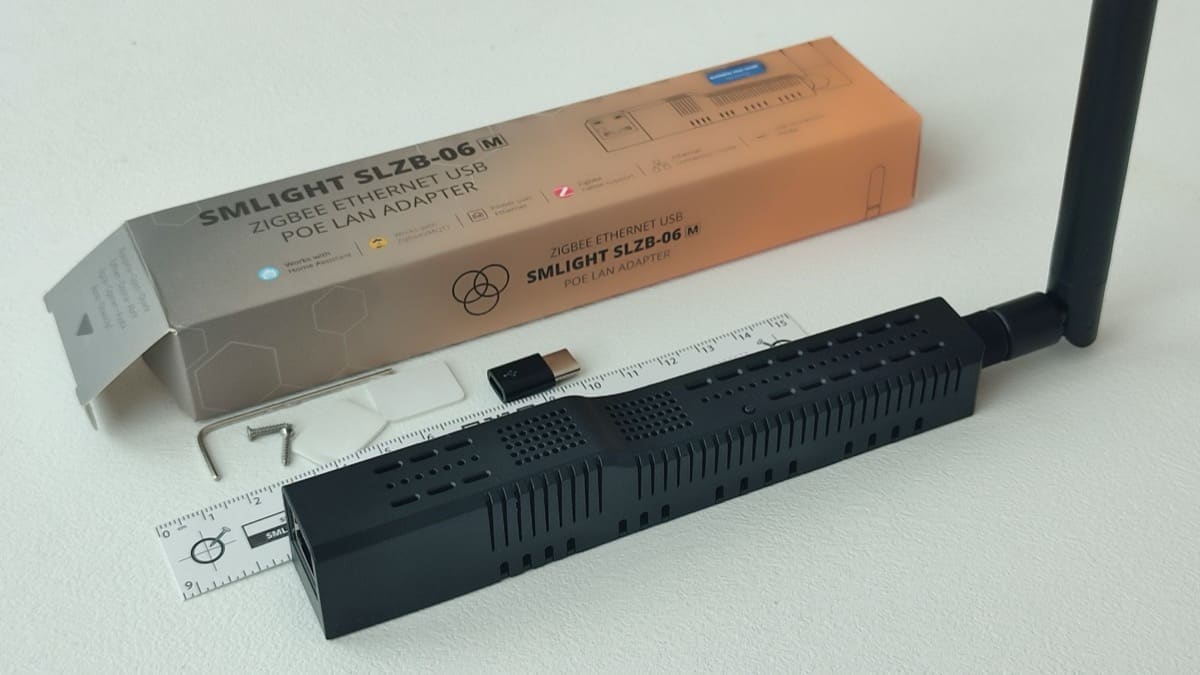
| SMLIGHT SLZB-06M | £61 (Zigbee Smart UK) / £74.20 (Amazon UK) | Silicon Labs EFR32MG21 + ESP32 | Zigbee 3.0 (experimental Thread) | External, +20 dB amplifier | Ethernet (PoE), Wi-Fi or USB-C | Placing the coordinator away from the server |
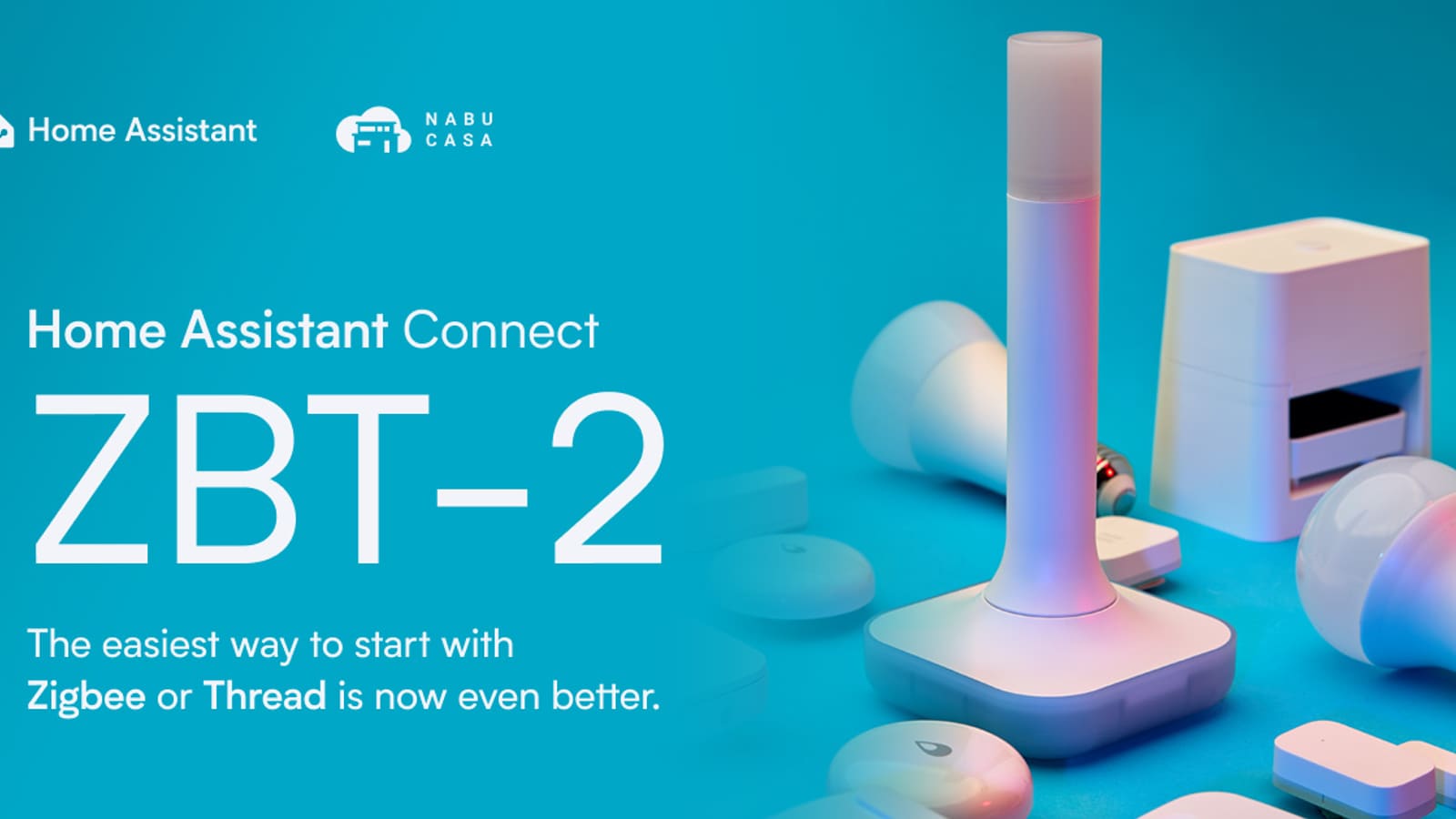
| Home Assistant Connect ZBT-2 | £38 (The Pi Hut) | Silicon Labs EFR32MG24 + ESP32-S3 | Zigbee 3.0 or Thread | External pillar, 4.16 dBi | USB-C | Official Nabu Casa hardware, two-click setup |
| Phoscon ConBee III | £37.46 (Amazon UK) | Silicon Labs EFR32MG21 | Zigbee 3.0 | Internal | USB | deCONZ / Phoscon users |
Prices are UK retail as of September 2026 and move with stock and exchange rates. Every coordinator above is listed with live pricing and a full spec sheet in our Home Assistant hubs & dongles finder, alongside Z-Wave and Thread border routers if you run more than one protocol.
Why You Need a Dedicated Zigbee Coordinator
Zigbee is a low-power, low-latency wireless protocol designed for mesh networking. Unlike Bluetooth or Wi-Fi, every mains-powered Zigbee device — a smart bulb, a plug socket, an inline relay — automatically acts as a router, relaying signals from battery-powered sensors deep inside your home. The coordinator is the single device that speaks to your Home Assistant instance and translates those radio packets into entities you can automate.
Home Assistant supports two main Zigbee integration paths: ZHA (Zigbee Home Automation), which is built into Home Assistant and needs no extra software, and Zigbee2MQTT, an add-on that pairs with a Mosquitto broker and exposes every device attribute over MQTT. Both work with the sticks in this guide. ZHA is the quicker route; Zigbee2MQTT offers broader device support and more granular control. If you are new to Home Assistant, start with ZHA — you can always migrate later.
Already got your Home Assistant instance running? The Home Assistant UK setup guide covers the full installation process on a Raspberry Pi or an x86 mini PC, including which hardware to buy in the UK.
How We Chose: What to Look for in a Zigbee Coordinator
We ranked on five factors, in this order: chipset and firmware maturity in Home Assistant, antenna and radio performance, price from a UK retailer with stock, protocol flexibility, and connection type. We excluded sticks that need firmware flashing before first use, discontinued models such as the SkyConnect/ZBT-1, and no-name CC2531 dongles that cannot hold a modern network. Not all coordinators are equal — these are the factors that matter:
- Chipset: Silicon Labs EFR32MG21 and EFR32MG24 chips are the current gold standard for ZHA. Texas Instruments CC2652 chips are also well-supported via Zigbee2MQTT.
- External antenna: An SMA connector lets you add a higher-gain antenna or a short extension cable to move the stick away from USB 3.0 interference.
- Protocol support: Newer MG24-based sticks can run either Zigbee or Thread (Matter over Thread) firmware, which future-proofs your setup — but only one protocol at a time. See the Thread and Multi-PAN note below.
- Connection type: Most coordinators are USB sticks, but Ethernet/PoE models such as the SMLIGHT SLZB-06M let you mount the radio centrally in the house instead of next to your server.
- Firmware maturity: Look for a stick with active firmware development and a large Home Assistant community.
- UK availability: All options below are stocked by UK retailers or ship from UK-based warehouses.
The Best Zigbee Sticks for Home Assistant UK (2026)
1. Sonoff ZBDongle-E — Best Value
Chipset: Silicon Labs EFR32MG21 | Protocol: Zigbee 3.0 | Antenna: External 3 dBi SMA | UK price: £18.57
The Sonoff ZBDongle-E has been the community's favourite coordinator for over two years, and it still earns that reputation in 2026. It is based on the EFR32MG21 radio from Silicon Labs and ships with a detachable 3 dBi antenna that noticeably outperforms the internal antennas on cheaper alternatives. It works out of the box with both ZHA and Zigbee2MQTT, and the preloaded firmware requires no flashing before first use.
Prices vary by retailer, but the ZBDongle-E consistently sits at the affordable end of the market — often half the cost of newer MG24-based sticks. It is available on Amazon UK and from several dedicated UK smart home retailers. If you are on a budget or setting up your first Zigbee network, this is the stick to buy.
Ideal for: First-time buyers, budget-conscious builds, anyone running ZHA or Zigbee2MQTT on a Raspberry Pi 4 or 5. See the ZBDongle-E in the finder.
2. Sonoff ZBDongle-MG24 — Best Mid-Range Upgrade
Chipset: Silicon Labs EFR32MG24 | Protocol: Zigbee 3.0 or Thread (one at a time) | Antenna: External SMA | UK price: around £25–£30
ITead released the Zigbee 3.0 USB Dongle Plus MG24 (ZBDongle-MG24) in late 2025 — not to be confused with the older Texas Instruments-based ZBDongle-P — moving from the MG21 to the newer EFR32MG24 chip. moving from the MG21 to the newer EFR32MG24 chip. The MG24 brings more RAM and flash storage, which translates to larger routing tables, better RF sensitivity, and reduced packet loss across large networks. It also adds Thread capability, meaning you can flash it as a Thread border router radio instead of a Zigbee coordinator if your network ever moves that way — though not both at once.
In practice, most homes with fewer than 60 Zigbee devices will see little real-world difference between the MG21 and the MG24. The MG24 upgrade makes the most sense if you are planning a large installation or want a coordinator that will remain relevant as Thread adoption grows.
Ideal for: Larger homes, future-proofers, anyone starting fresh who wants the option of Thread later. Check current UK pricing on the ITEAD product page.
3. SMLIGHT SLZB-06M — Best Ethernet/PoE Coordinator
Chipset: Silicon Labs EFR32MG21 + ESP32 | Protocol: Zigbee 3.0 (experimental Thread firmware) | Antenna: External, with +20 dB onboard amplifier | UK price: £61 direct, £74.20 on Amazon UK
The SMLIGHT SLZB-06M solves the problem every USB stick has: your Home Assistant box lives in a cupboard, under the stairs or in a rack, which is rarely the centre of your Zigbee mesh. The SLZB-06M connects over Ethernet (with PoE), Wi-Fi or USB-C, so you can run a single network cable to a hallway or landing and put the radio where the devices are. The ESP32 handles networking and exposes a web UI for firmware updates, LED control and switching between modes, while the EFR32MG21 does the Zigbee work.
It works with both ZHA and Zigbee2MQTT as a network (TCP) coordinator, and SMLIGHT publishes firmware updates frequently. The extras — a +20 dB amplifier stage, opto-isolated USB and Ethernet, the ability to run spare units as routers — explain why it costs three times as much as a ZBDongle-E. Buy from Zigbee Smart in the UK to avoid the Amazon mark-up.
Ideal for: Larger or multi-floor homes, anyone whose server is tucked away in a poor radio position, and installations where a tidy PoE run beats a trailing USB extension. See the SLZB-06M in the finder.
4. Phoscon ConBee III — Best for deCONZ Users
Chipset: Silicon Labs EFR32MG21 | Protocol: Zigbee 3.0 (Thread-capable silicon, no Thread firmware) | Antenna: Internal | UK price: £37.46
Dresden Elektronik's ConBee III is available on Amazon.co.uk at roughly double the price of a ZBDongle-E. The main reason to choose it is the deCONZ software ecosystem: if you prefer a web-based Zigbee management GUI (Phoscon) rather than working inside Home Assistant's UI, deCONZ offers a polished alternative. ConBee III integrates with Home Assistant via the deCONZ integration and benefits from Dresden Elektronik's long track record in Zigbee firmware development.
The internal antenna is the one notable weakness. In larger properties or installations where the coordinator is tucked inside a cabinet, signal quality can suffer. Dresden Elektronik has not yet shipped the USB extension accessory for the ConBee III in the UK at the time of writing.
Ideal for: Users who already use deCONZ, or who want a vendor-supported ecosystem with a dedicated management app. See the ConBee III in the finder.
5. Home Assistant Connect ZBT-2 — Official Option (Replaces SkyConnect/ZBT-1)
Chipset: Silicon Labs EFR32MG24 + ESP32-S3 bridge | Protocol: Zigbee 3.0 or Thread (one at a time) | Antenna: External omnidirectional pillar, 4.16 dBi | UK price: £38
Released by Nabu Casa in late 2025, the Home Assistant Connect ZBT-2 is the official first-party coordinator for Home Assistant and the successor to the Home Assistant SkyConnect, later renamed Connect ZBT-1. The ZBT-1 is no longer in production, although Nabu Casa continues to ship firmware updates for it, so if you already own one there is no need to replace it. The ZBT-2 runs on the same EFR32MG24 chip as Sonoff's MG24 dongle, swaps the ZBT-1's internal antenna for a tall external pillar, and can be flashed for either Zigbee or Thread. Because it is an official Nabu Casa product, it receives first-class firmware support and is the reference hardware used when new ZHA features are developed.
The ZBT-2 is stocked in the UK by The Pi Hut (£38 at the time of writing), Smart Home Shop UK and esp32.co.uk. Prices vary by retailer and exchange rate, but it sits at the mid-to-premium end of the market. The trade-off for the higher cost is the tightest possible integration with Home Assistant — setup is genuinely two clicks — and the knowledge that firmware updates will always arrive promptly.
Ideal for: Users who want plug-and-play simplicity, official support, and official hardware that can be repurposed as a Thread radio later. See the Connect ZBT-2 in the finder. Read our Home Assistant Connect ZBT-2 UK review for the full verdict.
Thread and Multi-PAN: One Radio, One Protocol
A common misunderstanding is that an MG24-based stick like the ZBT-2 or ZBDongle-MG24 will run your Zigbee network and act as a Thread border router simultaneously. It will not. Home Assistant offered experimental "multiprotocol" (Multi-PAN) firmware for the SkyConnect/ZBT-1 that tried to do exactly this, but it caused instability on both networks and Nabu Casa deprecated it in 2024. Today the guidance is unambiguous: one radio, one protocol. Flash the stick as a Zigbee coordinator or as a Thread radio, never both.
In practice that means if you want Zigbee and Matter-over-Thread in the same home, you need two radios. The cheapest combination is a ZBDongle-E for Zigbee plus a ZBT-2 (or a Thread border router you already own, such as an Apple TV 4K, HomePod or Google Nest Hub) for Thread. Our Home Assistant Matter setup guide walks through the Thread side in detail.
Setting Up Your Zigbee Stick in Home Assistant
The process is nearly identical for all five coordinators above (the SLZB-06M simply uses a network address rather than a serial port):
- Connect via USB extension cable. USB 3.0 ports emit interference in the 2.4 GHz band. Use a 30–50 cm USB 2.0 extension cable to move the stick away from the host device. (Ethernet coordinators like the SLZB-06M avoid this entirely.)
- Home Assistant auto-discovery. With ZHA enabled, Home Assistant will detect the new device and prompt you to configure it. Navigate to Settings > Devices & Services and accept the discovered coordinator.
- For Zigbee2MQTT. Install the Mosquitto Broker add-on first, then the Zigbee2MQTT add-on. Edit the configuration to point to the correct serial port (typically
/dev/ttyUSB0or/dev/ttyACM0), or totcp://<ip>:6638for an SLZB-06M in Ethernet mode. - Pair devices. Put each Zigbee device into pairing mode (usually a long press or reset sequence) and add it from the ZHA or Zigbee2MQTT interface.
One UK-specific consideration: if you are using a Raspberry Pi and powering it from a UK-spec USB-C charger, make sure the charger delivers at least 3 A. Insufficient power causes random USB disconnects that are often misdiagnosed as coordinator faults.
Energy Savings: The UK Context
A Zigbee-connected home can deliver meaningful savings on your electricity bill. Ofgem set the electricity unit rate at 26.11p per kWh for Q3 2026. Smart Zigbee plugs with energy monitoring let you identify "vampire" devices drawing standby power and schedule them off overnight. Zigbee smart bulbs — which work with brands like Philips Hue, IKEA TRÅDFRI, and Sengled — use 75–80% less energy than the halogen downlighters they replace.
A household that replaces ten 60 W halogen bulbs with 8 W smart LED equivalents and uses Home Assistant automations to ensure lights are never left on in empty rooms can realistically save £60–£100 per year at current Ofgem rates. The coordinator pays for itself within weeks.
For smart bulb recommendations compatible with all five coordinators above, see our guide to the best smart light bulbs UK. If you want to go deeper on Zigbee-specific options, our dedicated roundup of the best Zigbee smart bulbs in the UK covers every major brand and fitting.
Who Should Skip a Zigbee Stick Altogether?
If every device you own is Matter-over-Thread or Wi-Fi, you do not need a Zigbee coordinator at all — a Thread border router you already have (Apple TV 4K, HomePod, Nest Hub) plus Home Assistant's Matter integration covers it. Likewise, if you run Zigbee2MQTT on a separate machine or already have a Hue Bridge and only own Hue bulbs, adding a second Zigbee network just creates two meshes to maintain. Buy a stick when you want local control over mixed-brand sensors, plugs and bulbs without any cloud in the loop.
Which Zigbee Stick Should You Buy?
For most UK buyers in 2026, the Sonoff ZBDongle-E remains the default recommendation. It is affordable, widely available, works with ZHA and Zigbee2MQTT, and has a firmware track record measured in years rather than months. If your server sits in a poor radio position, the SMLIGHT SLZB-06M over Ethernet/PoE is worth every penny of its £61. If you want official hardware or an MG24 radio you can later repurpose for Thread, step up to the Home Assistant Connect ZBT-2 or the Sonoff ZBDongle-MG24. Only choose the ConBee III if the deCONZ/Phoscon ecosystem is important to you. Compare all of them side by side in the hubs & dongles finder.
Whichever stick you choose, the payoff is the same: a fast, local, cloud-free smart home that does not rely on a third-party server staying online. With your coordinator in place, the next step is building automations that put your new sensors to work — see our Home Assistant automations guide for practical UK examples including motion-triggered lighting and Octopus Agile energy scheduling. If you are also adding Matter-certified devices alongside your Zigbee network, the Home Assistant Matter setup guide explains how to run Thread on a second radio next to your Zigbee coordinator.
Updated your coordinator and lost every device? See what to do when Zigbee devices go offline after a coordinator firmware update.