Smart Home Assistant

Shelly Camera: Shelly's First Subscription-Free Security Camera

SepehrBy Sepehr· 4 September 2026· Updated 5 September 2026
✓ Independent — no paid placements✓ Cited sources
Shelly Camera: Shelly's First Subscription-Free Security Camera

Not yet hands-on tested.This review is compiled from manufacturer specifications, official documentation, and independent testing from other reviewers — we have not tested this product ourselves. We're working on getting a review unit to publish an updated, hands-on version.

On this page[tap to expand]
Buy the picks in this guide

Recommended for Smart Security

See all devices →

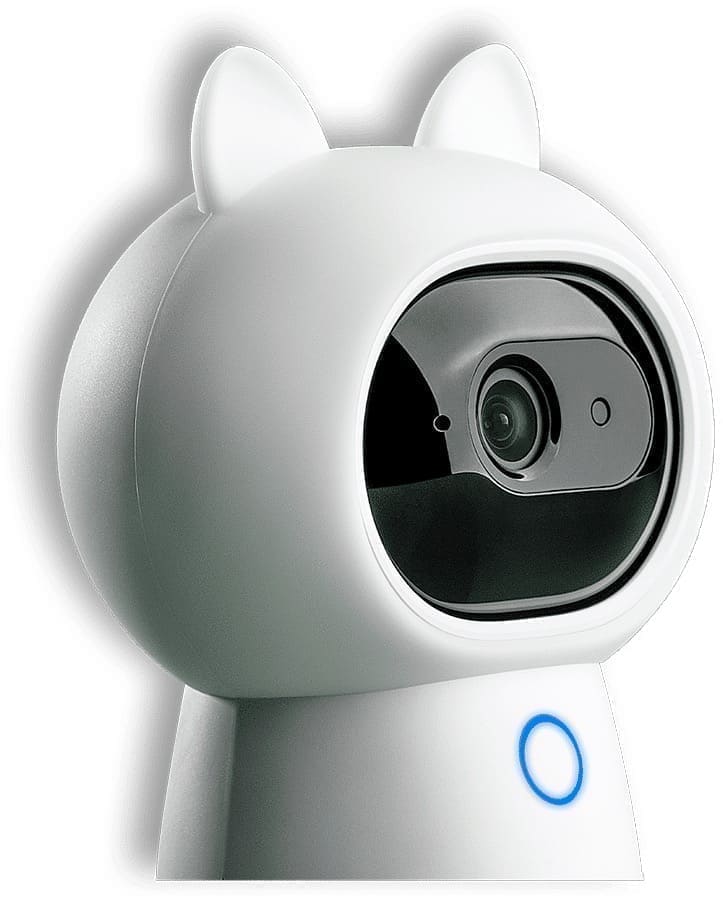
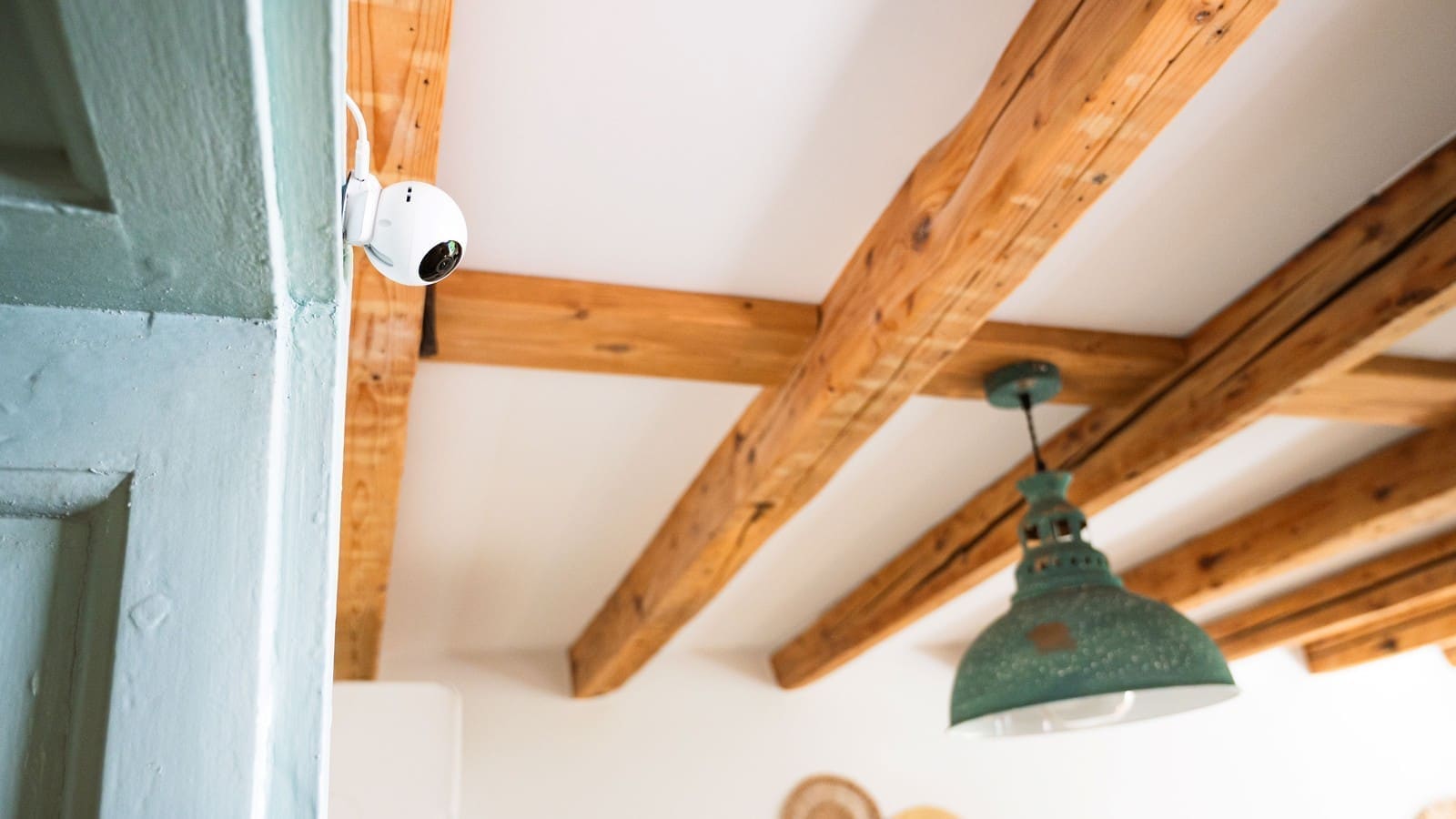
Shelly Group has unveiled the Shelly Camera, its first smart security camera, at IFA Berlin 2026 — and its headline feature is that it doesn't need a subscription to work. The compact indoor camera records Full HD 1080p video across a 110° horizontal and 70° vertical field of view, with black-and-white night vision for low-light coverage, and carries an MSRP of £37.90 / €39.90 / $49.99. Unlike Ring or Nest cameras, which typically require a paid cloud plan to record and review footage, the Shelly Camera lets you livestream for free, record locally to a microSD card, or add Shelly's own cloud storage as an optional extra. Every purchase includes three months of that cloud storage at no cost. The caveat: this is a brand-new product line for a company that's built its reputation on switches and sensors rather than cameras, so real-world reliability and long-term software support are still unproven.

What does the Shelly Camera cost and what's in the box?

The Shelly Camera carries an MSRP of £37.90 in the UK, €39.90 in the EU, and $49.99 in the US, undercutting most subscription-based rivals like Ring's Indoor Cam on upfront price alone. It ships in black or white finishes, is powered over USB-C via a two-metre cable, and comes with a mounting plate for shelf, desk, wall or ceiling placement. A microSD card isn't included, so anyone planning to record locally will need to buy one separately.

Do you need a subscription to use the Shelly Camera?

No — the Shelly Camera is designed to work fully without a subscription. Shelly offers three ways to use it: live view only with no recording at all, local recording to a microSD card you supply yourself, or optional cloud recording through Shelly Cloud. Motion detection and automations run locally too, so core features don't stop working if you never pay Shelly anything beyond the purchase price. That's a meaningful difference from cameras like Ring, where continuous recording and cloud video history sit behind a mandatory Ring Protect subscription once the free trial ends.

How much does the optional Shelly Premium plan cost?

For anyone who does want cloud storage, Shelly Premium costs €3.99 a month for one camera, with additional tiers covering three, six or ten cameras for multi-camera households or small businesses. Premium also unlocks extra automation features on top of storage. Because every Shelly Camera purchase bundles three months of Shelly Cloud free, new buyers get to try the cloud tier before deciding whether the ongoing cost is worth it — a lower-commitment structure than rivals that charge from day one or lock advanced features behind a plan entirely.

How does the Shelly Camera fit into the wider smart home ecosystem?

The camera slots directly into Shelly's existing smart home and building automation range, working alongside the company's relays, sensors and lighting products — so a motion event from the camera can trigger a Shelly smart plug or lighting scene without routing through a third-party hub. It also supports Amazon Alexa, Google Home and Samsung SmartThings, plus more technical integrations via Home Assistant, Frigate NVR, MQTT and WebRTC, extending the local-control approach Shelly is already known for with devices like the Shelly Flood S Gen4 leak sensor.

Who is the Shelly Camera aimed at?

Shelly is positioning the camera for homes, apartments, offices and small businesses that want reliable monitoring without ongoing costs or handing footage to a third-party cloud by default. That makes it a natural budget alternative to subscription-first indoor cameras for renters, small landlords or anyone already invested in Shelly's ecosystem. It's available soon through Shelly.com and Shelly's network of authorised distributors and resellers, with a two-year manufacturer's warranty.

Frequently asked questions

Does the Shelly Camera need a subscription?
No. The Shelly Camera is built to work fully without any subscription — you can use it purely as a live-view camera, or record footage locally to a microSD card (bought separately) at no ongoing cost. Motion detection, notifications and automations with other Shelly devices also run without a paid plan. The only reason to subscribe is if you want off-site cloud video storage or extra automation features, via the optional Shelly Premium plan. Every camera comes with three months of that cloud tier included free, so you can try it before paying anything. The caveat is that local-only recording depends on a microSD card staying in good condition and being swapped out or reviewed manually, unlike a cloud service that backs footage up automatically.
How much does Shelly Premium cost for the camera?
Shelly Premium costs €3.99 a month for cloud storage and extra automation on one camera, with higher tiers available for three, six or ten cameras for larger households or small businesses. It's entirely optional — the Shelly Camera works for live viewing and local microSD recording without it. Every purchase includes three months of Shelly Cloud free, so new buyers can test cloud recording before deciding whether to keep paying. This tiered, opt-in structure is more flexible than security cameras that make a subscription mandatory for basic recording, though buyers with several cameras should check whether a multi-camera Premium tier works out cheaper than paying per device.
What are the Shelly Camera's video specs?
The Shelly Camera records Full HD 1080p video across a 110-degree horizontal and 70-degree vertical field of view, with black-and-white night vision extending coverage once light drops. It also has a built-in microphone and speaker for two-way audio, motion detection with up to 10 customisable zones, and privacy features including blackout zones and a Privacy Mode that disables the camera, microphone and speaker entirely. It's powered over USB-C with a two-metre cable included. These are manufacturer-stated specs from launch materials; independent hands-on testing of image quality and night-vision range in typical UK homes hasn't been published yet.

Sources

Sources verified 2026-09-04

  1. Shelly Press — Shelly Camera launch press image
  2. The Ambient — Shelly launches first smart camera at a budget price without any subscriptions
  3. Essential Install — Shelly launches indoor smart camera: Shelly Camera
  4. TechRadar — This new cheap and subscription-free security camera looks like the next Ring rival
How we researched this

Claims in this article are checked against primary sources — manufacturer specifications, official documentation, Which? research, Ofgem guidance, or gov.uk — rather than forum threads or video reviews. Where the author has direct hands-on experience with a product (most Home Assistant, Zigbee, and home-networking gear is running in his own homelab), that is stated explicitly in the text.

For categories outside that personal setup — such as boilers, heat pumps, and other areas that are traditionally a heating engineer's domain — verdicts are built from cross-referenced manufacturer data, published lab results, and vetted expert and owner reviews rather than a claim of personal hands-on testing. See the editorial policy for the full methodology.

Sepehr

Written by

Sepehr

10+ years hands-on with Home Assistant & networking · Research-backed elsewhere · No brand deals

Smart home specialist with 10+ years running a self-hosted Home Assistant setup — Zigbee2MQTT, Frigate NVR, and local-first automations. Independent coverage for UK homes, no brand deals.

LinkedIn →

Citing this page? Please use a dofollow link back to the original article — it helps us keep the data on this page accurate and up to date.

Related reading