How does the Sleepal AI Lamp track your sleep?
It points a 60GHz radar and a thermal sensor at the bed and reads your breathing, heart rhythm and movement from the nightstand.
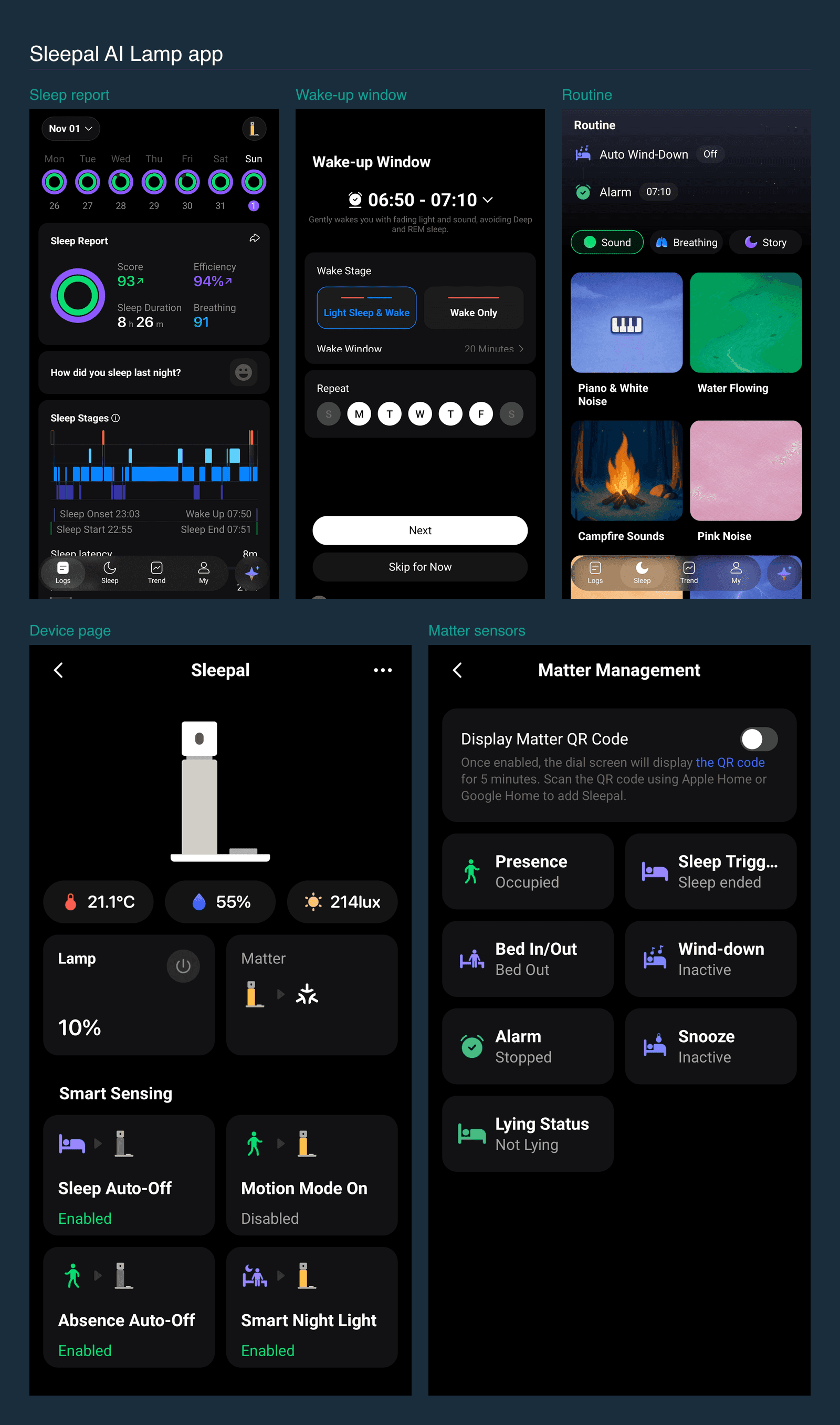
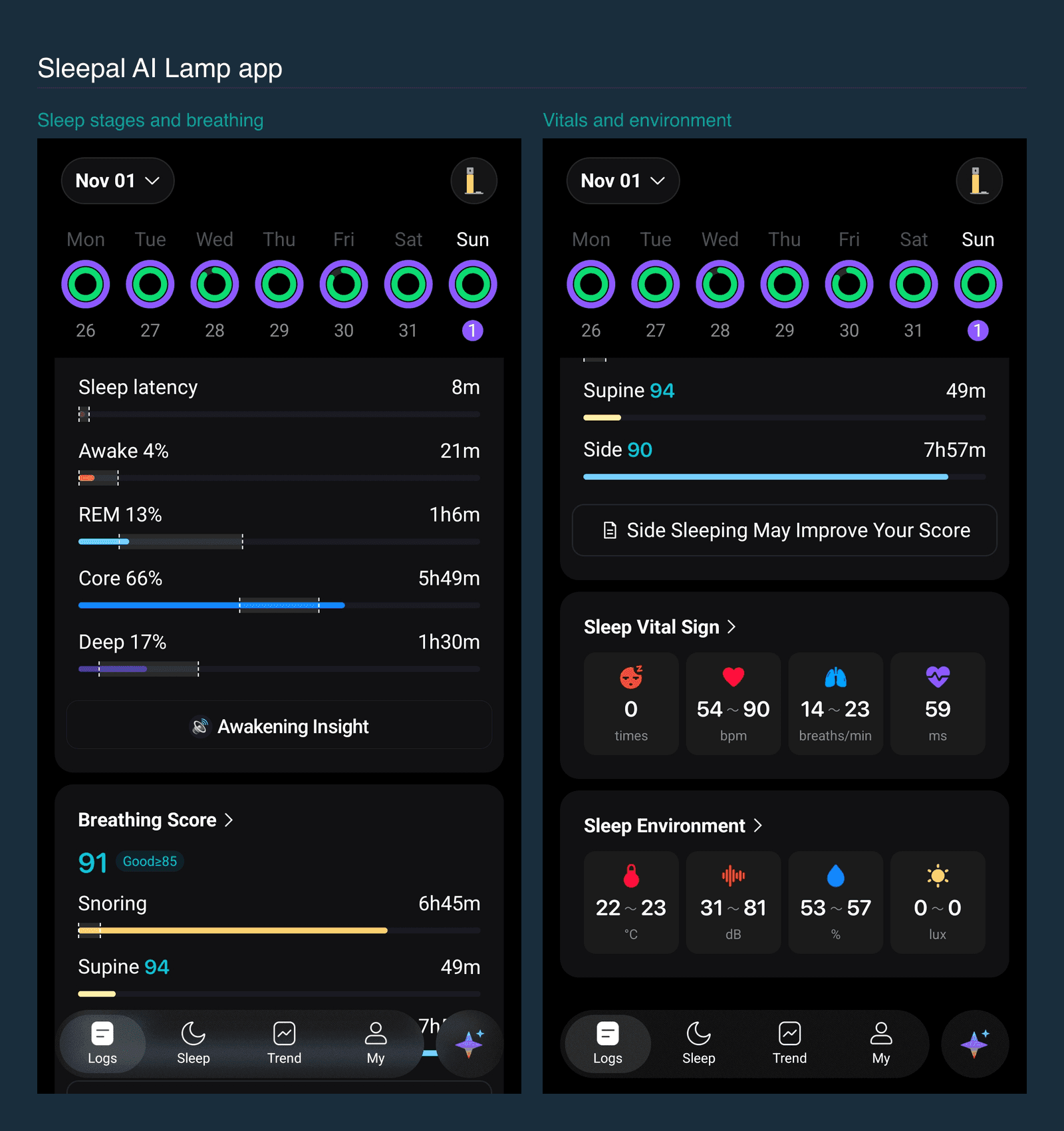
Setup is short. You scan a QR code in the Sleepal app, join your Wi-Fi, and the lamp starts logging that night. We have used ours since 25 October, and the nightly report has matched how we felt each morning. The 1 November report scored the night 93 with 94% efficiency, 8 hours 26 minutes asleep, and sleep onset at 23:03 after a short 8-minute latency.
How accurate is it?
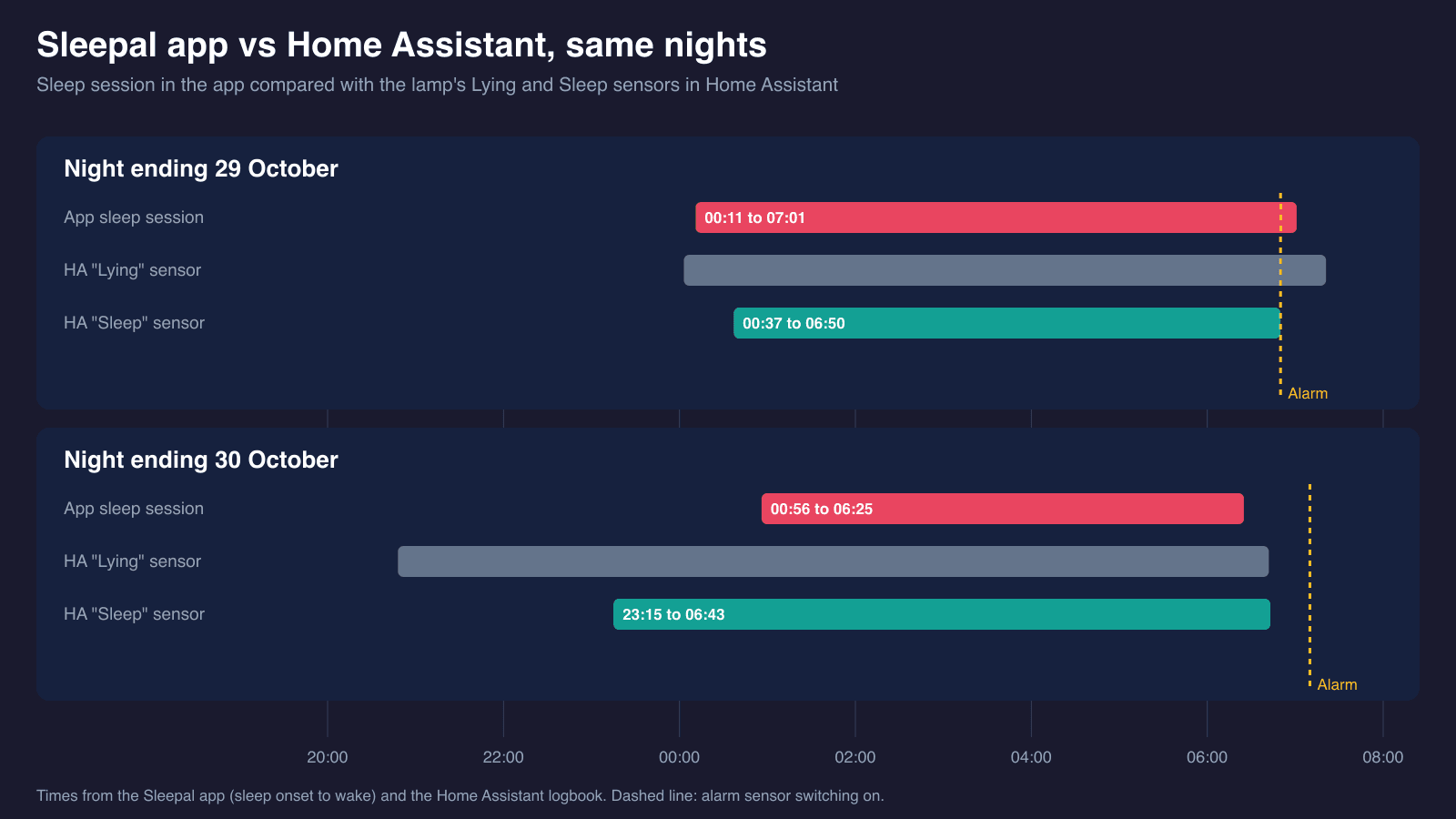
Accurate enough in the app, loose in Home Assistant. We lined up the app's reports for 29 and 30 October against the Home Assistant logbook. The app put sleep onset at 00:11 and 00:56, the Sleep sensor in Home Assistant switched on at 00:37 and 23:15, and on both mornings it stayed on until we left the bed or the alarm rang, not when we woke. Sleepal confirmed this is expected with the current firmware: the sensor detects falling asleep but has no real-time wake detection, and it resets when you leave the bed or a sleep report is generated. It says better local wake-up detection is planned for a future update. Sleepal's own accuracy figures, such as 99% heart-rate correlation, are the company's claims and we did not test them.
The 1 November report goes further. It split the night into 17% deep, 13% REM, 66% core and 4% awake, logged 6 hours 45 minutes of snoring at 40 to 82 dB, and recorded heart rate from 54 to 90 bpm (average 72) with an HRV of 59 ms. Sleepal labels heart rate as beta and only shows readings of 38 bpm or more. We have no wearable to check any of it against.
We share the room with a partner, and the lamp does not say whose snoring or breathing it is logging, so treat those figures as the bed's, not one person's. Read it as a field report on one bed over one week with firmware 1.0, not a lab test. On the night ending 1 November the app logged a full night but Home Assistant recorded no sleep events after 22:47, so use the app for the sleep score and Home Assistant for presence.
Is the sunrise alarm any good?
Yes, and it is the part we liked most. You set a wake-up window, ours is 06:50 to 07:10 on weekdays, and pick either "Light Sleep & Wake" or "Wake Only". In the first mode the lamp uses your sleep stage to pick a moment inside the window, avoiding deep and REM sleep, then brightens and adds sound gradually, a bit like a sunrise.
Snoozing is the neat bit. Instead of hunting for a button, you turn your back to the lamp and it backs off. Home Assistant recorded the alarm sensor switching on at 06:55, 06:50 and 07:10 on three consecutive mornings, all inside the window we had set.
Does the Sleepal AI Lamp look good on a bedside table?
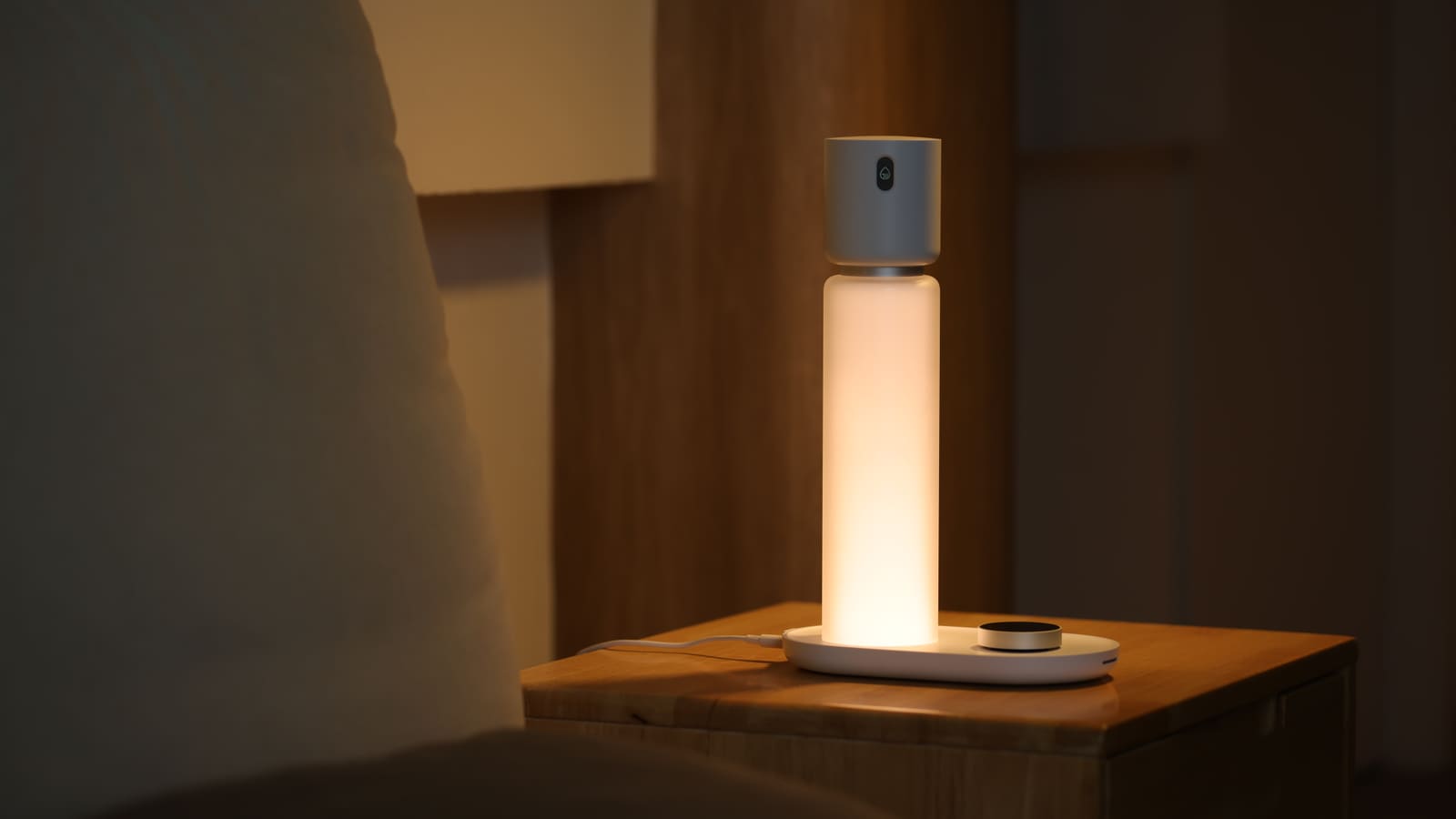
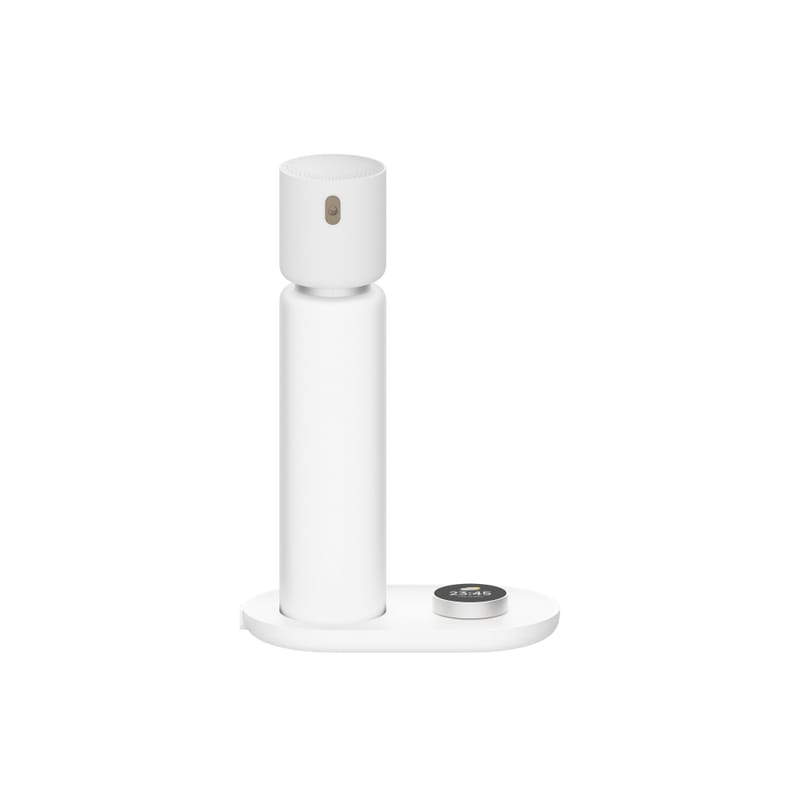
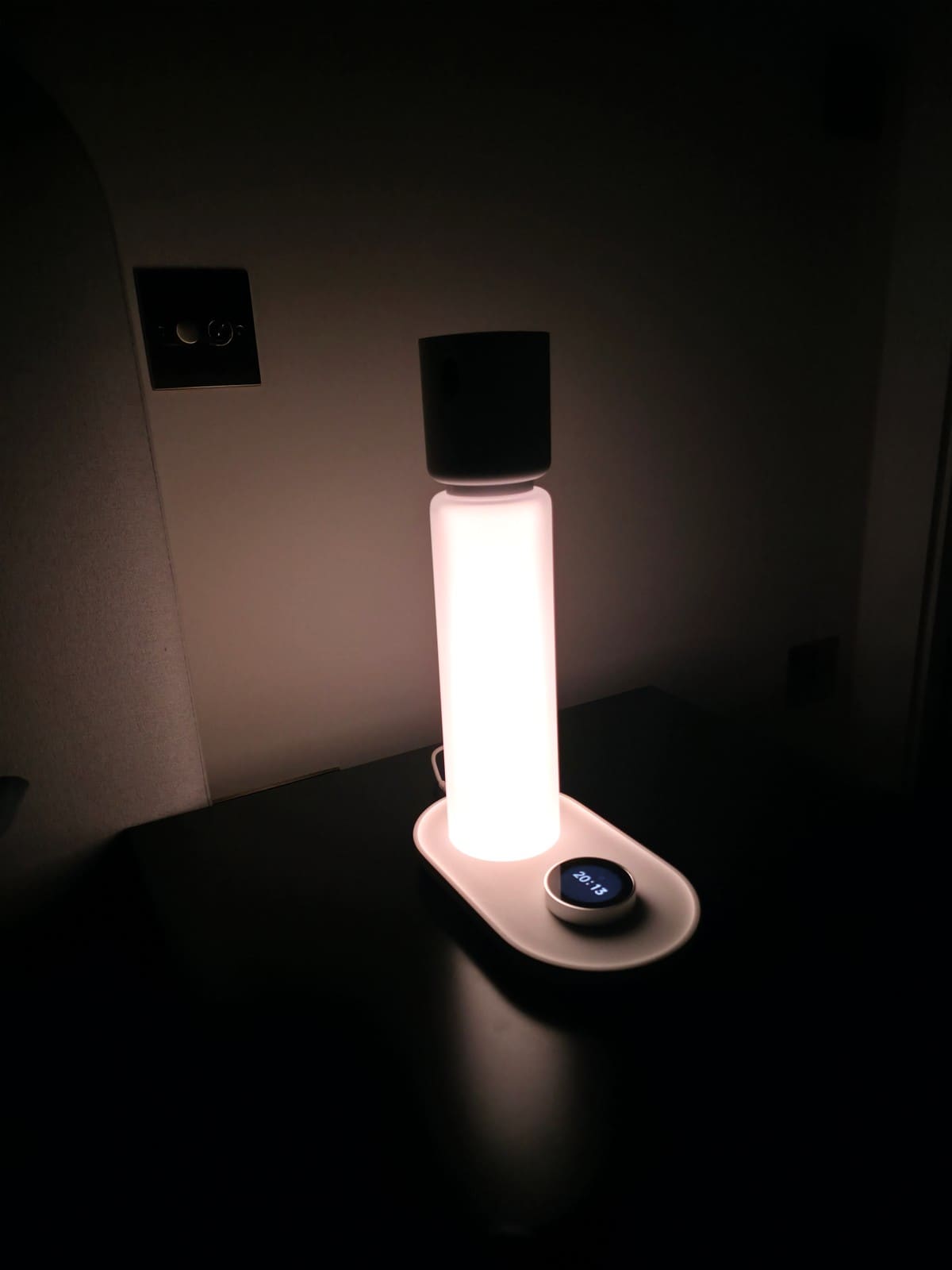
Yes. It looks like a design piece, not a gadget, and it is well built. A frosted glass-look tube rises from a slim oval base, topped by a dark cap that holds the radar and thermal sensors, with a small round display on the base for the time. There is no camera lens or logo-heavy styling, which suits a bedroom.
It stands 319mm tall on a 210 by 118mm footprint, so it takes the space of a normal bedside lamp. The light glows evenly through the diffuser, with no visible LED dots in our photo, and the colour is tunable from 2500 to 5500K with a CRI above 90.
Does the Sleepal AI Lamp work with Home Assistant?
Yes, through Matter over Wi-Fi, and it works without a Sleepal subscription. Sleepal says the sleep and presence states are calculated on the lamp itself, so Home Assistant only needs the lamp on your local network. We added it with the normal Matter flow, following our Matter setup guide: switch on pairing in the Sleepal app, then scan the QR code shown on the dial.
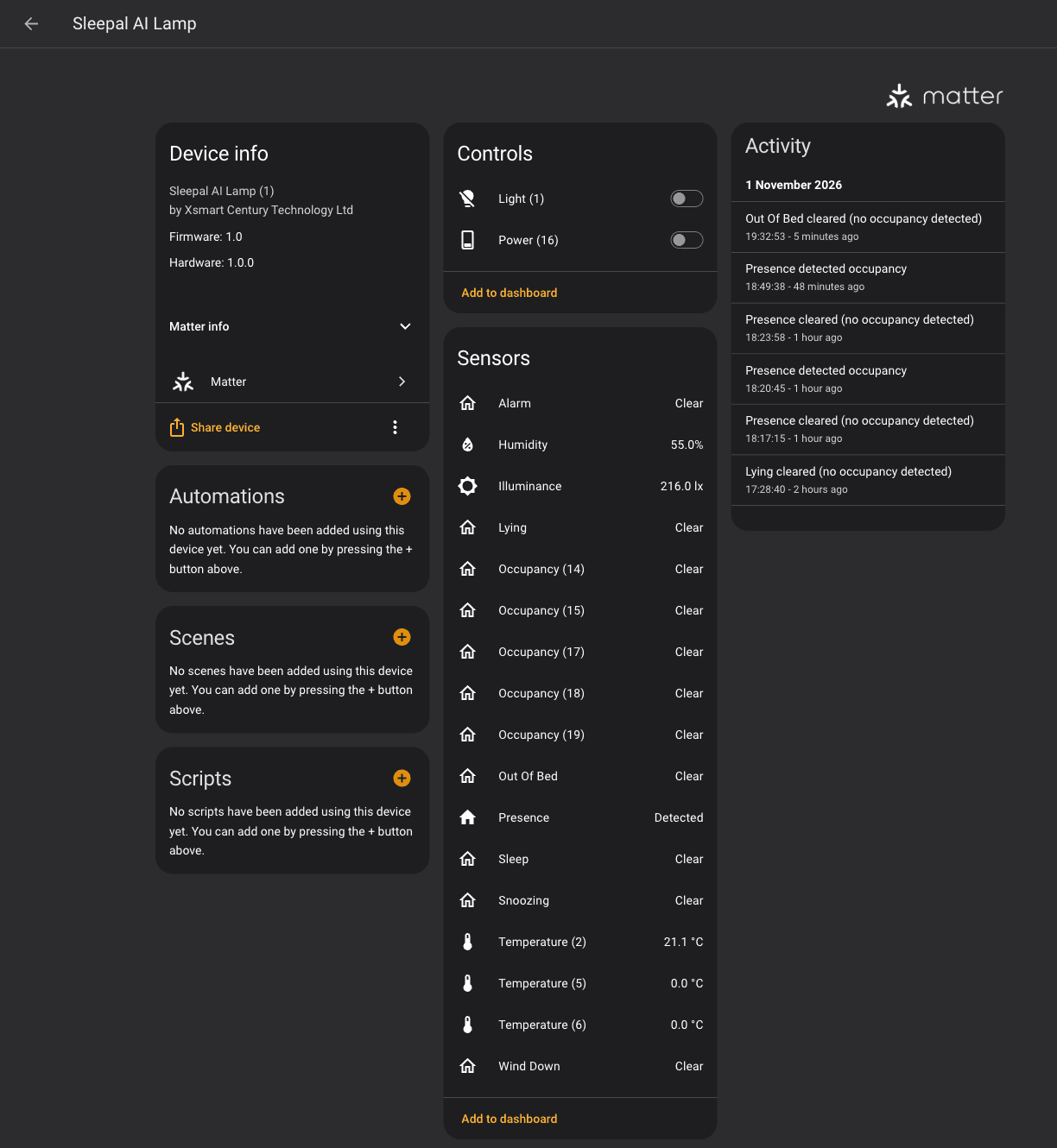
Home Assistant creates one device, "Sleepal AI Lamp" from Xsmart Century Technology Ltd, with 23 entities: a light with on-level and power-on settings, temperature, humidity and light-level sensors, a wind-down switch, and twelve occupancy sensors.
Can you control the lamp from Home Assistant, or is it read-only?
You can control the lamp itself, but the sleep data is read-only. The light entity switches it on and off and supports colour temperature from 2500K to about 5500K plus full colour, and we switched it from Home Assistant during testing. On-level, power-on level and power-on behaviour are editable too. "Power (16)" is a switch for wind-down: turning it on from Home Assistant made the Wind Down sensor go on in the same second.
Home Assistant has no entities for alarms, snooze, sleep sessions or sleep scores. Those stay in the Sleepal app, because Sleepal says Matter does not currently support most sleep states.
Why are there so many Occupancy sensors?
Matter has no device type for "sleeping" or "alarm ringing", so Sleepal reports each state as a virtual occupancy sensor: Occupied means that state is active. Home Assistant shows them all as "Occupancy (N)", and the app does not tell you which is which. Sleepal's own Matter guide suggests triggering one state at a time and watching which sensor changes, which is how we sorted them out.
On our unit the endpoint number in the name matched the sensor like this. Your firmware may differ, so check before you rename.
| Entity name | What it means when on |
|---|---|
| Occupancy (7) | Presence: someone is near the lamp |
| Occupancy (8) | Wind-down is running |
| Occupancy (9) | Sleep: lamp thinks you are settled (loose match to the app) |
| Occupancy (10) | Out of bed (it is inverted: on means you are out of bed) |
| Occupancy (11) | Alarm is ringing |
| Occupancy (12) | Snoozing |
| Occupancy (13) | Lying down in bed |
| Power (16) (a switch, not a sensor) | Starts and stops wind-down; the one writable control besides the light |
| Occupancy (14), (15), (17), (18), (19); Temperature (5), (6) | Reserved by Sleepal for future Matter features; they do nothing yet |
Naming is the one real annoyance. Seven renames takes a few minutes, but the manufacturer could have done it for you. Once done, the states behave. Alarm, snooze, wind-down, out of bed and lying all showed up in our logbook, and Sleep switched on and off across the nights. The automations below put them to work, and our guide to presence detection in Home Assistant has more ideas. "Lying" changes state often as you shuffle, so use Sleep for anything that must not flap.
What can you automate with the Sleepal AI Lamp?
The three states worth building on are Sleep, Out Of Bed and Alarm. These three automations come from how those sensors behaved in our logbook between 28 and 31 October. The night get-up one is installed in our own Home Assistant, and the other two passed Home Assistant's config validator. None has run for a full week yet, so treat them as starting points and swap in your own entity IDs.
Three things shaped them. Sleep turned on at 00:37, 23:15 and 01:12 on three nights, but it does not match the app's sleep onset, and per Sleepal it only resets when you leave the bed or a sleep report is generated. It also turns on during the day, so bedtime automations need a time window. Out Of Bed is a blip of three to five seconds when you get up, so trigger on the change rather than waiting for it to hold. We did not build on "Lying", which flips constantly.
Switch things off when you fall asleep
The Sleep sensor is the lamp's guess that you are settled, and it can arrive well before or after the app's sleep onset, so treat it as a rough signal that has no live wake detection yet. This waits five minutes for it to settle, then turns off the downstairs lights and TV, which is safe even if the guess is early.
alias: Goodnight when you fall asleep
description: Lights and TV off five minutes after the lamp decides you are asleep
mode: single
triggers:
  - trigger: state
    entity_id: binary_sensor.sleep
    to: "on"
    for: "00:05:00"
conditions:
  - condition: time
    after: "21:00:00"
    before: "04:00:00"
actions:
  - action: light.turn_off
    target:
      entity_id:
        - light.living_room
        - light.landing
  - action: media_player.turn_off
    target:
      entity_id: media_player.living_room_tv
Light the way when you get up in the night
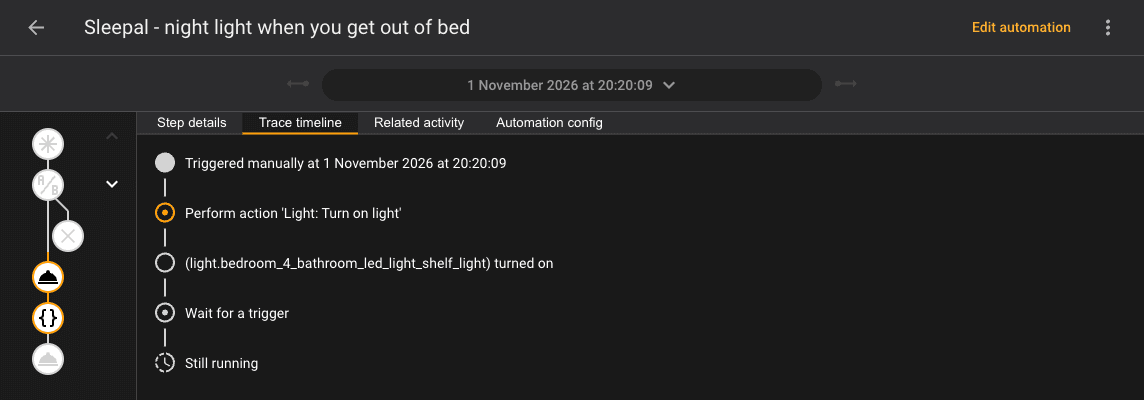
This is the one we built for real. Out Of Bed is the trigger: between 23:00 and 06:00 it puts a light on at 5% when you leave the bed, then turns it off when you are back asleep or after ten minutes. We pointed it at our en-suite shelf light, which only dims, so there is no colour setting. On 31 October the lamp registered us getting up at 05:42, with Sleep switching off a second later and back on at 06:04. To paste it in, go to Settings, Automations, open the menu and choose Edit in YAML.
alias: Sleepal - night light when you get out of bed
description: Between 23:00 and 06:00, put the en-suite shelf light on at 5% when the Sleepal lamp sees you leave the bed. It goes off when you are back asleep, or after ten minutes.
mode: restart
triggers:
  - trigger: state
    entity_id: binary_sensor.out_of_bed
    to: "on"
conditions:
  - condition: time
    after: "23:00:00"
    before: "06:00:00"
actions:
  - action: light.turn_on
    target:
      entity_id: light.bedroom_4_bathroom_led_light_shelf_light
    data:
      brightness_pct: 5
  - wait_for_trigger:
      - trigger: state
        entity_id: binary_sensor.sleep
        to: "on"
    timeout: "00:10:00"
    continue_on_timeout: true
  - action: light.turn_off
    target:
      entity_id: light.bedroom_4_bathroom_led_light_shelf_light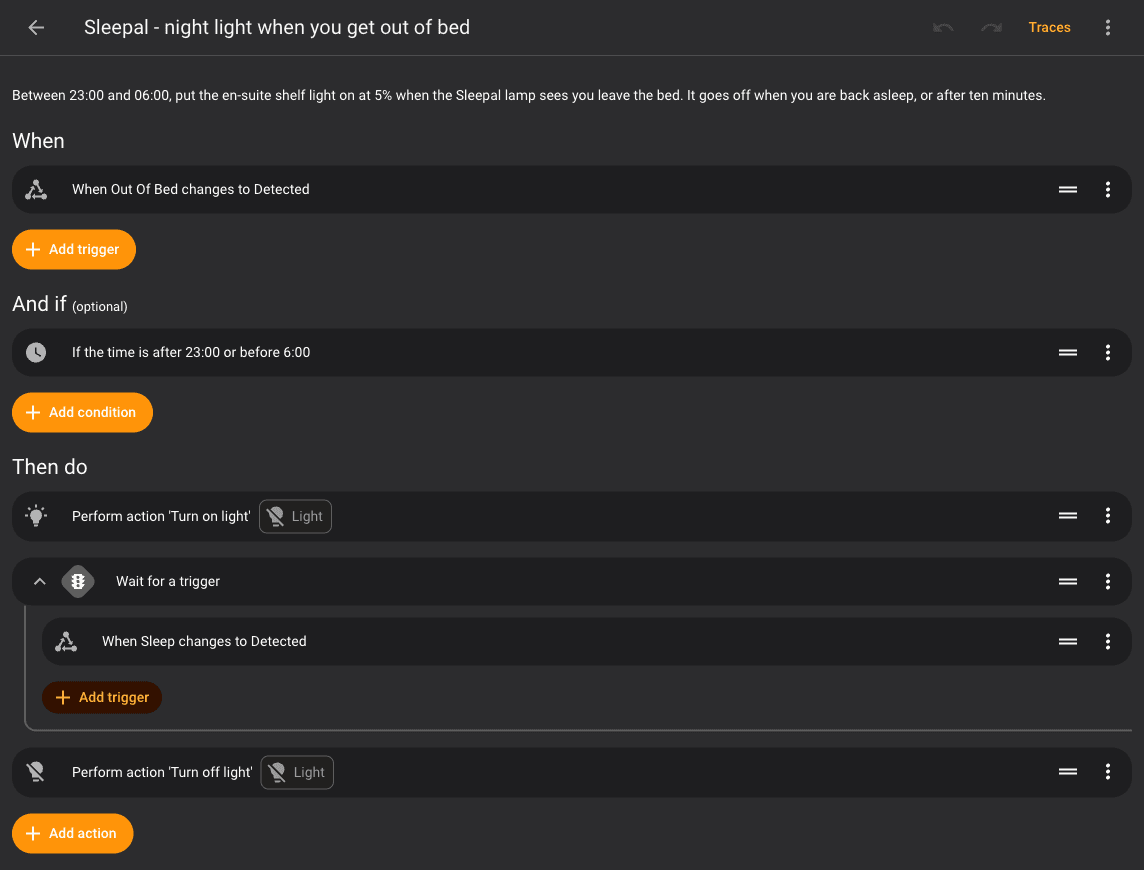
We ran it once by hand, skipping the time condition because it was evening, and the trace shows the shelf light switching on and the automation waiting for Sleep.
Start the day when the alarm rings
Alarm switched on at 06:55, 06:50 and 07:10 on three mornings, always inside our wake window, so it is a better trigger than a fixed clock time. This opens the blinds and warms the bedroom. Sleep switched off four seconds after the alarm on 29 October, so do not rely on it to mean you are awake.
alias: Start the day when the Sleepal alarm rings
description: Open the blinds and bring the heating up as the sunrise alarm starts
mode: single
triggers:
  - trigger: state
    entity_id: binary_sensor.alarm
    to: "on"
actions:
  - action: cover.open_cover
    target:
      entity_id: cover.bedroom_blinds
  - action: climate.set_temperature
    target:
      entity_id: climate.bedroom
    data:
      temperature: 20
How does it compare with a plain mmWave presence sensor?
A plain mmWave presence sensor, like those in our best mmWave presence sensor list, costs far less and detects someone in bed just as well. What the Sleepal adds is sleep stages, a nightly report, and a sunrise alarm that picks a light-sleep moment in your wake window. We have not tested other sleep-tracking lamps, so we make no comparison with them.
Who should buy the Sleepal AI Lamp?
Buy it if you want sleep tracking you never have to charge, a gentle wake-up light, and bed-aware automations in Home Assistant, and you are happy to spend a few minutes renaming sensors. Skip it if you only want presence detection, or if £304 plus shipping and tax is too much for a lamp.
Verdict
The Sleepal AI Lamp is a good bedside lamp, sunrise alarm and sleep tracker in one, and a strong source of bed and wake triggers for Home Assistant. It woke us at the right moment and the report felt accurate. Its one real caveat is the unlabelled sensors: expect to rename seven entities, and ignore seven sensors Sleepal has reserved for future features, before it feels finished. If you decide to buy, Sleepal's store takes $20 off through our affiliate link.