Smart Home Assistant

Best IR Blaster for Home Assistant UK (2026)

SepehrBy Sepehr· 27 October 2026· Updated 27 October 2026· 5 min read
✓ Independent — no paid placements✓ UK-tested in real homes✓ Cited sources
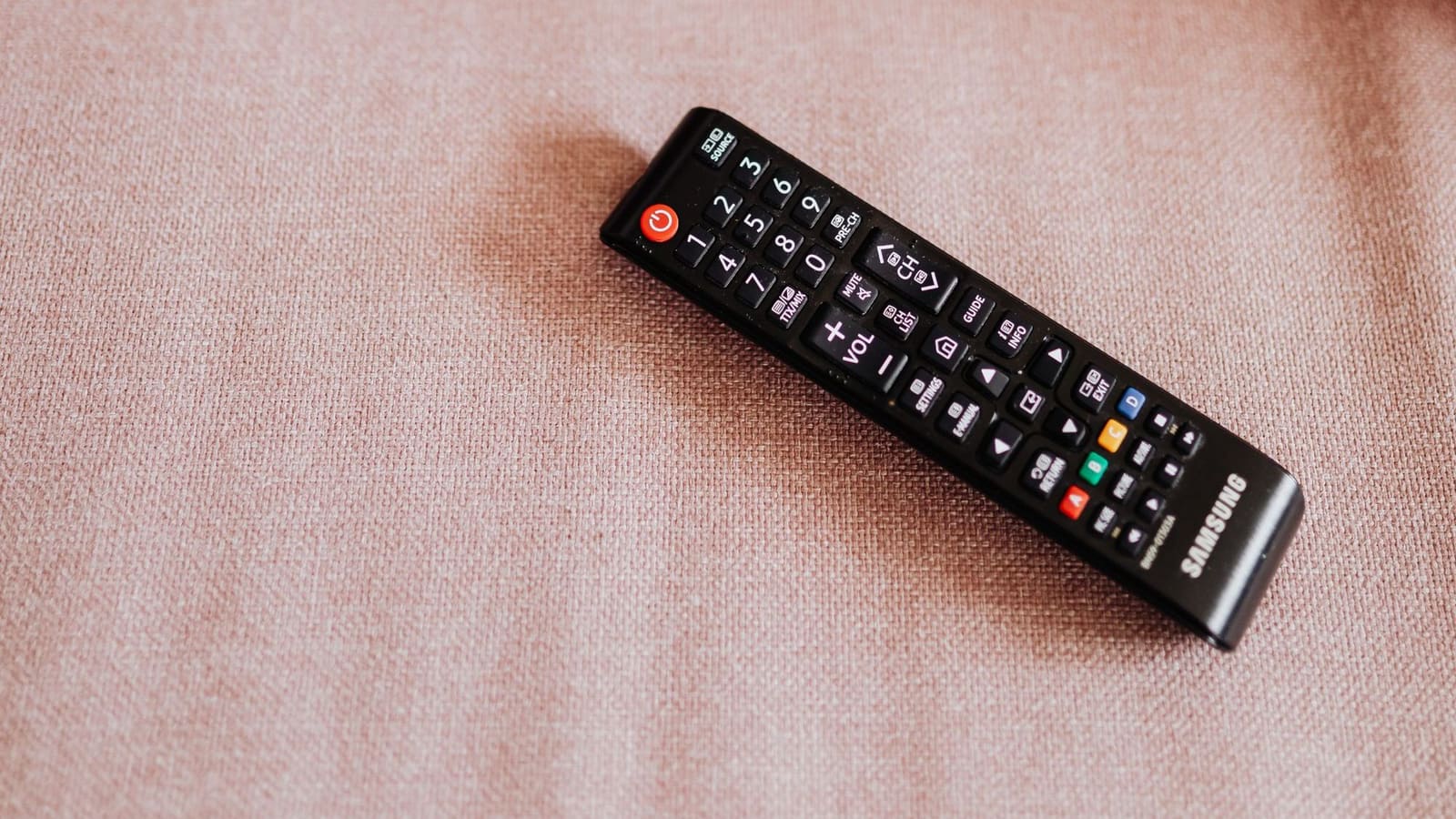
Black Samsung TV remote control resting on a dusty pink fabric sofa beside a cushion

Key takeaways

  • The Seeed XIAO Smart IR Mate is the best IR blaster for Home Assistant, using ESPHome and the native Infrared platform added in 2026.4.
  • Broadlink's RM4 Mini remains the easiest way to learn codes, using the remote.learn_command action and local polling.
  • SwitchBot Hub 2 IR control runs through the cloud integration, which is limited to 10,000 API requests per day.
  • Infrared is one-way, so Home Assistant uses assumed states and cannot confirm an appliance actually switched on.
  • SMLIGHT's SLZB-Ultima adds IR emitter and receiver entities to a Zigbee coordinator, with IR support still arriving progressively.
On this page[tap to expand]

The best IR blaster for Home Assistant in 2026 is the Seeed XIAO Smart IR Mate: an ESPHome device for roughly £9–£12 that feeds Home Assistant's native Infrared platform. Broadlink's RM4 Mini is the proven learn-your-own-remote alternative, and SwitchBot's Hub 2 suits households already in the SwitchBot app.

An IR blaster copies the infrared signal from a handset so Home Assistant can switch off a TV, soundbar, fan or portable air conditioner that has no network connection. Home Assistant 2026.4 changed how that works, so the picks below are judged on how cleanly they plug into the new setup.

ModelBest forPrice bandHome Assistant routeCan learn codes?
Seeed XIAO Smart IR MateOverall, native Infrared platform£ESPHome, localReceiver fitted; learns up to 10 commands in its own firmware
Broadlink RM4 MiniLearning a drawer of old remotes£Broadlink integration, local polling, remote entityYes, via remote.learn_command
SwitchBot Hub 2SwitchBot households, sensor and Matter£££SwitchBot Cloud integration (IR) or local Bluetooth integration (sensors)Learning happens in the SwitchBot app
SMLIGHT SLZB-UltimaOne box for Zigbee radio plus IR££SMLIGHT integration, local push, infrared emitter and receiver entitiesReceiver entity available
Buy the picks in this guide

Recommended for Home Automation

See all devices →

How we chose these IR blasters

We ranked each device on four things in this order: whether it controls appliances locally without a vendor cloud, how it appears in Home Assistant, whether you can capture codes from an existing remote, and the UK price. Every integration claim here is taken from the Home Assistant documentation or the maker's own page rather than from reviews alone.

We excluded generic Tuya-cloud IR remotes. Home Assistant's Tuya integration is cloud-based, and its documentation says nothing about IR devices, so we could not confirm they work reliably. Several of the picks also double as another job: if you already run a Zigbee coordinator, see our Home Assistant Zigbee stick guide before buying a second box.

What changed for IR in Home Assistant 2026.4?

Home Assistant 2026.4 added a native Infrared entity platform, so IR hardware is now treated like a proper building block rather than a one-off add-on. The Infrared integration is a building block that you do not add yourself; other integrations use it to create entities, and its docs name ESPHome and SMLIGHT SLZB as providers of emitter entities.

The first device-specific consumer was LG Infrared, which creates a media player and button entities for an LG TV; Samsung Infrared is also listed. IR is one-way, so these use assumed states: Home Assistant cannot see whether the TV actually switched on. Broadlink is not part of the new platform and keeps its own remote entity, which is why it stays the easiest way to learn codes today.

The best IR blasters for Home Assistant in the UK

1. Seeed XIAO Smart IR Mate — best overall

Who it's for: anyone running Home Assistant who wants local, no-cloud IR control and is happy to use ESPHome.

Home Assistant's own 2026.4 release post singles this device out as the quickest way to start, and it can be flashed from a browser through ESPHome's ready-made projects page. It is an ESP32-C3 board with three high-power IR LEDs for 360° coverage, one IR receiver, USB-C power, 2.4GHz Wi-Fi and Bluetooth LE, and retailers list it at about £9–£12.

The catch is software maturity. Each target device needs an integration that knows its protocol, and at launch only LG Infrared existed, so for a Sony soundbar or a Daikin air conditioner you will lean on ESPHome's transmitter protocols (it supports NEC, Samsung, Sony, LG, Panasonic, Midea, Coolix and others) or raw codes. If that sounds like homework, start with our ESPHome guide for Home Assistant.

Who it's for: people with a pile of old handsets who want to point, press and capture.

The Broadlink integration lists the RM4 mini, RM4 pro and RM mini 3, is local polling, and exposes a remote entity. You call remote.learn_command, point the original remote at the unit when the LED blinks, then replay the code with remote.send_command. Learned codes are stored in a JSON file under /config/.storage/. The RM4 mini and RM4 pro also get an infrared entity alongside the remote entity.

The catch: the Broadlink app is still needed to join the device to Wi-Fi, and if the device is locked in the app the integration cannot load until you unlock it. The RF entity is only for the RM pro and RM4 pro, so the Mini is IR-only. UK pricing varies by seller, so compare before buying.

Editor’s Pick
BroadlinkBroadlink RM4 Mini✓ Native Home Assistant integration£22.99at Amazon UKCheck price at Amazon UK →

3. SwitchBot Hub 2 — best for SwitchBot households

Who it's for: homes already using SwitchBot bots, curtains or locks that want one hub with a temperature and humidity display.

Hub 2 controls IR appliances and adds Matter support. UK reviewer Mighty Gadget found the Matter functionality limited and the hub worthwhile mainly over the older Hub Mini for existing SwitchBot owners, and saw some Wi-Fi connectivity issues. Prices quoted by UK sources ranged from about £64 to £80.

In Home Assistant the story is weaker than the hardware. The local SwitchBot integration lists Hub 2 with limited functionality: it only retrieves sensor data and does not yet support device control. IR control goes through the separate SwitchBot Cloud integration, which is cloud polling and subject to a 10,000-requests-per-day limit. It supports on/off for all appliance types except Others, plus temperature and mode changes for air conditioners.

4. SMLIGHT SLZB-Ultima — best all-in-one for Zigbee users

Who it's for: Zigbee2MQTT or ZHA users who would rather buy one networked box than two.

Home Assistant's SMLIGHT docs say the Ultima carries peripherals other SLZB adapters lack, including an infrared remote controller, an Ambilight LED strip and a buzzer, and that IR emitter and receiver entities are provided to other integrations. It is classified local push and needs core firmware v2.3.6 or newer.

The catch is that IR support is being added progressively, and changing the Bluetooth mode restarts the device, which interrupts its Zigbee or Thread radios. Buy it for the coordinator first and treat the IR as a bonus. The newer Ultima3 is the model the docs describe; check which revision a seller ships.
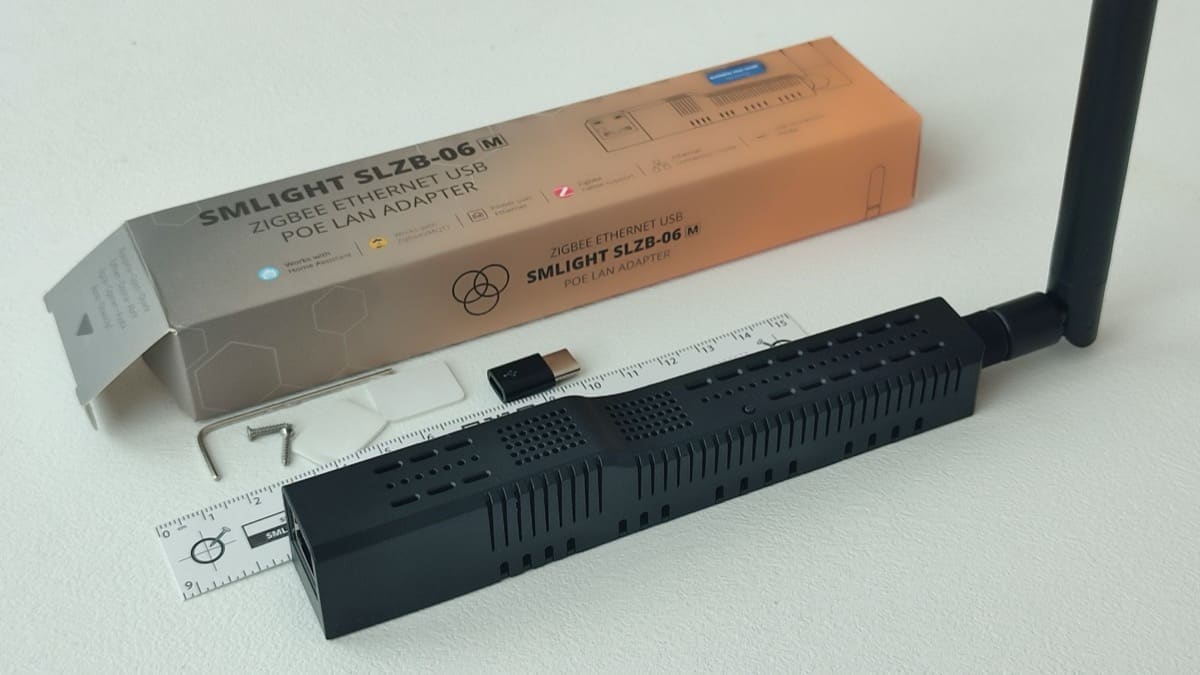
Works with Home AssistantSMLIGHT SLZB-06M
SMLIGHTSMLIGHT SLZB-06M✓ Native Home Assistant integration★ 4.5 (66)£61at Zigbee Smart (UK)Check price at Zigbee Smart (UK) →Also at Amazon UK — £74.20 →

Which IR blaster should you skip?

Skip a dedicated IR blaster if the appliance already speaks Wi-Fi, Matter or Zigbee. Newer TVs, heat pumps and many portable air conditioners have a proper integration, which reports real state instead of guessing it. Our best air conditioning units guide flags which models have app control, and Matter vs Zigbee vs Z-Wave explains the alternatives.

Do IR blasters work through walls or from another room?

No. Infrared is line of sight, so the blaster must see the appliance's receiver, or at least bounce light off a pale wall or ceiling. The XIAO's 360° LED layout helps with bounce, but a TV in another room needs its own unit. Place it near the appliance rather than the sofa, and keep it away from direct sunlight, which can drown out the signal.
Frequently asked questions

What is the best IR blaster for Home Assistant?
The best IR blaster for Home Assistant is the Seeed XIAO Smart IR Mate for most people, because it runs ESPHome, stays entirely local and feeds Home Assistant's native Infrared platform introduced in 2026.4. It costs roughly £9 to £12 and carries three IR LEDs plus a receiver. The main caveat is protocol coverage: at launch only LG Infrared had a dedicated integration, so other brands may need ESPHome transmitter protocols or raw codes. If you simply want to copy buttons from existing remotes without writing YAML, the Broadlink RM4 Mini is easier today, because its remote entity can learn commands directly. Pick the XIAO if you are comfortable with ESPHome and want the platform Home Assistant is building towards, and the Broadlink if you value quick results.
Does Home Assistant have built-in IR blaster support?
Yes, since Home Assistant 2026.4 there is a native Infrared entity platform. It is a building block integration, meaning you do not add it directly; ESPHome and SMLIGHT SLZB provide emitter entities, and device integrations such as LG Infrared and Samsung Infrared use them to control televisions. Receivers can also report the last signal they saw. The limits matter: infrared only sends commands, so integrations rely on assumed states and cannot confirm what the appliance really did, and coverage of brands beyond LG and Samsung is still growing. Broadlink is separate and keeps its older remote entity, which can learn and send infrared commands today. In practice you can use both approaches side by side in one home.
Can Broadlink RM4 Mini work with Home Assistant locally?
Yes. Home Assistant's Broadlink integration lists the RM4 mini, RM4 pro and RM mini 3, and classifies it as local polling, so commands do not travel via a vendor cloud once the device is set up. You still need Broadlink's mobile app to connect a new unit to your Wi-Fi, and if the device is locked in the app the integration cannot communicate with it until you disable the lock and reload. The RM4 Mini transmits infrared only; the RF entity applies to the RM pro and RM4 pro. Learned codes are saved in a JSON file in Home Assistant's .storage folder, which the documentation warns you not to edit by hand.
Is the SwitchBot Hub 2 good for Home Assistant?
It is good hardware but a so-so fit for Home Assistant. Home Assistant's local SwitchBot integration lists Hub 2 with limited functionality, retrieving sensor data only and not yet controlling devices. Controlling IR appliances goes through the SwitchBot Cloud integration, which is cloud polling, refreshes sensors every ten minutes and is capped at 10,000 API requests per day. That works for occasional air conditioner or TV commands but is less responsive than a local ESPHome or Broadlink unit. The hub makes most sense if you already own SwitchBot devices and want one app, or if you want its Matter support for another ecosystem. For a Home Assistant-first home, a local blaster is the cleaner choice.

Sources

Sources verified 2026-10-27

  1. Home Assistant — Infrared integration
  2. Home Assistant — Home Assistant 2026.4 release notes
  3. Home Assistant — Broadlink integration
  4. Home Assistant — SwitchBot integration
  5. Home Assistant — SwitchBot Cloud integration
  6. Home Assistant — SMLIGHT SLZB integration
  7. Home Assistant — Tuya integration
  8. ESPHome — Remote Transmitter component
  9. CNX Software — ESP32-C3 based IR remote hub (XIAO Smart IR Mate)
  10. RobotShop — SeeedStudio XIAO Smart IR Mate
  11. Mighty Gadget — SwitchBot Hub 2 review
›How we researched this

Claims in this article are checked against primary sources — manufacturer specifications, official documentation, Which? research, Ofgem guidance, or gov.uk — rather than forum threads or video reviews. Where the author has direct hands-on experience with a product (most Home Assistant, Zigbee, and home-networking gear is running in his own homelab), that is stated explicitly in the text.

For categories outside that personal setup — such as boilers, heat pumps, and other areas that are traditionally a heating engineer's domain — verdicts are built from cross-referenced manufacturer data, published lab results, and vetted expert and owner reviews rather than a claim of personal hands-on testing. See the editorial policy for the full methodology.

Sepehr

Written by

Sepehr

10+ years hands-on with Home Assistant & networking · Research-backed elsewhere · No brand deals

Smart home specialist with 10+ years running a self-hosted Home Assistant setup — Zigbee2MQTT, Frigate NVR, and local-first automations. Independent coverage for UK homes, no brand deals.

LinkedIn →

Citing this page? Please use a dofollow link back to the original article — it helps us keep the data on this page accurate and up to date.

Related reading