Protocol Comparison at a Glance
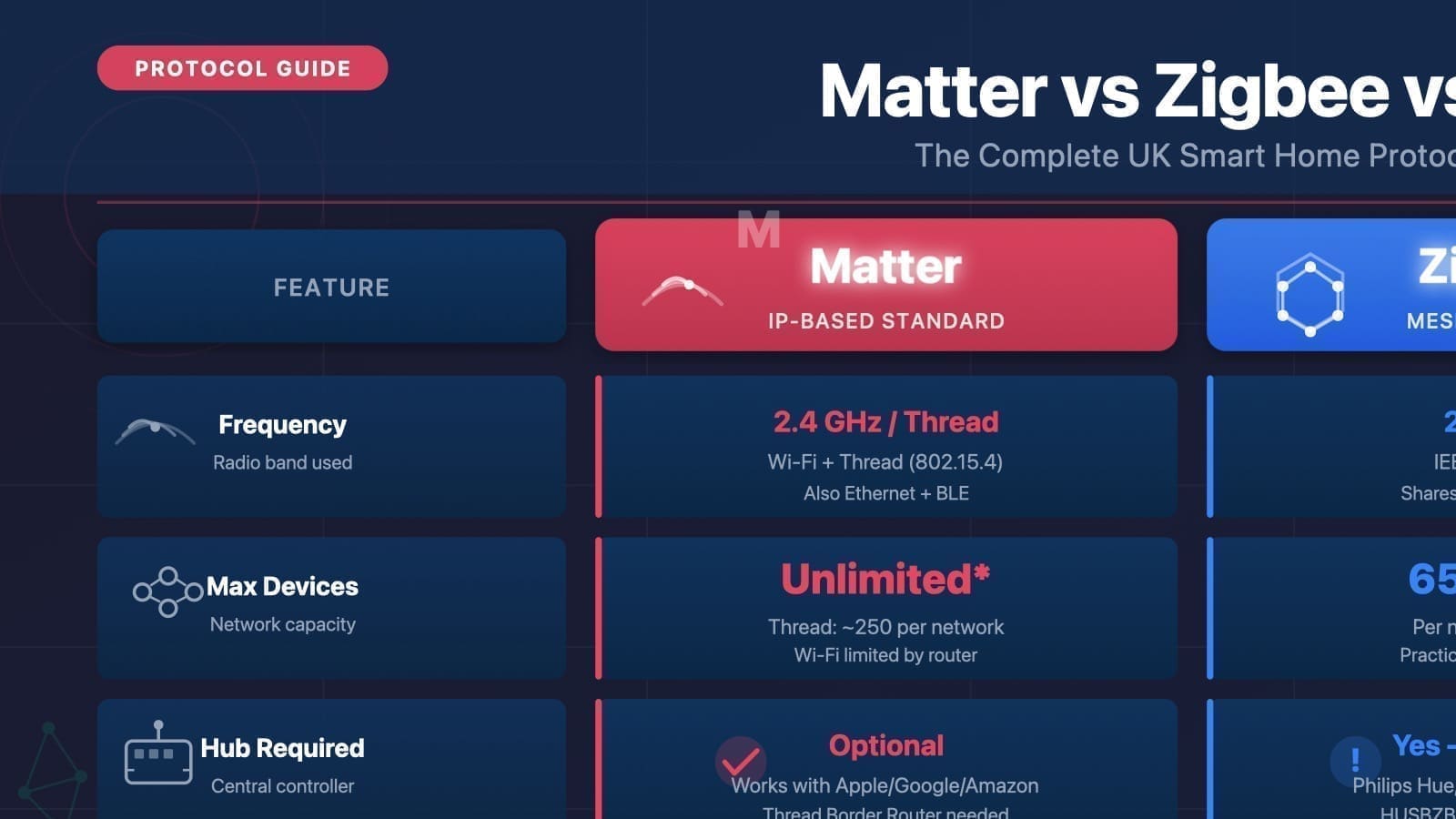
The table below summarises the most important specifications. UK frequencies are shown where they differ from US equivalents.
| Feature | Matter | Zigbee | Z-Wave (UK) |
|---|---|---|---|
| Frequency | Wi-Fi (2.4/5 GHz) or Thread (2.4 GHz) | 2.4 GHz (global); 868 MHz (EU/UK sub-GHz option) | 868.4 MHz / 869.85 MHz |
| Network topology | IP mesh (Thread) or direct Wi-Fi | Self-healing mesh | Self-healing mesh |
| Max devices | No published hard limit (Wi-Fi/Thread depend on router) | 65,000+ per network (protocol addressing) | 232 nodes per network |
| Typical range (per hop) | Up to 100 m (Thread); same as your Wi-Fi (Wi-Fi devices) | 10–100 m depending on environment | Up to 100 m line-of-sight |
| Hub / coordinator required | Matter controller + Thread border router (for Thread devices) | Zigbee coordinator (e.g. USB dongle) | Z-Wave controller (e.g. USB stick) |
| Home Assistant support | Native Matter integration (built-in controller) | Zigbee2MQTT or ZHA integration | Z-Wave JS UI integration |
| Ecosystem lock-in | None — open standard across Apple, Google, Amazon, HA | Low — most coordinators support all Zigbee devices | Very low — mandatory interoperability certification |
Zigbee: The High-Device-Count Workhorse
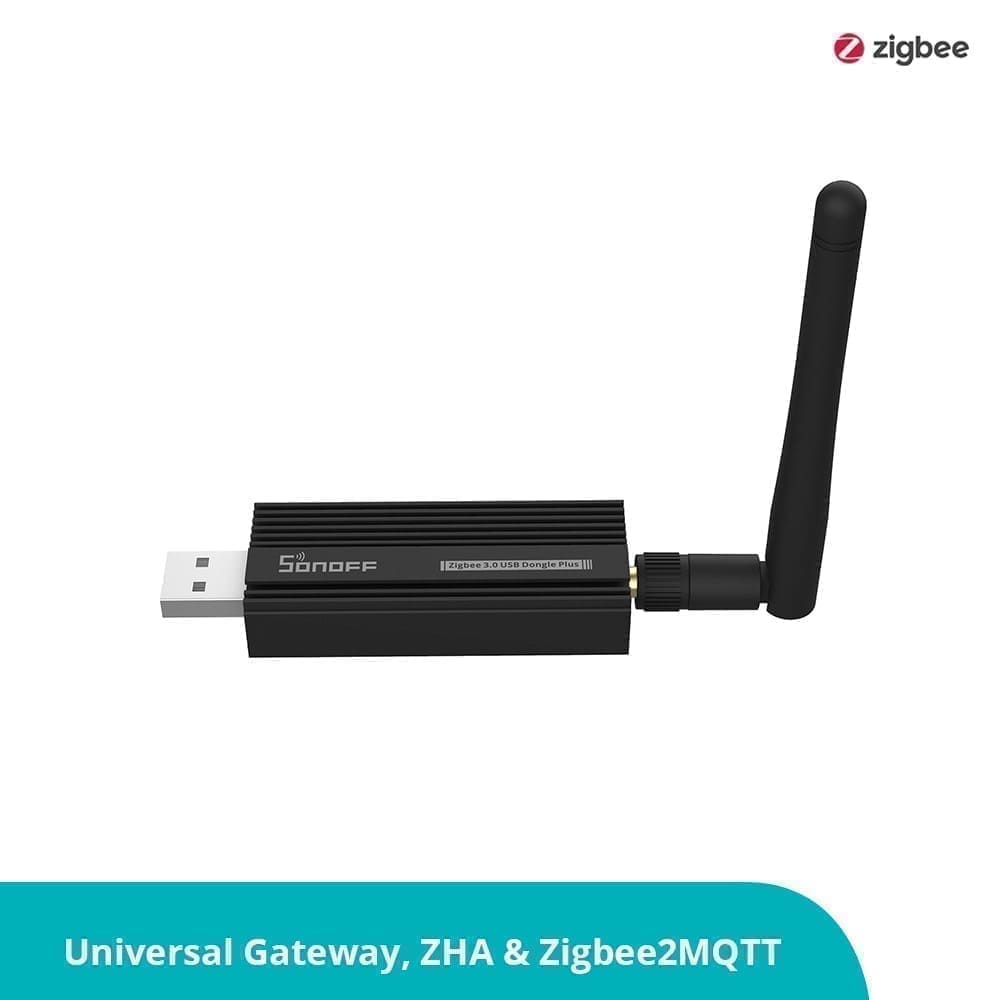
Zigbee is the most popular protocol for UK Home Assistant users, largely because inexpensive USB coordinators — such as the SONOFF Zigbee 3.0 USB Dongle Plus — cost under £20 and support thousands of devices out of the box.
Zigbee operates on the globally-available 2.4 GHz band, using 16 channels (each 5 MHz wide) to reduce interference with Wi-Fi. The Connectivity Standards Alliance, which governs the protocol, confirms that the addressing scheme can theoretically support 65,000+ devices per network, though real-world practical limits depend on coordinator hardware and mesh depth.
The network uses three device roles: a single coordinator (your USB dongle or hub) manages the network; router devices (mains-powered bulbs, plugs) repeat signals and extend range; and end devices (battery-powered sensors) sleep between transmissions to conserve power. This self-healing mesh means removing one device does not break the network — traffic automatically re-routes.
The main drawback of Zigbee is 2.4 GHz congestion. In a home already running a busy Wi-Fi network and Bluetooth devices, some channels overlap. Careful channel selection (channels 15, 20, 25, or 26 are cleanest alongside 2.4 GHz Wi-Fi) resolves most interference issues. For a deeper look at setting up a coordinator, see our guide to Zigbee sticks for Home Assistant UK.
Z-Wave: Interference-Free Sub-GHz Security
Z-Wave's defining advantage is its dedicated UK radio frequency. UK Z-Wave devices transmit on 868.4 MHz and 869.85 MHz — a completely separate band from Wi-Fi, Zigbee, and Bluetooth. There is no channel overlap, which means rock-solid reliability in dense RF environments such as flats or homes with dozens of Wi-Fi clients.
The protocol limits each network to a maximum of 232 nodes, which is more than enough for any residential installation but worth noting if you are planning a large commercial or multi-property deployment. Each Z-Wave hop covers up to 100 metres in open space; in practice, signals pass through several walls before signal quality degrades. Mains-powered devices act as repeaters; battery devices do not.
Security is a genuine strength. Z-Wave S2 (Security 2) is mandatory on all certified devices sold since 2017 and uses AES-128 encryption with ECDH key exchange, substantially reducing the risk of replay attacks that plagued older Z-Wave S0 devices. Every Z-Wave product must pass interoperability testing before it can carry the Z-Wave logo, which means fewer compatibility surprises than you sometimes encounter with Zigbee.
The cost of entry is slightly higher. A quality Z-Wave controller such as the Aeotec Z-Stick 7 typically costs £40–£60, and Z-Wave devices themselves tend to command a premium over Zigbee equivalents. However, for locks, thermostats, and security sensors — where reliability and security outweigh cost — many experienced home automators deliberately choose Z-Wave. See our best Z-Wave devices UK roundup for specific controller, lock, sensor and plug picks verified for the UK market.
Matter: The IP-Based Future Standard
Matter is architecturally different from both Zigbee and Z-Wave. Rather than defining its own radio protocol, Matter works at the application layer on top of existing IP networks — either standard Wi-Fi (2.4 or 5 GHz) or Thread (a low-power 2.4 GHz IPv6 mesh). Released in October 2022 by the Connectivity Standards Alliance with backing from Apple, Google, Amazon, and Samsung, its primary goal is cross-ecosystem interoperability: a Matter device works with Home Assistant, Apple Home, Google Home, and Amazon Alexa without any bridging or cloud dependency.
Matter devices are commissioned via Bluetooth during initial setup, then communicate over their native IP transport. Wi-Fi Matter devices connect directly to your router — no additional hub is needed. Thread Matter devices require a Thread border router to bridge the Thread mesh to your IP network. As of 2026, Thread 1.4 — which standardises credential sharing so multiple border routers from different brands share a single unified mesh — is the required certification baseline for new hardware.
Home Assistant acts as a full Matter controller, equivalent in capability to a HomePod Mini or Nest Hub. The Matter integration runs a local Matter Server via WebSocket and requires no cloud account. For a full walkthrough, see our Home Assistant Matter setup guide.
Matter's limitation is its relatively short device catalogue. The ecosystem is growing fast but remains smaller than Zigbee's library of thousands of certified products. Some manufacturers have added Matter support via firmware update, but verify the Matter logo specifically — Thread certification alone does not guarantee Matter support.
Which Protocol Should You Choose?
There is no single right answer — the best protocol depends on your priorities. Use this decision guide as a starting point:
Choose Zigbee if: you want the widest device selection, the lowest entry cost, and are comfortable doing a small amount of channel planning to avoid Wi-Fi interference. Zigbee is the default choice for most new Home Assistant users. Its mesh scales to hundreds of devices in a single home, and the Zigbee2MQTT ecosystem gives access to thousands of compatible products.
Choose Z-Wave if: reliability in a congested RF environment is your top priority, or you are automating security-critical devices such as door locks, alarm sensors, or garage door openers. Z-Wave's sub-GHz frequency sidesteps the 2.4 GHz congestion entirely, and its mandatory S2 security and interoperability certification give you confidence that devices from different brands will work together and stay secure.
Choose Matter if: you value future-proofing and multi-ecosystem flexibility above all else. If you use a mix of Apple HomeKit, Google Home, and Home Assistant — or you want to be sure your devices remain controllable regardless of which smart home platform you settle on — Matter's vendor-neutral design is its killer feature. It is also ideal if you are starting fresh with Wi-Fi-based devices and want zero additional hardware beyond your existing router.
Run more than one protocol: Many experienced UK smart home builders run all three. A typical setup pairs Zigbee for lighting and sensors (breadth of choice, low cost), Z-Wave for locks and security (reliability, encryption), and Matter for newer devices as the ecosystem matures. Home Assistant handles all three natively without any bridging service.
Whichever protocol you start with, the investment in local control pays off immediately: no subscription fees, no cloud dependency, and automations that still fire during an internet outage.
For further reading: see our guide to Z-Wave with Home Assistant UK and our Zigbee2MQTT setup guide.