How we chose these smart power strips
We compared UK-sold strips on four things, in this order: whether Home Assistant supports them locally, whether each socket switches on its own, what protection and power rating the strip has, and whether it reports energy use. We worked from manufacturer pages, UK retailer listings and Home Assistant's own integration documentation rather than hands-on lab testing, so treat specs as quoted figures.
We left out strips that are only sold with US or EU plugs, and strips we couldn't confirm for UK sale. Meross makes a well-known Wi-Fi strip, the MSS425F, but we could not find a confirmed UK-plug version, and sources disagree on whether it supports Matter or only HomeKit, so it isn't recommended here.
The best smart power strips for UK homes
1. TP-Link Tapo P304M — best overall
Who it's for: anyone who wants a single strip for a TV or desk setup that Home Assistant, Apple Home, Alexa and Google can all see. Tapo's UK page lists the P304M as Matter certified, with surge protection, schedules, an Auto-Off timer and an Away Mode that switches sockets on and off to look like someone is home.
UK retailer listings give it four AC sockets on a 1.5m cable and a 13A / 3250W rating, with prices between about £30 and £38 depending on the shop. Tapo markets it with energy monitoring and an electricity-rate setting, so you can estimate running costs for what is plugged in. Home Assistant lists the P304M as supported by its TP-Link integration, which connects to the device locally rather than through the TP-Link cloud, although Tapo devices need your Tapo account username and password to authenticate.
The catch: the Tapo page gives no outlet-by-outlet energy detail, and a Home Assistant user report we found says a related Tapo strip does not pass energy readings over Matter. If you want power data in the Energy dashboard, add it through the TP-Link integration rather than Matter, and check what shows up before relying on it. At least one retailer lists USB ports on the P304M, but the official and most retailer specs show AC sockets only, so don't buy it expecting USB charging.
2. TP-Link Tapo P300 — best budget
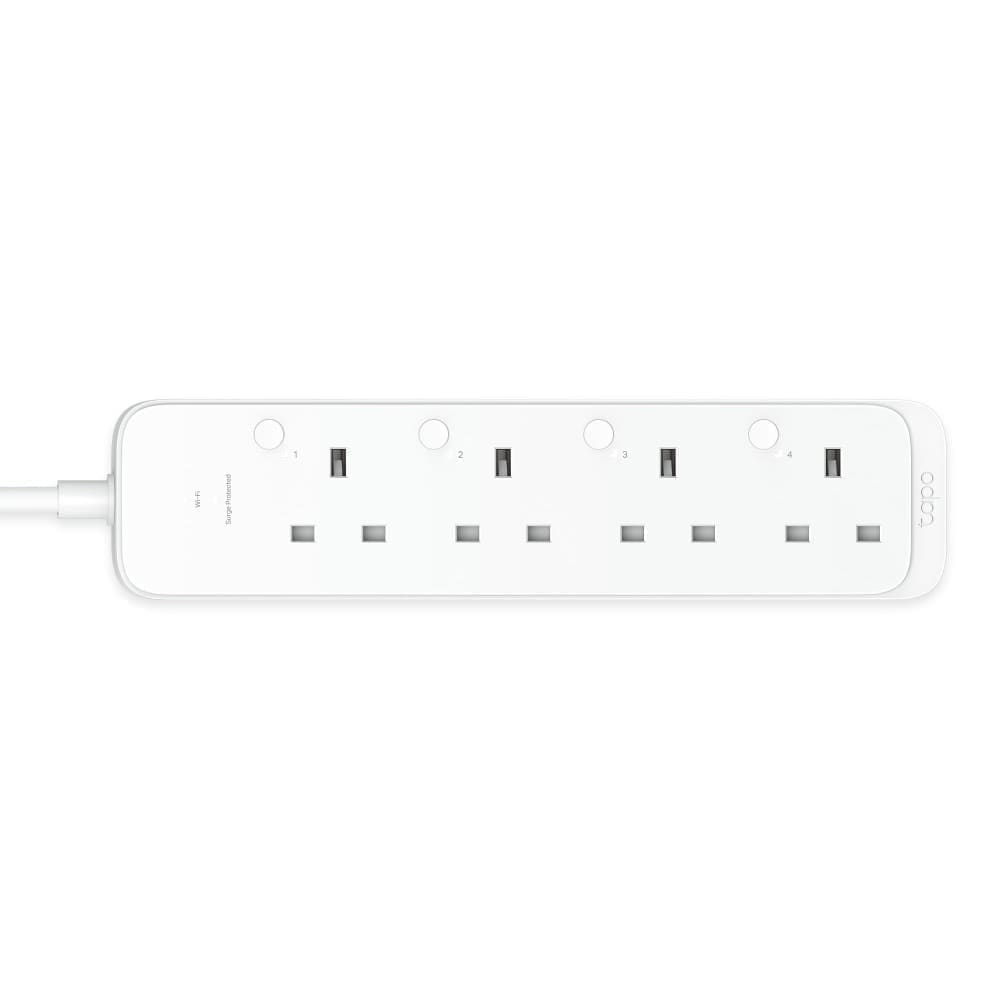
Who it's for: someone who just wants three independently switched sockets and a few charging ports without paying for Matter. Home Assistant's TP-Link integration lists the P300, and the same local-connection and sign-in rules apply as for the P304M.
UK distributor Senetic lists it at about £38.56 including VAT, which is more than some shops charge for the newer P304M, so compare prices before choosing it. USB provisioning also varies: listings elsewhere describe two USB-A and one USB-C port, but the UK listing we found doesn't give a count, so check the box before assuming. Open-source Tapo tools show the P300 exposing on/off switches for each socket, with energy channels covering only the single plugs, so treat it as a switching strip rather than a meter.
The catch: it is an older design with no Matter, so it only works with other platforms through Alexa, Google or Home Assistant, and its price is no longer a clear saving.
3. TP-Link Kasa KP303 — best for existing Kasa homes
Who it's for: households already running the Kasa app that want three switched sockets plus two USB ports. TP-Link's UK spec sheet lists three smart outlets on a 1m cable, two always-on USB ports, built-in surge protection, 2.4GHz Wi-Fi only and no hub, with Alexa and Google Assistant control and a two-year warranty.
Home Assistant lists the KP303 as supported by the TP-Link integration, and Kasa strip child sockets report energy-monitoring state at a 60-second update interval, according to the integration docs. UK prices we found range from about £28 to £38, with some retailers out of stock.
The catch: TP-Link's UK product page marks the KP303 as end of life, so it may vanish from shops, and it predates Matter. Buy it only if you can find one at a good price.
What should you look for in a smart power strip?
Look first at the load rating, because UK strips are limited by the 13A plug fuse, so a 3250W rating means you can't safely run several heaters off one strip. Next check for individual socket control, since some "smart" strips switch all sockets together, and check whether the strip works locally in Home Assistant, which matters when your internet drops.
Surge protection is worth having on a strip that powers a TV or computer, but it is not a substitute for a UPS. If you want the gear to stay on during a cut, see our best UPS for Home Assistant guide.
Is a smart power strip better than smart plugs?
A smart power strip is better when you have three or four devices in one spot, because one strip costs less than several smart plugs and takes a single mains socket. Smart plugs win when the devices are in different rooms or you want per-device energy history. Our best smart plug roundup covers those, and the Shelly Plug S review covers a plug with reliable local control.
Who should skip a smart power strip?
Skip one if you want to switch a heater, kettle or other high-draw appliance, since a strip is rated for the whole group and a single plug into the wall socket is safer. Our best smart plug for electric heaters guide covers plugs rated for that load. Also skip it if you only need to measure whole-home use, where a home energy monitor does the job properly, and our Home Assistant energy monitoring guide shows how to feed that data into the Energy dashboard.