What is the ESPHome Device Builder?
The ESPHome Device Builder is a completely new web-based dashboard for creating, managing, and flashing ESPHome devices. It replaced the legacy in-tree dashboard — described by the ESPHome team as "a plain text editor over a .yaml file" — and became the default dashboard bundled in the official Home Assistant ESPHome add-on from ESPHome 2026.6.0 onwards.
The project has two open-source components: a Python backend at esphome/device-builder on GitHub and a separate web frontend at esphome/device-builder-frontend. Unlike the old dashboard, which was built directly into the main ESPHome codebase, the Device Builder was developed by the Open Home Foundation Ecosystems department as a standalone application communicating with ESPHome through a stable public API — a design that lets it move faster without breaking existing tooling.
If you already run ESPHome in Home Assistant via the official add-on, the Device Builder is already your default — it has been since ESPHome 2026.6.0 landed in June 2026.
What did the old ESPHome dashboard lack?
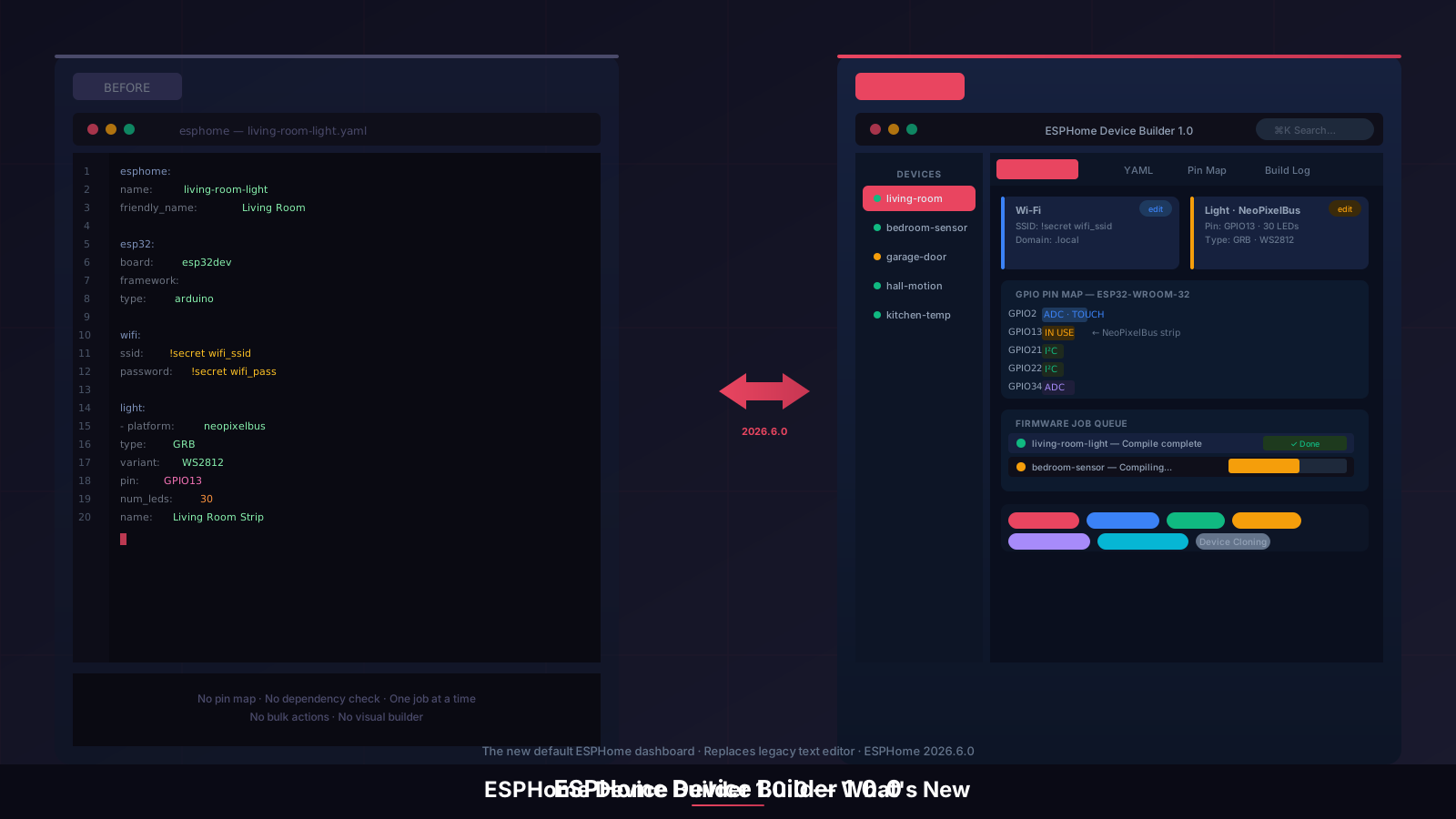
The original ESPHome dashboard was a plain text editor with a compile button. It worked, but it had genuine limitations that became more painful as installations grew:
- No visual feedback — raw YAML editing with no component guidance or schema hints
- No pin mapping — you had to look up GPIO capabilities in the manufacturer's datasheet separately
- One operation at a time — compiling one device meant every other device was blocked
- No bulk management — ten devices meant ten separate click sequences for updates
- No dependency resolution — adding a component that required another gave no warning until compile time
The Device Builder addresses every one of these. It is not a skin on top of the old editor — it is a replacement with a proper application architecture behind it.
How do you access the ESPHome Device Builder?
If you are running the stable ESPHome add-on in Home Assistant and have updated to version 2026.6.0 or later, the Device Builder is already your default dashboard. Open the ESPHome add-on from Settings → Add-ons and click Open Web UI. You will see the new interface rather than the old plain text editor.
If you are on an older version, update the add-on from the Add-ons page. During the ESPHome 2026.5.0 beta period, users could opt in via a toggle in the add-on's Configuration tab — that option is now gone because the old dashboard has been retired entirely. Existing device configs carry over without any changes required.
The Device Builder runs as a web application and is accessible from any browser on your local network. It does not require the Home Assistant Companion app, and it works independently of whether Home Assistant itself is running — useful for flashing devices without touching your main HA instance.
What are the key features of the ESPHome Device Builder?
Visual component and automation builder
The most visible change from the old dashboard. Alongside the YAML editor — now powered by CodeMirror rather than the old Ace editor — the Device Builder adds a visual builder where you can add components (sensors, switches, lights, climate entities) as structured objects rather than raw YAML blocks. The builder understands component dependencies and flags conflicts before you try to compile. An automation builder works alongside it for defining triggers and actions without hand-writing YAML.
For users who know ESPHome well, the CodeMirror YAML editor is still there and fully featured, with cross-config search (find a setting across all your device configs at once), a YAML diff view to compare before and after a change, a left-sidebar device navigator, and a command palette accessible via ⌘K or Ctrl-K.
Component catalog with dependency resolution
One of the most practically useful additions. The component catalog lists every available ESPHome component with metadata, and when you add one, the Device Builder automatically resolves any dependencies it requires. Previously, discovering that a component needed a particular library or platform was a compile-time surprise — sometimes after a several-minute build. Now it is handled upfront, before you queue a single compile.
GPIO pin mapping
Particularly useful for less common boards. The per-board pin info viewer maps every GPIO pin on your target board — showing its capabilities (digital, ADC, touch, UART, SPI, I²C), which components are currently using it, and any constraints. If you are setting up an ESP32-C3, a Seeed XIAO, or an S3-based board and cannot immediately recall which pins support which functions, this replaces constant cross-referencing with datasheets.
Display metadata is included for boards with attached screens: byte order and rotation support are shown per board. The pin map updates in real time as you assign components, so you can see conflicts before compiling.
Firmware job queue
Removes the single biggest workflow frustration from the old dashboard. The legacy editor could only handle one compile or flash operation at a time — starting a build locked the UI. The Device Builder adds a proper job queue with progress tracking, history, and the ability to cancel in-flight operations. You can queue firmware builds for multiple devices and continue editing another config while they run in the background.
Installation methods available from the Device Builder include Web Serial (browser-based flashing), server-side USB, the web.esphome.io web installer, and manual .bin file download for offline or remote flashing. A first-run Wi-Fi onboarding flow is included for new devices.
Device management: labels, areas, and bulk actions
Scales considerably better across larger installations. The Device Builder adds a full device management layer: card and table views with configurable columns, faceted filters by platform, status, area, and labels, and multi-select bulk actions covering update, delete, archive, and label assignment. Device cloning lets you duplicate an existing config as a starting point for a similar device — useful when you are adding the third or fourth sensor of the same type.
Each device gets an editable friendly name, can be assigned to a Home Assistant area, and is visible in both card and table views. For anyone managing more than a handful of ESPHome devices, this device management layer alone makes the upgrade worthwhile. You can also assign labels to group devices by room, function, or project for filtered views.
Out-of-sync detection
The Device Builder tracks a config-hash for each device — a checksum of the compiled configuration broadcast via mDNS. If what is running on a device does not match what is in your config (because the config changed since the last flash, or the device was flashed from a different machine), a badge flags it in the dashboard. Encryption-state mismatches are caught the same way. This solves a quiet but common problem: devices silently running stale firmware while their configs drift ahead of them.
Remote builder
For more advanced setups. The remote builder feature lets one Device Builder instance offload firmware compilation to another. Pairing uses mDNS discovery, identity rotation, and an out-of-band SHA-256 fingerprint confirmation for security. In practice, this means you can compile on a faster machine — a desktop running ESPHome locally — and flash to devices via a Raspberry Pi running Home Assistant. Per-peer auto-routing handles the connection once paired. Most users will not need this immediately, but it is a well-considered feature for distributed home lab setups.
How do you get started with a new device?
The new device wizard in the Device Builder offers three paths: New Device Setup (guided, asks for name, board, and Wi-Fi credentials), Import from File (for migrating an existing .yaml), and Empty Configuration (blank slate for manual entry). For a first device, the guided setup is the most accessible route.
Hardware you'll need
Before you get to the wizard, you'll need actual ESP hardware to configure and flash. A few starting points (affiliate links — we may earn a small commission):
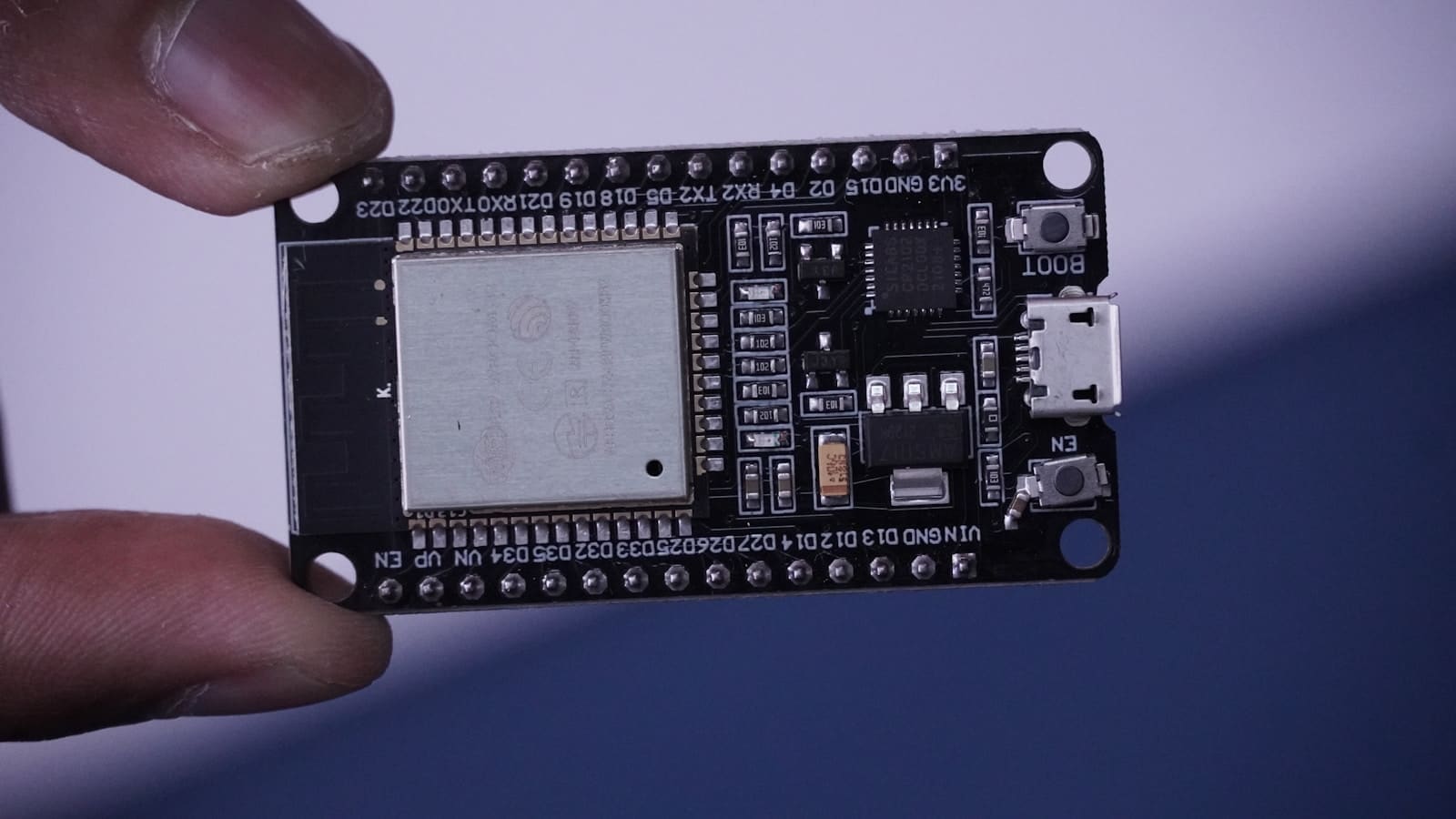
- ESP32 DevKit development board — the standard starting point for a first Device Builder project
- ESP32-C3 Super Mini — a cheaper, smaller board for simple sensor projects
- DHT22 temperature & humidity sensor — a common first component to add via the catalog
- 5V 2-channel relay module — for switching projects
Once a device is configured and flashed, Home Assistant discovers it automatically on the same network and offers to add it to Devices & Services. If auto-discovery does not trigger — common on networks with mDNS filtering — you can add it manually via Settings → Devices & Services → Add Integration → ESPHome and enter the device hostname or IP address.
mDNS discovery trouble is usually a router or network configuration issue rather than an ESPHome one — putting IoT devices on their own VLAN, in particular, can break mDNS reflection if it isn’t configured for cross-VLAN traffic. Our best home network setup guide covers mesh Wi-Fi, IoT VLANs, and mDNS reflector settings for anyone running more than a handful of ESPHome devices.
Once integrated, your ESPHome device entities appear immediately for use in dashboards and automations. The Home Assistant Lovelace dashboard is the natural place to expose them — a sensor card, a light control, or an entity row takes about thirty seconds to set up from there.
Should you update?
If you are on the official ESPHome Home Assistant add-on, updating to ESPHome 2026.6.0 or later is straightforward and the old dashboard is no longer available — the Device Builder is the only option. Existing device configurations carry over without any changes. The visual builder, pin map, and job queue features are all immediately available after the update.
For anyone who has been using ESPHome and found the old text editor too bare-bones to recommend to less technical household members, the Device Builder changes that significantly. It is also a better environment for exploring new components — the catalog and dependency resolver lower the barrier to trying something unfamiliar without breaking a working config.
For standalone ESPHome installations outside Home Assistant, the Device Builder works the same way. It connects to the ESPHome backend over its stable API regardless of whether a Home Assistant instance is present, though area assignment and automatic device discovery naturally require a connected HA setup.
If you are completely new to ESPHome and want to learn it hands-on rather than by reading docs, the official ESPHome Starter Kit pairs a no-solder hardware kit with this same visual builder for a guided first project.