The Matter server now runs on matter.js, not Python
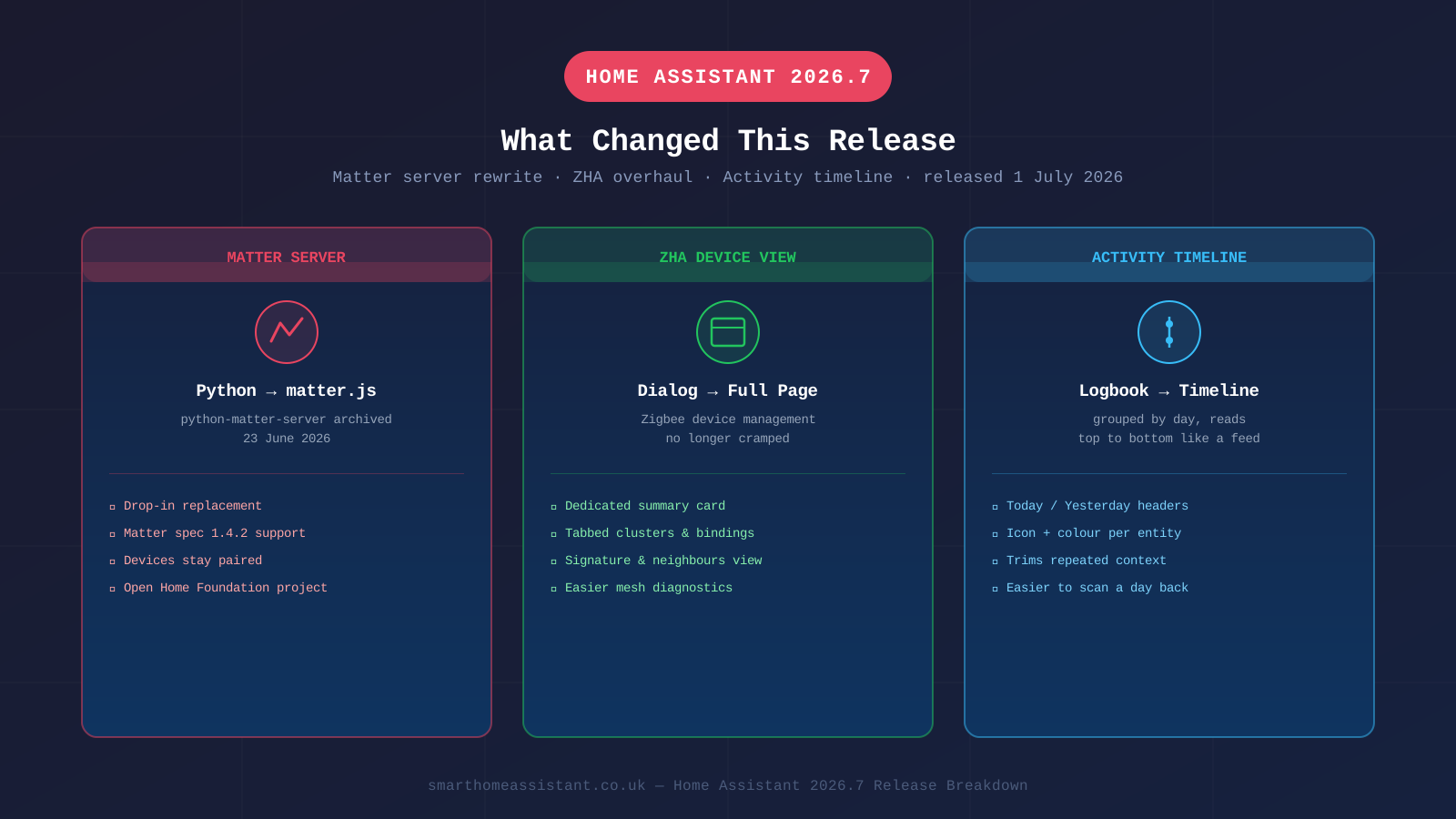
The single biggest infrastructure change in this release cycle is under the bonnet. Home Assistant's Matter support has always run through a separate add-on, the Python Matter Server, communicating with Home Assistant Core over WebSockets. That project has now been archived: its GitHub repository was marked read-only on 23 June 2026, with its README pointing users to a successor built on matter.js, a JavaScript implementation of the Matter SDK maintained by the Open Home Foundation.
The new matter.js-based server is described as a drop-in replacement, and version 8.1.2 is the final release of the old Python server, which will no longer receive updates or support. According to the successor project's own documentation, it currently supports Matter specification version 1.4.2. If you run Home Assistant OS or the official Matter Server add-on, the migration should happen automatically and your paired Matter devices should remain paired — but if you self-host a custom Matter server setup, it's worth checking your add-on has updated before assuming everything still works.
For context on why this matters day-to-day, see our Matter setup guide if you haven't yet connected Matter devices to Home Assistant, or our Matter vs Zigbee vs Z-Wave comparison if you're still deciding which protocol to standardise on.
ZHA gets a dedicated, full-page device view
If you manage Zigbee devices through ZHA (Zigbee Home Automation) rather than Zigbee2MQTT, device management has moved out of a cramped pop-up dialog and onto a dedicated page. Previously, checking a device's clusters, bindings, signature and neighbouring nodes meant scrolling through a small modal window. In 2026.7, each ZHA device gets its own full page with a summary card at the top and the same diagnostic tools laid out across tabbed navigation instead.
It's a usability change rather than a functional one — nothing about how ZHA controls your Zigbee mesh has changed — but it makes diagnosing a flaky Zigbee device (checking its signal path back to the coordinator, for instance) considerably less fiddly. See our ZHA guide for the fundamentals if you're new to it, or our Zigbee2MQTT vs ZHA comparison if you're deciding between the two.
The Activity page replaces the old logbook
The logbook — the chronological list of every state change, triggered automation and manual action — has been rebuilt into what Home Assistant calls the Activity timeline. Entries now sit on a vertical rail: a coloured dot with the entity's icon, a timestamp, and the event text beside it, read top to bottom like a social feed. Entries are grouped under headers — Today, Yesterday, then dated headers further back — and the underlying data has been trimmed so entries don't repeat information you don't need in that context, such as an entity name that's already obvious from the icon and location.
It's a genuinely useful change if you use the logbook to work out why an automation fired, or who (or what) turned a light on at 2am — the new layout makes it easier to scan a day's activity at a glance rather than parsing a flat list.
Other changes worth knowing about
An "Update all" button now sits on the Settings → System → Updates page. The page has been reorganised into grouped cards — Home Assistant Core, integrations with multiple pending updates, individual integrations, apps, and skipped updates — and you can update everything in a card with one click instead of working through updates individually.
Two new panels have been added under Settings: one for infrared and one for radio frequency (433/315MHz-style) devices, each listing the proxies and transmitters you've configured. Both panels only appear once you actually have a relevant device set up, so most users won't see them.
Ten new integrations shipped from the community this release, including Dropbox (for backup storage), MELCloud Home, KlikAanKlikUit, Chef iQ, Envertech EVT800 and several smaller additions — see our full rundown of all ten new integrations for what each one does and how to set it up. And Matter-certified soil moisture sensors are now recognised as their own device class rather than showing up as generic sensors.
Breaking changes to check before you update
A handful of purpose-specific triggers and conditions were renamed as part of this release — for example, battery.low became battery.became_low, and update.update_became_available became update.became_available. If you built automations using the Labs preview of natural-language triggers in 2026.6, check them against the current documentation before assuming they still fire correctly.
Two other changes are worth flagging if they affect your setup: the iCloud integration has removed its battery_level attribute, and anyone running a self-hosted Z-Wave JS server needs to be on version 3.9.0 or newer for Z-Wave devices to keep working. As always, back up your configuration before updating — see our backup and restore guide if you haven't set that up already.
Should you update now?
For most installations, yes. The Matter server migration is designed to be seamless, the ZHA and Activity changes are purely additive, and the breaking changes are narrow and well-documented. The main group who should pause are anyone running a heavily customised Z-Wave JS server setup below version 3.9.0, or anyone with automations still relying on the pre-rename Labs trigger names from 2026.6 — check those first, then update. Home Assistant 2026.8 is already in beta with its own set of changes — see our Home Assistant 2026.8 update roundup for what's coming next.