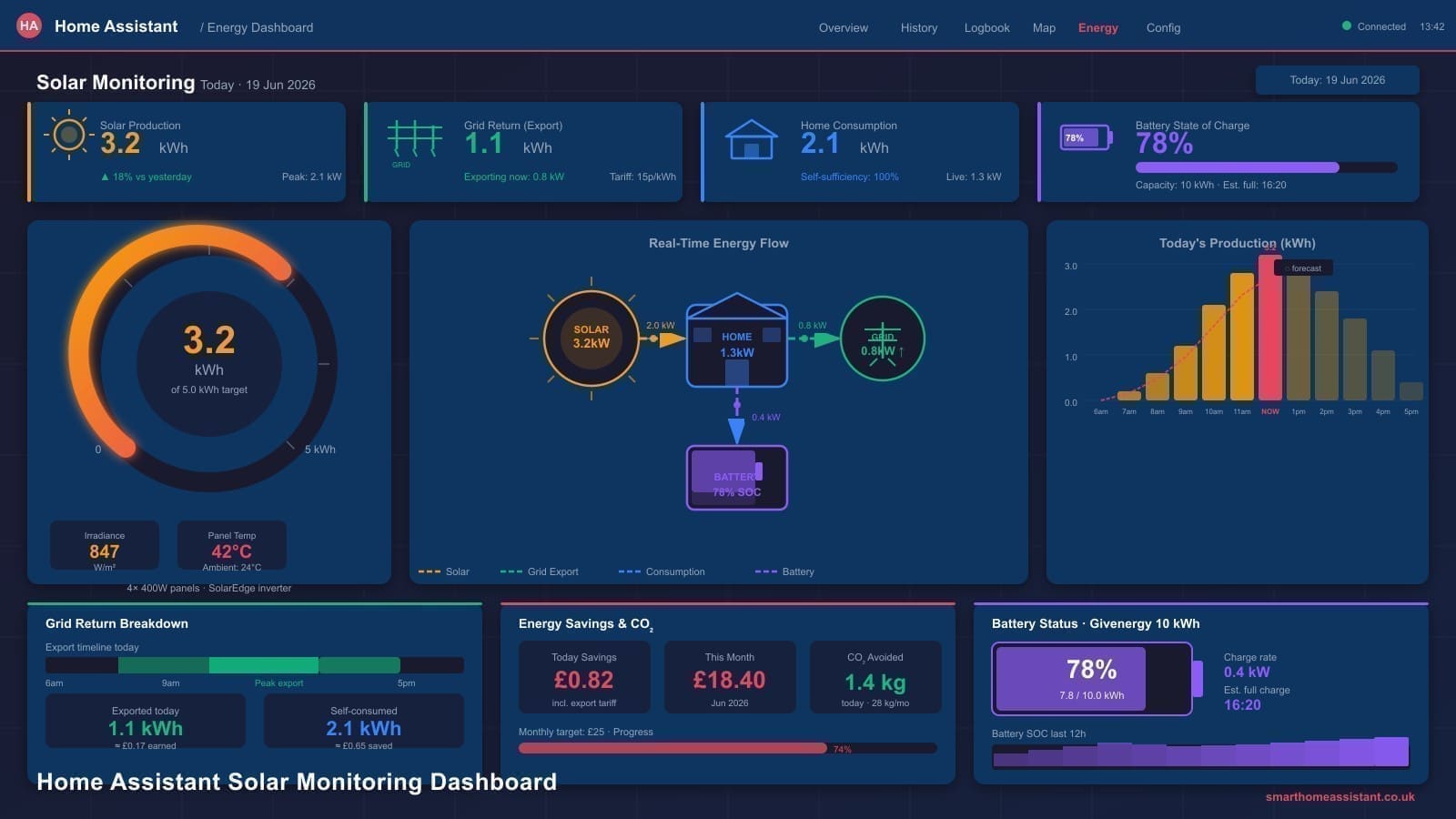
Why Monitor Solar PV in Home Assistant?
Most inverter manufacturers provide a companion app, but these apps share a common weakness: they show generation in isolation. Home Assistant connects your solar generation data with your grid import, grid export, and individual device consumption in a single dashboard. You can answer questions like "how much of my dishwasher cycle ran on free solar power?" or "which hour of the day do I typically have the largest surplus?" — questions that no manufacturer app can answer on its own.
Home Assistant also stores all readings locally (or in your own cloud backup), so you own your data permanently. If your inverter manufacturer shuts down its cloud service — a growing risk as the market consolidates — your monitoring continues uninterrupted. For a deeper look at what the platform can do for whole-home energy management, see our guide to Home Assistant energy monitoring in the UK.
Hardware Options
Shelly EM Energy Monitor (~£50)
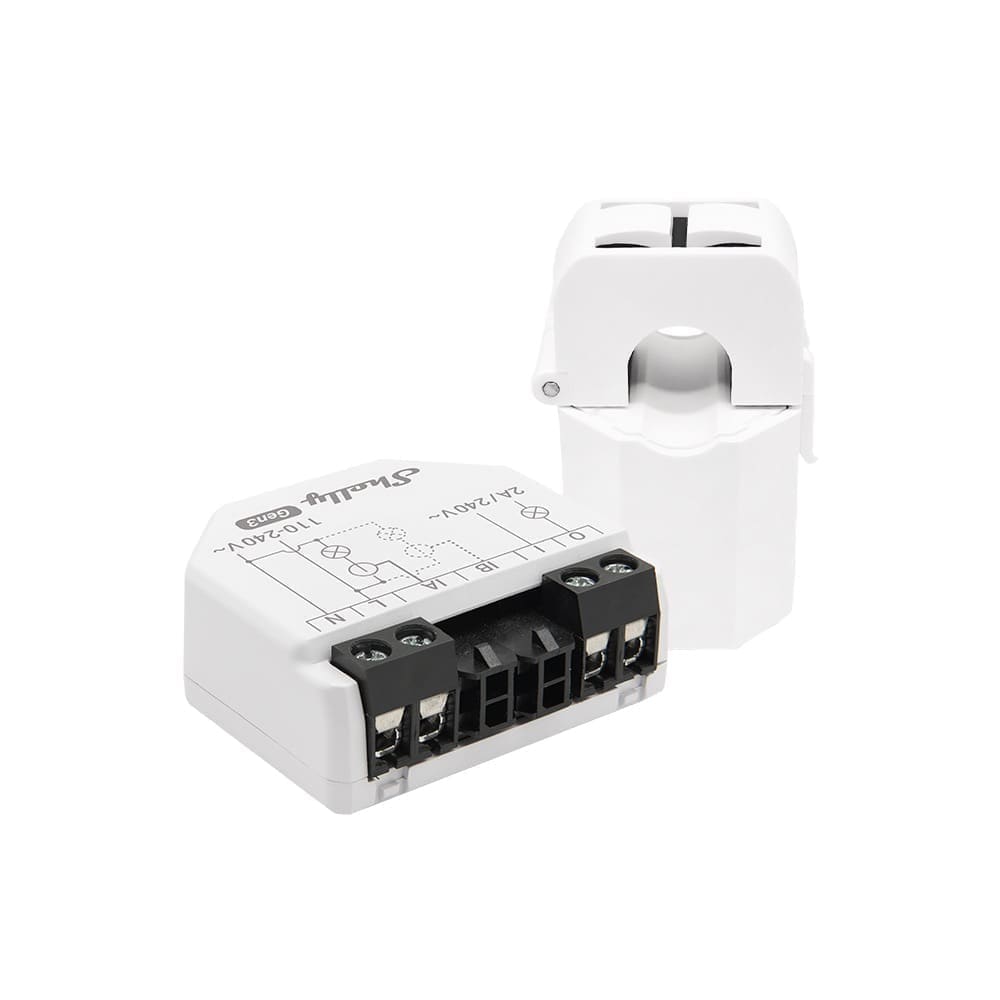
The Shelly EM energy monitor is the most popular hardware choice for UK solar owners who want to measure power at the consumer unit level. It sits inside your consumer unit (or in a DIN-rail enclosure beside it), uses CT clamps around your live cables, and connects to Home Assistant over Wi-Fi using the built-in Shelly integration — no custom firmware needed.
The Shelly EM measures two circuits simultaneously, making it ideal for monitoring both your solar generation feed and your grid import/export on a single device. With a 50 A CT clamp, it covers the vast majority of UK domestic solar installations. The base unit costs around £50 from the Shelly Store UK; adding a pair of 50 A clamps brings the total to roughly £80 for a complete two-circuit kit. The newer Shelly EM Gen3 (available for around £56) adds improved Wi-Fi and a more compact form factor.
Hildebrand Glow IHD for Smart Meters
If your home has a second-generation smart meter (SMETS2), the Hildebrand Glow In-Home Display connects to your meter's Zigbee HAN (Home Area Network) and reads import and export data directly — no CT clamps, no consumer-unit work. It integrates with Home Assistant via the Glowmarkt / Bright integration. The main limitation is that smart meters only report in 30-minute half-hourly intervals for historical data; real-time readings update roughly every 10 seconds, which is adequate for the Energy Dashboard but not for millisecond-level automation triggers.
The Glow IHD is a good complement to an inverter integration rather than a replacement: use the inverter integration for generation data, and the Glow for grid import/export totals.
If you don't have a full rooftop system, plug-in (balcony) solar kits became legal to buy and self-install in the UK from 27 August 2026 — see our guide to plug-in solar panels UK rules for the 800W cap and what to check before buying. Most compliant microinverters report generation over Wi-Fi, so the same Energy Dashboard approach below still applies once you have a sensor entity to feed it.
Inverter Integrations
SolarEdge
The official SolarEdge integration connects to the SolarEdge monitoring API using your Site ID and API key (found under Admin > API Access in the SolarEdge portal). Once configured, it creates sensor entities for current power output, energy produced today, and lifetime energy. If you have a SolarEdge battery, it also surfaces state-of-charge and charge/discharge energy sensors.
One important note: the SolarEdge cloud API updates every 15 minutes, which means your Energy Dashboard values will lag real-time production. For higher-resolution data, some users pair the integration with a Shelly EM on the AC output of the inverter to get near-instant readings. A separate module-level statistics feature (requiring your portal username and password) pulls per-panel production data every 12 hours — useful for spotting a dirty or shaded panel before it costs you significant generation.
Solis
Solis inverters — popular in the UK mid-market — can be integrated via local Modbus over the inverter's RS485 port or its Wi-Fi data-logging stick. The community-maintained Solis Modbus integration (available via HACS) communicates directly with the inverter over your local network using TCP on port 502, giving you real-time generation data without any cloud dependency. A cloud-polling alternative via the SolisCloud API is also available for installations where direct local access is not possible.
Fronius
Fronius inverters expose a local REST API that Home Assistant can query directly via the built-in Fronius integration (Settings > Devices & Services > Add Integration > Fronius). Enter your inverter's local IP address and the integration discovers all available sensors automatically — including AC power, DC power per string, daily yield, and total yield. Because Fronius uses a local API, updates are near-instantaneous and work without any internet connection.
Setting Up the Home Assistant Energy Dashboard
The Home Assistant Energy Dashboard is the built-in hub for all energy data. To configure it for solar monitoring, navigate to Settings > Dashboards > Energy and add the following sources:
- Solar panels — select the kWh sensor from your inverter integration or the Riemann sum integral of your Shelly EM's power reading.
- Grid import — the sensor that tracks electricity drawn from the grid (from your smart meter or Shelly EM).
- Grid export (return) — the sensor that tracks electricity sent back to the grid; this is what your SEG tariff pays you for.
If your sensor provides power in watts (W) rather than cumulative energy in kilowatt-hours (kWh), add a Riemann sum integral helper (Settings > Devices & Services > Helpers > Add helper > Integral sensor) and point it at your power sensor. This converts the instantaneous reading into a running kWh total that the Energy Dashboard can consume.
Once configured, the dashboard shows hourly and daily breakdowns of how much energy you self-consumed, exported, and imported, with a visual flow diagram that makes it easy to spot patterns at a glance. Understanding these patterns is the foundation for building effective automations — which is covered in depth in our Home Assistant automations guide.
Automations: Running Appliances on Solar Surplus
The real payoff from solar monitoring in Home Assistant comes when you use generation data to trigger automations. A straightforward example: run the dishwasher automatically whenever your solar surplus exceeds 1,500 W for five consecutive minutes.
In Home Assistant's automation editor, create a trigger on a numeric state — for example, sensor.shelly_em_power_channel_2 (your export/surplus sensor) going above 1500 for five minutes. The action sends a switch.turn_on call to your smart plug connected to the dishwasher. Add a condition to check the time is between 09:00 and 16:00 (when surplus is most likely) and that the dishwasher is not already running. The result: your dishwasher runs for free on solar power without any manual intervention.
Similar automations can control EV chargers (using the Ohme or Zappi integrations), immersion heaters via a smart relay, or washing machines via a smart plug. Each shifted load reduces your grid import and increases the proportion of your solar generation you consume yourself — which is always more valuable than exporting at even the best SEG rate.
Smart Export Guarantee (SEG) Monitoring
The Smart Export Guarantee is the UK government scheme that requires energy suppliers with 150,000 or more customers to offer a tariff paying you for every kWh you export to the grid. As of June 2026, the best fixed SEG rates are around 15p/kWh (British Gas Export and Earn Plus) while variable time-of-export tariffs from Octopus Energy can reach over 30p/kWh during peak grid-demand periods.
To check which suppliers must offer you a SEG tariff, visit the Ofgem SEG supplier checker. Your SMETS2 smart meter's export register — readable via the Hildebrand Glow or your supplier's API — feeds directly into Home Assistant's Energy Dashboard export sensor, giving you a live running total of kWh exported and a straightforward way to cross-check your quarterly SEG payment. If you are exploring a new solar installation with battery storage and SEG, OVO Solar offers bundled solar, battery, and export tariff packages worth considering alongside your Home Assistant setup.
ROI Calculation
Home Assistant's long-term statistics make it straightforward to build a basic return-on-investment view. Once you have a year of Energy Dashboard data, you can calculate:
- Self-consumption savings: kWh self-consumed × current Ofgem unit rate (approximately 24p/kWh in Q2 2026)
- SEG export earnings: kWh exported × your SEG rate (e.g. 15p/kWh)
- Total annual benefit: sum of both figures
A typical 4 kWp system in the UK generates around 3,400 kWh per year. If you self-consume 50% (1,700 kWh at 24p) and export the rest (1,700 kWh at 15p), your annual benefit is approximately £408 + £255 = £663. The Shelly EM hardware cost of ~£80 pays back in under six weeks of monitoring-enabled automation savings alone.
Verdict
Home Assistant is the most capable and flexible solar monitoring platform available to UK homeowners in 2026. The combination of a Shelly EM for real-time CT-clamp measurement, your inverter's native integration (SolarEdge, Solis Modbus, or Fronius), and the built-in Energy Dashboard gives you a complete picture of generation, consumption, and export — all stored locally, all owned by you. Add a handful of surplus automations and you will meaningfully reduce your grid import without spending a penny more on hardware.
For a deeper end-to-end build — inverter Modbus wiring, copy-paste YAML automations and overnight battery charge scheduling — see Smart Solar Homes’ Home Assistant solar integration guide.
The Energy dashboard's history is limited to its default retention window. For year-over-year generation comparisons, see our guide to setting up InfluxDB and Grafana with Home Assistant.