


How we chose these sensors
We ranked sensors by how easily they reach Home Assistant without a cloud account, then by accuracy, battery life and price. Every pick here has a documented Home Assistant or Zigbee2MQTT route. We left out Wi-Fi sensors that only work through a manufacturer cloud, and anything that needs a proprietary hub to be useful, because a cheap sensor stops being cheap once you buy a bridge for it.
We also did not lab-test accuracy ourselves. The accuracy figures below are manufacturer claims, and where an independent reviewer measured a sensor against a reference we say so. If you want a room-by-room picture of air quality rather than just temperature and humidity, see our indoor air quality monitor roundup.
The best temperature and humidity sensors for UK homes
1. Aqara Temperature and Humidity Sensor T1 — best overall
Who it's for: anyone building a Zigbee network who wants a small, cheap sensor for every room. Aqara lists Zigbee 3.0, a CR2032 coin cell with roughly two years of life, accuracy of ±0.3°C and ±3% RH, and an operating range of -20°C to 50°C. It also measures air pressure, which is handy for a simple weather trend in a dashboard.
Zigbee2MQTT supports the T1 (model WSDCGQ12LM), exposing temperature, humidity, pressure, battery and voltage, with calibration offsets and adjustable decimal precision. The catch: Aqara's own shop page says the sensor needs an Aqara hub, which is true for the Aqara app, but with a Zigbee coordinator running Zigbee2MQTT or ZHA you do not need one. Zigbee2MQTT's notes warn that Xiaomi and Aqara devices can drop off if the link quality is poor or the parent router is incompatible, so place a mains-powered Zigbee router nearby. Our Zigbee stick roundup covers the coordinator side.
2. SONOFF SNZB-02D — best Zigbee sensor with a display
Who it's for: anyone who wants to glance at a reading on the wall without opening an app, for a nursery, spare room or cellar. It has an LCD showing temperature, humidity, battery and comfort icons, runs on a CR2450 cell, and SONOFF quotes ±0.2°C and ±2% RH accuracy.
The raspberry.tips review found readings only a few tenths of a degree off calibrated reference sensors, with humidity about 5% out, which you can correct with the calibration setting in either ZHA or Zigbee2MQTT. It reports on a change of 0.2°C or 5% RH, and at least every 30 minutes, and worked with both platforms without extra quirks. The catch: the reviewer noted the display is hard to read from the side, and that the sensor occasionally stops updating in Home Assistant until it is re-paired. It sells for about €16 in Europe, so check current UK retailer pricing.
3. SwitchBot Indoor/Outdoor Thermo-Hygrometer — best for outdoors
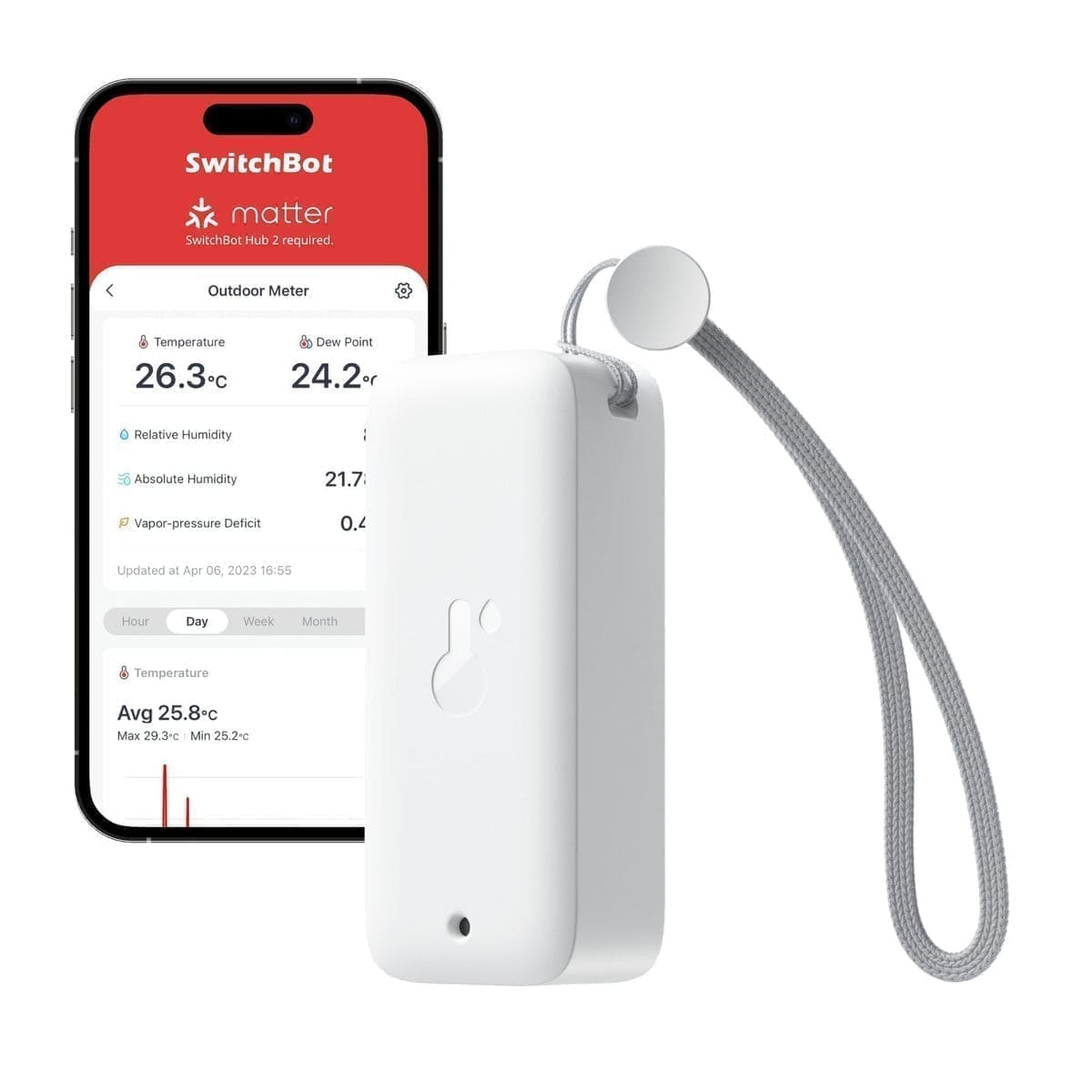
Who it's for: greenhouses, sheds, garden walls and fridges, where a coin-cell Zigbee sensor would struggle. It is IP65 dust and waterproof, uses two AAA batteries for up to two years, and quotes ±0.2°C and ±1.8% RH. Mighty Gadget lists it at £14.99, with a Bluetooth range of 100 metres in the open.
Home Assistant's SwitchBot integration lists the Indoor/Outdoor Meter among the supported Bluetooth devices and states that a SwitchBot Hub is not required. Mighty Gadget notes the meter stores 68 days of data locally, and that cloud history and push alerts need a hub. The catch: Bluetooth only reaches your server if Home Assistant has a working Bluetooth adapter or a nearby Bluetooth proxy, so check the range from the mounting spot before you commit. Outdoors, standard alkaline cells will struggle in a hard frost, and the reviewer had not tested a winter.
4. Shelly H&T Gen3 — best Wi-Fi sensor with no hub
Who it's for: homes without a Zigbee network or a Bluetooth adapter that still want a good-looking display. It connects over Wi-Fi (802.11 b/g/n) and Bluetooth 4.2, has an e-paper screen with a clock, and takes four AA batteries for about a year. The Pi Hut lists it at £36.40, and Shelly's documentation covers Home Assistant through the Shelly integration.
The catch: it is the priciest of the four, and it is specified for 0°C to 40°C, so it is an indoor sensor. Home Assistant's docs explain that battery-powered Shelly devices spend most of their time asleep, so you must wake one with its button during setup, and firmware updates cannot be triggered from Home Assistant while it sleeps. A USB-C port can power the sensor continuously but does not charge the batteries.
Which connection is best for Home Assistant: Zigbee, Bluetooth or Wi-Fi?
Zigbee is the best choice if you already run a coordinator, because the sensors are cheap, sleep most of the time and sip power. Each Zigbee sensor also strengthens the mesh only if it routes, which coin-cell sensors do not, so add a mains-powered plug or bulb to keep them connected. If you have no coordinator yet, our Zigbee2MQTT vs ZHA comparison explains the two software routes.
Bluetooth is the cheapest way in when Home Assistant already has a Bluetooth adapter, but the range is limited by walls, so plan a proxy for anything beyond one floor. Wi-Fi needs no extra hardware, but battery Wi-Fi sensors drain faster, which is why the Shelly is quoted at one year against two for the others.
Where should you put a temperature and humidity sensor?
Put it at head height on an internal wall, away from windows, radiators, direct sun and kettles, because all of these skew a reading. In a bathroom, place it outside the shower's direct spray, and for damp problems place one in the coldest corner of the room, where condensation forms first. Then let Home Assistant do the work: trigger an extractor fan or a smart dehumidifier above a humidity threshold, and pair the readings with a humidifier in dry winter bedrooms. For heating, a room sensor can also feed a smart radiator valve setup instead of relying on the valve's own reading.
Who should skip a standalone sensor?
Skip it if you already own devices that report the same readings. Many Zigbee motion sensors, presence sensors and air quality monitors include temperature and humidity, so a dedicated sensor adds little in those rooms. Also skip cheap sensors for anything safety-critical, such as vulnerable-person monitoring or frost protection for a boiler, and use a certified device for those jobs.