How does a smart meter actually work?
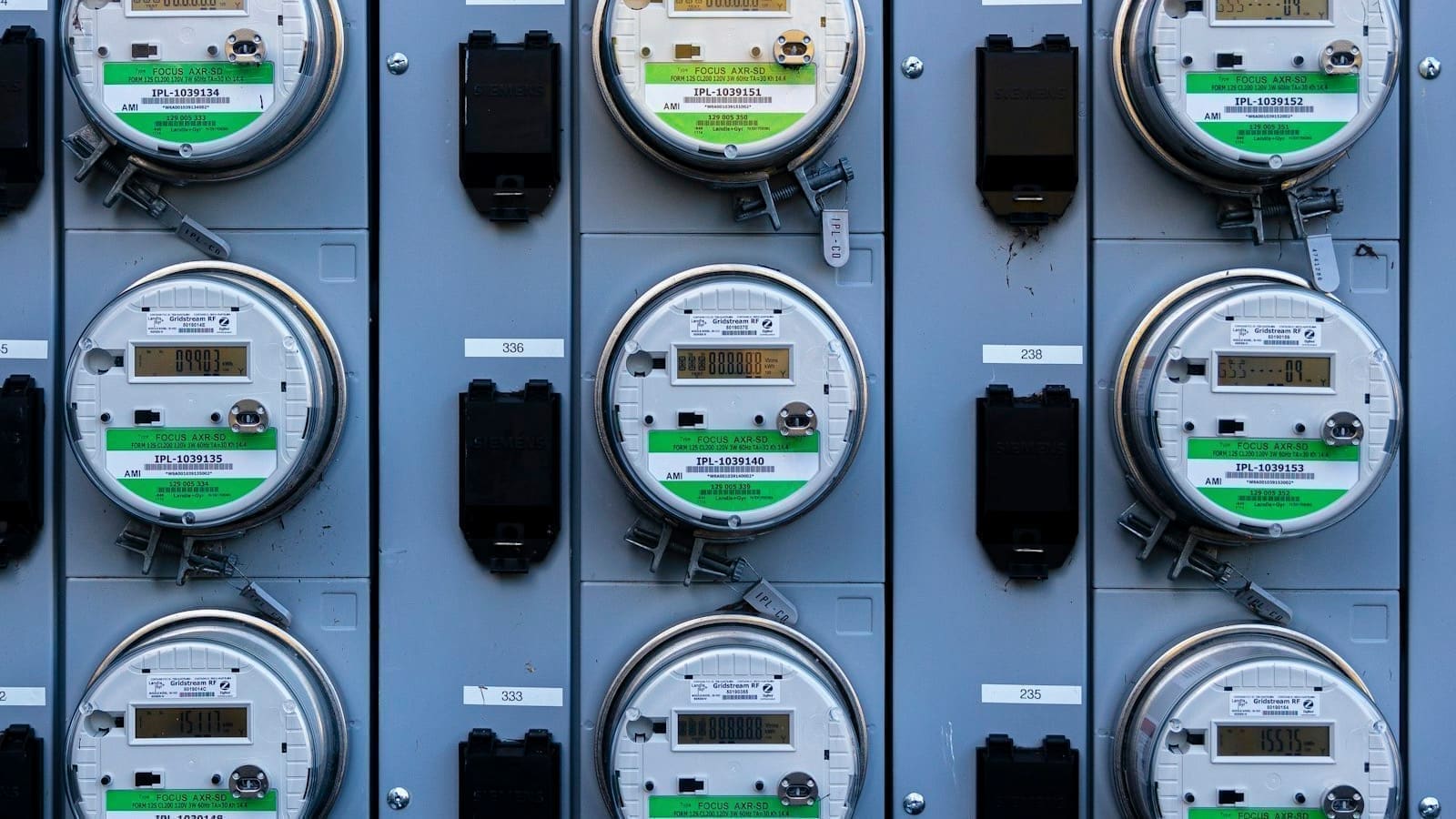
A smart meter records your gas and electricity consumption at least every 30 minutes and transmits those readings automatically to your energy supplier over a secure national communications network, rather than requiring a manual read or an estimate. Two generations exist in the UK: first-generation SMETS1 meters, which originally relied on each supplier's own communication system and could lose smart functionality if you switched supplier, and second-generation SMETS2 meters, which connect from the outset to the national Data Communications Company (DCC) network and stay smart regardless of who you're with. A communications hub links the meter and the in-home display to this national network, and by 31 May 2026 over 11.1 million SMETS1 meters had been migrated onto the DCC so they behave like SMETS2. If your meter went "dumb" after switching supplier, it's almost always an un-migrated SMETS1 unit rather than a fault.
What does the in-home display show you?
The in-home display (IHD) is a small handheld screen, provided free with installation, that shows your electricity use updating in near real time and your gas use updating roughly every 30 minutes, alongside a running cost estimate in pounds and pence. It's designed to make consumption visible enough that you notice when a kettle, tumble dryer, or immersion heater switches on, which is the single biggest lever most households have for cutting bills without buying anything. The IHD works independently of your broadband — it talks to the meter and the national network directly — so it keeps working through a Wi-Fi outage, though some suppliers also offer an app-based equivalent. For a much more granular view, including per-device usage and automation triggers, that same data can be pulled into a smart home system; see our Home Assistant energy monitoring UK guide for the hardware and integrations that make that possible.
Does installing a smart meter cost anything?
No — installation is free, funded through suppliers' operating costs rather than charged directly to the household, and there's no separate fee for the in-home display. Your supplier is legally obliged to offer you a smart meter and to make reasonable attempts to install one, but domestic customers are not legally required to accept, and you can decline without it affecting your tariff, pricing or service. If you refuse, your supplier can typically still fit the physical meter but leave it running in "dumb" mode with the communications switched off, so it behaves like a traditional meter until you change your mind. The one exception the government has floated is where energy theft is suspected, in which case the right to refuse may not apply.
Are smart meters safe — what about the radio signal?
Yes. The UK Health Security Agency (formerly Public Health England) reviewed the radio frequency emissions from smart meters and concluded that exposure is well below international guideline levels set by the International Commission on Non-Ionizing Radiation Protection (ICNIRP), typically around a million times lower than those limits, and lower than exposure from a mobile phone or a home Wi-Fi router. Smart meters sold in Britain have to pass UK and EU safety and electromagnetic compatibility standards before installation, and there is no established evidence linking them to health effects. The communications hub only transmits in short bursts to relay meter readings, not continuously.
SMETS1 vs SMETS2: does the generation matter?
For most households the practical difference has narrowed as the DCC migration programme has progressed, but it still matters if your meter hasn't been migrated yet. A SMETS2 meter is connected to the national DCC network from day one, so smart functions — remote readings, tariff updates, in-home display data — survive a supplier switch automatically. An un-migrated SMETS1 meter only talks reliably to the supplier that installed it; switch away and it can revert to manual-read mode until it's enrolled onto the DCC or replaced. If you're on an older SMETS1 meter and it's misbehaving after a switch, ask your current supplier whether it's DCC-enrolled before requesting a swap — enrolment is free and often resolves the issue without a new installation visit.
| Feature | SMETS1 (unmigrated) | SMETS2 / migrated SMETS1 |
|---|---|---|
| Works after switching supplier | Often reverts to manual mode | Stays smart automatically |
| National DCC network | Not connected (pre-migration) | Connected from day one |
| In-home display data | May stop updating after a switch | Continues working |
| Remote/automatic readings | Only with original supplier | Available to any supplier |
| Fix if not working | Request DCC enrolment (free) | N/A |
Can you get your smart meter's data into Home Assistant?
Yes, and it's one of the most useful energy add-ons for a UK Home Assistant setup because it turns billing-cycle guesswork into a live feed you can graph, alert on, and automate against. The two common routes are Hildebrand Glow, which pulls SMETS2 data via the DCC (or locally via MQTT if you have a Glow CAD/display), and the unofficial Octopus Energy integration, which layers in tariff rates for households on time-of-use plans like Agile. Both plug into Home Assistant's built-in Energy Dashboard, which has tracked grid consumption, gas and solar since it shipped in 2021.8 and now handles real-time power alongside historical trends. If your tariff bills you by half-hourly rate, our Octopus Energy smart tariffs UK guide covers which plans actually reward this kind of live monitoring. For a broader look at hardware options — smart plugs, clamp meters, and meter bridges — beyond the meter feed itself, see the best home energy monitors UK roundup.
Do smart meters work with Economy 7 and Economy 10?
Yes. A SMETS2 meter records usage in separate time bands, so it can handle Economy 7 (a cheaper overnight rate for roughly seven hours) and Economy 10 (about ten cheaper hours split across the night, afternoon and evening) without the old two-register meter or a separate timeswitch. Your supplier configures the rate periods remotely, and the in-home display can show which rate you're currently on. This matters if you heat with storage heaters or an immersion heater, because your cheap-rate window is what makes them affordable.
Two things to check before a swap. First, ask your supplier to confirm your existing off-peak hours will be reproduced on the new meter, as the cheap-rate period can differ slightly from the old one and storage heaters charge on a separate switched circuit. Second, if you have a dedicated off-peak circuit, confirm it still switches at the right time after installation. Our Economy 7 smart thermostat guide covers how to control heating around those cheap hours.
Which tariffs need a smart meter?
Time-of-use tariffs that charge different prices at different times of day generally require a smart meter, because a traditional meter can't record when you used the energy. That includes half-hourly plans such as Octopus Agile, and EV and heat pump tariffs with cheap overnight windows. Standard variable and fixed tariffs work with either meter type, so having a smart meter doesn't change your unit rate on its own. Savings come from shifting usage — running a washing machine, charging an EV or heating a hot water cylinder in the cheap window — not from the meter itself.
| Tariff type | Smart meter needed? | What the meter does |
|---|---|---|
| Standard variable / fixed | No | Automatic readings, no estimated bills |
| Economy 7 / Economy 10 | No, but SMETS2 supports both | Records cheap-rate and standard-rate usage separately |
| Time-of-use (EV, heat pump, off-peak) | Yes | Records usage by time band so cheap windows are billed correctly |
| Half-hourly (e.g. Agile) | Yes | Sends half-hourly readings so each slot is priced at its own rate |
See our Octopus Energy smart tariffs UK guide for which plans reward this kind of shifting.
In-home display vs supplier app vs Home Assistant: which should you use?
The in-home display is the simplest option and needs no setup, but it only shows the current moment and short-term totals. A supplier app gives you daily or half-hourly history, though the data usually arrives with a delay of up to a day. Home Assistant gives you the most control because you can graph, alert and automate against the data.
| Option | Cost | Data freshness | Best for |
|---|---|---|---|
| In-home display | Free with install | Electricity near real time, gas about every 30 minutes | Spotting what's drawing power right now |
| Supplier app | Free | Usually next-day or half-hourly history | Checking bills and daily totals |
| Home Assistant + Hildebrand Glow | Hardware and setup time | Near real time via DCC or local MQTT | Automations, Energy Dashboard, per-appliance insight |
What can go wrong with a smart meter?
The most common problems are a blank or frozen in-home display, a meter that stops sending readings after a supplier switch, and a weak signal between the meter and communications hub. Try moving the display closer to the hub or meter first, since thick walls and metal meter boxes weaken the link. If the meter went dumb after switching, ask your new supplier to check DCC enrolment. If readings still don't arrive, ask the supplier to test the communications hub signal — they can fit an aerial extension or a different hub type in some properties. Keep a dated photo of your meter register in case of a billing dispute, and you can ask your supplier to raise a fault if the problem persists.
Is a smart meter worth having?
For most UK households, yes — it removes estimated billing, shows you where money is actually going, and is a prerequisite for time-of-use tariffs that can meaningfully cut electricity costs if you can shift some usage off-peak. The trade-offs are minor: a small minority of properties get poor signal (thick walls, rural areas with weak mobile coverage for the communications hub) and older SMETS1 installs occasionally need a free DCC enrolment fix after switching supplier. If you're already running Home Assistant, the meter becomes more than a billing tool — it's a free, always-on data source for automations, cost tracking and appliance-level insight that would otherwise need separate hardware.